Acronis Small Office: Server Cloud Backup
Acronis Small Office: Server Cloud Backup makes it easy to back up your Small Office or Home Office (SOHO) server. Knowing that your small office server is always protected and your important data is safe means that you can focus on running your business secure that you will be up and running in minutes, no matter what happens.
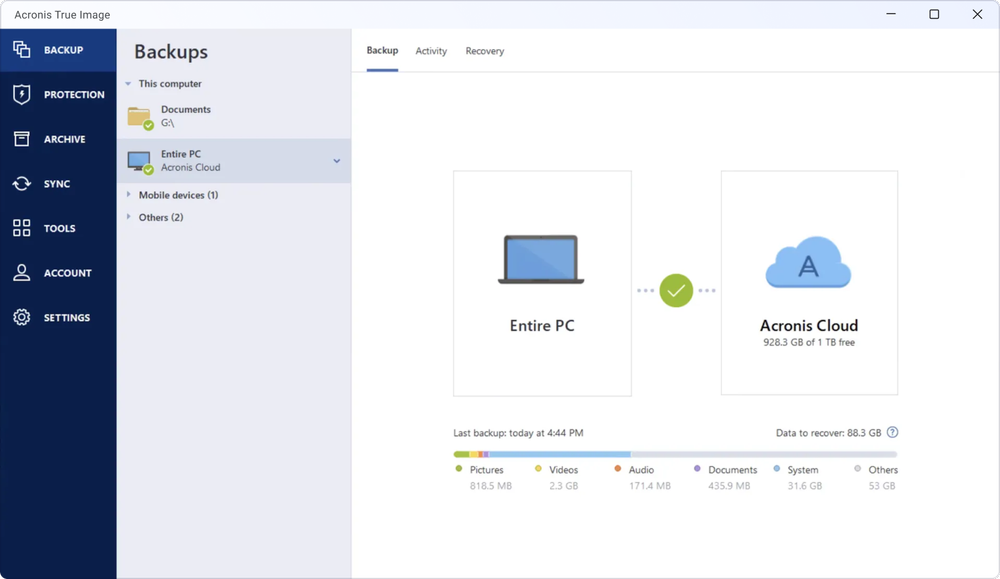
- Backup Files to Acronis Cloud Storage Automatically replicate your crucial files to Acronis Cloud Storage to ensure your data is never lost and always available to you. Secure, reliable, effortless server cloud backup.
- Backup a Disk Image to External Drives Save a disk image containing your server’s operating system, applications, and data to any USB drive or network-attached storage, and recover your entire system in minutes, rather than hours or days.
- Restore to any hardware Restore your server’s disk image to any hardware. Thanks to Acronis Universal Restore technology built into this small office server backup software, you can migrate to a new machine or recover to a different server with ease.
- Secure, reliable Acronis Cloud Storage
- Ensure you always have a copy of your files in a reliable and secure online data center
- Fast and easy disaster recovery
- Save image backups or snapshots of your entire system to USB drive or network storage for full recovery to a bare-metal server or retrieval of individual files
- Any hardware recovery
- Recover your system image to a bare metal server or even dissimilar hardware in minutes
- Incremental backup
- Capture only the changes made since the previous backup to dramatically reduce backup time, network traffic, and backup file size
- Individual file or folder extraction
- Easily find and recover accidently overwritten or deleted files by extracting them from a disk image
- Disaster recovery plan
- Use an automatically generated document with step-by-step instructions explaining your recovery process
- Backup compression
- Reduce backup file size and network traffic by 50% on average
- Encryption
- Ensure that your backups are protected and only you can recover the data using 256-bit AES encryption
Minimum system requirements
Small Office Backup has minimum hardware requirements corresponding to that of the operating system installed on the computer to be used for running Small Office Backup. In addition Small Office Backup requires the following hardware:
- CD-RW/DVD-RW drive for bootable media creation
- Mouse or other pointing device (recommended)
Small Office Backup rescue media has the following hardware requirements:
- 512 MB RAM
- Processor Pentium 1 GHz or faster
- 1.5 GB of free space on a hard disk
- The recommended screen resolution is 1280 x 1024.
The minimum screen resolution is 1024 x 768.
Supported operating systems
Small Office Backup has been tested on the following operating systems (both 32 and 64 bit, if applicable):
- Windows Server 2008 R2
- Windows Server 2012
- Windows Server 2008
- Windows Small Business Server 2011
- Windows Server 2003 R2
- Windows Server 2003
- Windows Small Business Server 2008
- Windows Small Business Server 2003 R2
- Windows Small Business Server 2003
Supported virtual machines
Small Office Backup has been tested on the following operating systems (both 32 and 64 bit, if applicable):
- VMware vSphere / ESX / ESXi and Workstation
- Microsoft Hyper-V and Virtual PC
- Red Hat Enterprise Virtualization (RHEV) and KVM
- Citrix XenServer
- Parallels Workstation and Server Bare Metal
Small Office Backup also lets you create a bootable CD-R/DVD-R that can recover a disk/partition on a computer running any Intel- or AMD- based PC operating system, including Linux®. (Note that the Intel-based Apple Macintosh is not supported.)
Supported file systems
- FAT16/32
- NTFS
- Ext2/Ext3/Ext4 *
- ReiserFS *
- JFX *
- Linux SWAP *
If a file system is not supported or is corrupted, Acronis Small Office Backup can copy data using a sector-by-sector approach.
The Ext2/Ext3/Ext4, ReiserFS, JFX, and Linux SWAP file systems are supported only for disk or partition backup/recovery operations. You also cannot perform backups to disks or partitions with these file systems.
Supported storage media
- Hard disk drives*
- Solid State Drives (SSD)
- FTP servers**
- CD-R/RW, DVD-R/RW, DVD+R (including double-layer DVD+R), DVD+RW, DVD-RAM, BD-R, BD-RE***
- USB 1.1 / 2.0 / 3.0, FireWire (IEEE-1394) and PC card storage devices
* Acronis Small Office Backup does not support the following dynamic volume types: Mirrored and RAID-5.
Recovery of a dynamic volume as a dynamic volume with manual resizing is not supported
** An FTP server must allow passive mode file transfers. For data to be recovered directly from an FTP server, the backup must consist of files no greater than 2GB each.
The firewall settings of the source computer should have Ports 20 and 21 opened for the TPC and UDP protocols to function. The Routing and Remote Access Windows service should be disabled.
*** Burned rewritable discs cannot be read in Linux without a kernel patch.
SSD support
The recommended offset for Solid State Drives (SSD) is a multiple of 64 KB (most commonly, 1024KB or 2048 sectors).
Small Office Backup provides full support of SSDs. It keeps the proper offset of SSD during such operations as image recovery and cloning. Specifically, full support means that:
- If you recover a disk backup to an SSD or clone a disk to an SSD, the offset will be automatically set to the default 1024 KB (2048 sectors).
- If you recover a partition backup to a target empty non-partitioned (unallocated) SSD, the offset will be automatically set to the default 1024 KB (2048 sectors).
- If you recover a partition backup to a target empty partitioned SSD, the target SSD will keep its original offset.
Product Documentation
- Data Sheet (0.5 MB, PDF)
- User Guide (4.3 MB, PDF)