Macs: Powerful devices that need powerful backup and comprehensive protection

The Mac is an incredibly powerful device, providing the perfect workstation to "Think Different." Apple promises to protect your apps, music, photos and documents with Time Machine. While Time Machine is an easy-to-use backup and recovery solution, that is cleanly integrated with your Mac, it has limitations. It provides basic backup capabilities but lacks the flexibility and comprehensive backup and security options necessary to protect your entire digital life.
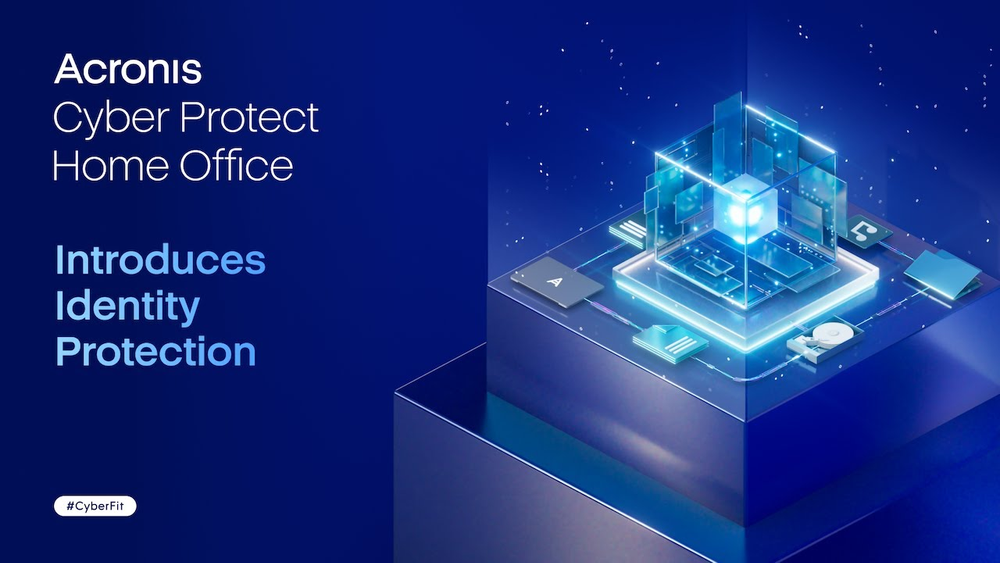
Acronis True Image Introduces Identity Protection
…
1:39

Acronis True Image vs Time Machine

Acronis True Image
Time Machine
Type of software
Complete cyber protection
Local backup
Protects
1, 3 or 5 PCs/Macs and an unlimited number of mobile devices
1 Mac
Supported operating systems
Windows, macOS, Android, iOS
macOS
Data protection: backup, cloning and recovery
File and folder backup
Image backup
Disk cloning
Cloud sync and share *
True continuous backup
Limited
Backup scheduling
Backup versioning
Limited
All-in-one recovery drive (Acronis Survival Kit)
Recover to similar or dissimilar hardware *
Cloud storage
Microsoft 365 backup, including Outlook.com and OneDrive
Mobile backups
Privacy features
Anti-ransomware and cryptojacking * protection
Vulnerability assessments
Videoconference app protection *
Real-time anti-malware protection
Antivirus scans
Web filtering *
Backups encrypted with user-defined passwords
Identity Protection **
Easy management
User-friendly cyber protection dashboard
Basic
Control backup-on-battery
Only for macOS
Back up on preferred Wi-Fi
* Windows only.
** Only available in the U.S. for Advanced and Premium subscriptions.

Three ways in which Acronis True Image outperforms Time Machine

1. Protect all your devices with one account: Macs, PCs and mobile phones

In the digital age, our lives are increasingly intertwined with a variety of digital devices, and it's common for a family to own different types. All these different devices need comprehensive, unified protection. You capture precious moments in pictures and videos, download your favorite music and movies, create important work files for projects, and customize applications to suit your needs. All these digital assets hold significant value and deserve robust protection to ensure their security and longevity.

Acronis True Image offers cross-platform compatibility, providing comprehensive backup solutions for Windows, macOS, Android and iOS users. It enables users to back up data from multiple operating systems and even manage these backups remotely from a single web-based interface.

This flexibility is complemented by the Acronis Cloud, which offers secure, unified and off-site storage, ensuring that backups are not only accessible from any device with internet access, but also safe from local hardware failures.

On the other hand, while Time Machine provides a seamless and user-friendly backup experience within the Apple ecosystem, it lacks the multi-OS support and cloud integration capabilities that make Acronis True Image a more comprehensive solution for users with diverse backup and cyber protection needs.

Protect not only individual files
  • System failures and crashes
    System failures and crashes
    In the events of ransomware attack, hardware failure or sudden system crash, image backups enable you to restore the entire system, including the operating system, applications, and settings, ensuring a swift recovery to a functional state.
  • Hardware upgrades or replacements
    Hardware upgrades or replacements
    If you just are planning to upgrade or replace your hardware components, Acronis’ Disk Cloning tool simplifies the migration process. You can restore the system image to the new hardware, ensuring a seamless transition with no downtime.
  • Operating system corruption
    Operating system corruption
    In case your operating system becomes corrupted, or device is rendered unbootable Acronis’ Survival Kit comes to rescue. You can boot your device and restore the entire system to a clean and stable state in one go.
2. How can you safeguard your most valuable data based on your needs?

Every machine is unique, and every user has their own preferences. Acronis gives you backup options to ensure personalized data protection.

  • With Acronis, you can back up your entire machine; it is even capable of backing up boot files. This means you can recover your files and applications even if your machine does not boot.
  • Not every backup needs to contain the image of your entire machine. You may also choose to selectively back up disks, files or folders. If you are a Microsoft 365 user, you can back up your Microsoft data using Acronis' Online Dashboard.
  • You may extend data protection to your mobile phones by backing up an unlimited number of devices.
  • Choose to backup to Acronis Cloud or to your personal detachable and NAS devices.
  • Schedule your backups and let Acronis automatically update your precious data daily, weekly, monthly or yearly.
  • The security of your backups can be enhanced with military grade encryption.
Protect not only individual files
3. Integrated cyber protection

Backup and recovery offer crucial reactive protection against modern-day threats. However, as essential as they are, relying solely on these measures does not guarantee comprehensive protection. To fortify your defense strategy, proactive measures, such as robust antivirus and anti-ransomware must be in place. The classical approach of employing a combination of standalone protection tools for backup, anti-malware, patch management, configuration management and others is both complex and inefficient. Acronis offers a well-rounded approach that integrates reactive and proactive elements in a single interface.

Protect not only individual files
  • Anti-ransomware and cryptojacking protection
    Anti-ransomware and cryptojacking protection
    Safeguard your files, apps, and systems by detecting and stopping ransomware before they affect. Automatically restore any affected files from backups.
  • Real-time protection
    Real-time protection
    Keep your device and backup files safe from malicious activities in real time with AI-enhanced protection. Block even never-seen-before threats by checking every file you access or interact with.
  • Web filtering
    Web filtering
    Stay protected from potentially harmful websites and untrusted web resources that often distribute malware and use the so called "drive-by download" method of infection.
  • Videoconference app protection
    Videoconference app protection
    Protect your web conferencing sessions on Zoom, Cisco Webex Meetings and Microsoft Teams from code injections and other suspicious operations by attackers.
  • Identity Protection **
    Identity Protection **
    Safeguard personal information such as social security numbers, financial details and much more, to prevent identity theft.
  • Antivirus scan
    Antivirus scan
    Ensure threats aren’t lurking on your computer by scanning for malware whenever required.
  • Vulnerability assessment
    Vulnerability assessment
    Ensure all your installed applications are up to date and have no vulnerabilities that can be exploited by attackers.

Choose the Acronis True Image plan that meets your needs

What the experts say

Trustpilot reviews

Acronis solutions are trusted by thousands worldwide

Sorry, your browser is not supported.

It seems that our website is incompatible with your current browser's version. Don't worry, this is easily fixed!
To view our complete website, simply update your browser now or continue anyway.