



Cloud Backup & Recovery Solution for Microsoft 365

Cloud Backup & Recovery Solution for Microsoft 365

Complete, automated, cloud-to-cloud backup of Microsoft 365, supporting SharePoint, OneDrive, Teams and Exchange. Includes unlimited cloud storage, with ongoing maintenance managed by Acronis, ensuring your protection is secure and always up-to-date.

Why protecting Microsoft 365 data and applications is critical

Did you know an alarming 85% of organizations using Microsoft 365 suffered email data breaches?
Data breaches are on the rise due to increasing cyberattack complexity. Organizations that use Microsoft 365 are responsible for protecting their data and applications against cyberthreats.

You should consider implementing a comprehensive data protection solution that includes backup and recovery, cybersecurity and endpoint protection management.
Embedded thumbnail for backing up your files
  • With more than 400 million active monthly users, Microsoft 365 is the go-to productivity solution for many organizations.
  • Without third-party backup, sensitive business data is at risk from data loss (e.g., accidental deletions and malware attacks).
  • Microsoft reported 1,220 new common vulnerabilities and exposures (CVEs), while attacks against Teams continue to rise.

Back up your Microsoft 365 data with Acronis

Microsoft 365 provides robust services for business collaboration, yet Microsoft does not take responsibility for customer data. In fact, Microsoft recommends that users regularly back up content and data using third-party services. You share some responsibility.
Yet without third-party backup, sensitive business data such as emails or shared files stored in Microsoft 365 are not protected from the most common or most serious data loss issues.
Acronis

Anti-malware scans of Microsoft 365 backups

Acronis performs heuristics-based anti-malware scanning on Microsoft 365 backup archives to identify and remove malware from them.
This prevents a potential scenario in which malware could infect a resource in Microsoft Exchange or a Microsoft 365 application, be replicated to backup archives, and be reintroduced into the production Microsoft 365 environment when the infected resource is restored during recovery. This native integration of data protection and cybersecurity eliminates malware instances in Microsoft 365 backups before they can reinfect live systems.
Acronis

Key features to protect your Microsoft 365 data

  • One solution for any workload
    One solution for any workload
    Save on licensing, education and integration. Acronis Cyber Protect is a scalable solution that protects clients’ data across 30+ platforms — physical, virtual, cloud or mobile.
  • Quick, granular restore
    Quick, granular restore
    Avoid client downtime and ensure their business continuity by recovering their data in seconds. You can granularly back up and restore required pieces of data (e.g., emails, files, sites, contacts and attachments).
  • Automatic protection for new Microsoft 365 items
    Automatic protection for new Microsoft 365 items
    Reduce headaches by streamlining backup management for Microsoft 365. New users, groups and sites are automatically protected.
  • Quick backup search
    Quick backup search
    Find a needed file in seconds. Enhanced search for mailboxes allows you to search by email subject, recipient, sender or date. Also search with Word forms or partial information and search Teams, OneDrive for Business and SharePoint Online by site item and file name.
  • Powerful status monitoring
    Powerful status monitoring
    Achieve higher levels of transparency and security thanks to advanced reporting capabilities and backup-status monitoring, including widgets, notifications and alerts for critical events.
  • Group management
    Group management
    Update and apply specific policies for large groups — up to hundreds of users — not just one at a time.
  • Everything included in the price
    Everything included in the price
    The low, predictable cost includes software and free cloud storage, making budgeting a breeze.
  • Automated maintenance
    Automated maintenance
    Acronis takes care of the ongoing maintenance ensuring your protection is always up-to-date and secure.

Microsoft 365 shared responsibility model

Microsoft 365 provides infrastructure resilience, but data protection is your responsibility.
Acronis
Infrastructure and data
Security onus
Regulatory obligations
Microsoft’s responsibility
  • • Data center (DC)
  • • Network controls
  • • Applications
  • • Virtualization
  • • Operating systems (OS)
  • • DC protection
  • • Software failures
  • • Natural disasters
  • • Power outages
  • • OS errors
  • • DC redundancy / replication
  • • Short-term data recovery
  • • Role of a data processor
  • • Process customer's data as per the controller's instructions
  • • Timely response to breaches
  • • Transparent policies and audit trail
Your responsibility
  • • Data and information
  • • Endpoint devices
  • • Access management
  • • Account and applications
  • • Data and information
  • • Malware
  • • Deletion
  • • Ransomware
  • • Sync errors
  • • Data backup
  • • Business continuity
  • • Role of a data controller
  • • Onus of consent, access, privacy and protection of data
  • • Data backup, retention and archival
  • • Specific legal requirements
  • • GDPR
  • • HIPAA
  • • FINRA
  • • SOX
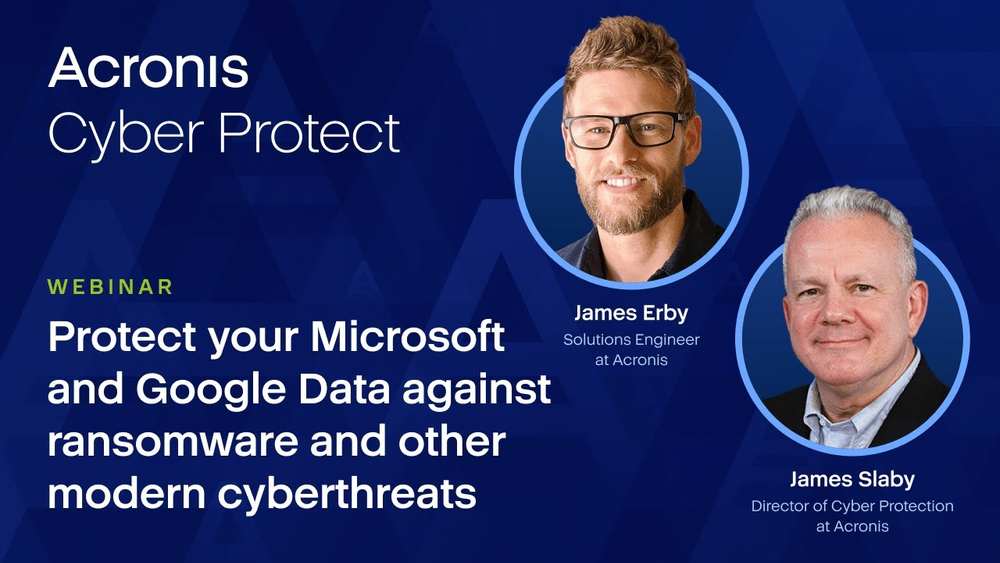
Protect your Microsoft and Google data against ransomware and other modern cyberthreats
This webinar highlights the limited protection offered by Microsoft and Google for critical business data in their productivity suites, emphasizing the need for additional security measures. Learn practical steps to strengthen defenses against cyberattacks, ransomware and malicious emails. Gain insights on user education for reducing common attack vectors and safeguarding essential data across Microsoft 365, Google Workspace and related applications.
Acronis
56:26

#Resources

Acronis is the only solution that can protect any piece of data across 30+ platforms — physical, virtual, cloud or mobile, ensuring that clients' data is always safe and available via quick backup and granular restore capabilities.
Acronis

Solutions

Acronis Cyber Protect
For businesses

Centralized cyber protection solution to streamline your endpoint protection, backup and disaster recovery, and management through integration and automation.

Acronis Cyber Platform
For service providers

Integrated cyber protection platform unifying cybersecurity, data protection and management to reduce complexity, streamline your services and cut costs.
Acronis is the market leader in backup and data protection

  • 21,000+
    service providers
  • 150+
    countries
  • 5,000,000+
    workloads protected
OPSWAT Platinum certification for anti-malware
AV-TEST Advanced Threat Protection certification
ICSA Labs endpoint anti-malware certified
AV-Comparatives participant and test winner
Anti-Malware Testing Standards Organization member
VirusTotal member
Cloud Security Alliance member
Anti-Phishing Working Group member
Microsoft Virus Initiative member
Preferred Microsoft 365 Backup partner

Looking for help?

Frequently Asked Questions

Product help
In case you have any difficulties, we have collected all the useful materials for this product in our Knowledge Base, Video Tutorials and Documentation. Also you can always ask your question on our Discussion Boards.
Technical support
Customers with active product maintenance or subscription are entitled to 24/7 technical support. Follow the instructions at the Technical Support Site to get prompt support by phone, chat or e-mail.

Sorry, your browser is not supported.

It seems that our website is incompatible with your current browser's version. Don't worry, this is easily fixed!
To view our complete website, simply update your browser now or continue anyway.