Acronis
Cyber Protect Cloud

Secure, fast and reliable remote desktop software for MSPs

Acronis RMM simplifies and integrates remote desktop and assistance in one console. For MSPs to connect, assist and manage endpoints without extra tools or agents.
Get full-control sessions, native RDP support, agentless Quick Assist, secure file transfer, and session recording, all from one place.

Remote desktop

Allows full access to a computer's resources remotely, mimicking the experience of sitting directly in front of the system.

Remote assistance

Designed for targeted support tasks, such as configuring email settings or troubleshooting specific application errors, allowing technicians to view and interact with a user's desktop to troubleshoot issues effectively.

Flexible remote desktop connections for secure and adaptable access

Our remote desktop solution supports a variety of technologies including RDP, HTML5, the proprietary NEAR protocol and Apple Screen Sharing, enabling MSPs to offer customized, client-centric solutions.
  • Secure, high-performance remote connection

    Secure, high-performance remote connection

    Acronis' proprietary NEAR protocol provides secure, low-latency communication with robust AES encryption for all data, ensuring both security and efficiency.
  • Connection via both desktop and web clients

    Connection via both desktop and web clients

    Ensure flexibility and convenience by utilizing both options to maintain the best remote access and connection: desktop and web-based clients.
  • Support for all Windows, macOS, and Linux machines

    Support for all Windows, macOS, and Linux machines

    Manage any type of endpoint, including those on Mac and Linux, to meet the diverse needs of different clients and infrastructures effectively.
  • Support for native RDP protocol

    Support for native RDP protocol

    Utilize the Microsoft proprietary protocol, exclusive to Windows, available for those who prefer this remote access method.

Comprehensive remote desktop software tailored for MSPs

  • Broad OS support

    Broad OS support

    Compatibility with Windows, macOS and Linux ensures comprehensive user support.
  • Single web console

    Single web console

    Remote system connections are streamlined through a centralized console, accessible from any location.
  • High performance

    High performance

    Leveraging hardware acceleration and low latency technology, our solution promises high performance over any network.
  • Seamless integration

    Seamless integration

    As part of Acronis RMM, the remote desktop functionality is included without extra costs, available directly from the same web console.
  • Same agent utilization

    Same agent utilization

    The use of the same Acronis agent eliminates installation, simplifies maintenance and saves time.
  • Remote actions

    Remote actions

    Includes capabilities for system shutdowns, reboots, and other remote operations.
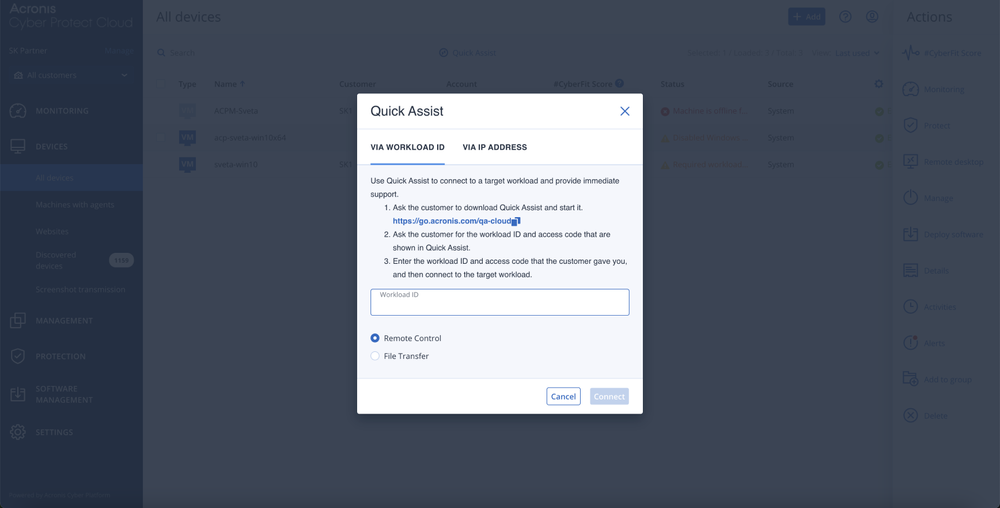
  • Quick Assist

    Quick Assist

    This feature offers the flexibility to provide instant, agentless remote support for urgent cases.
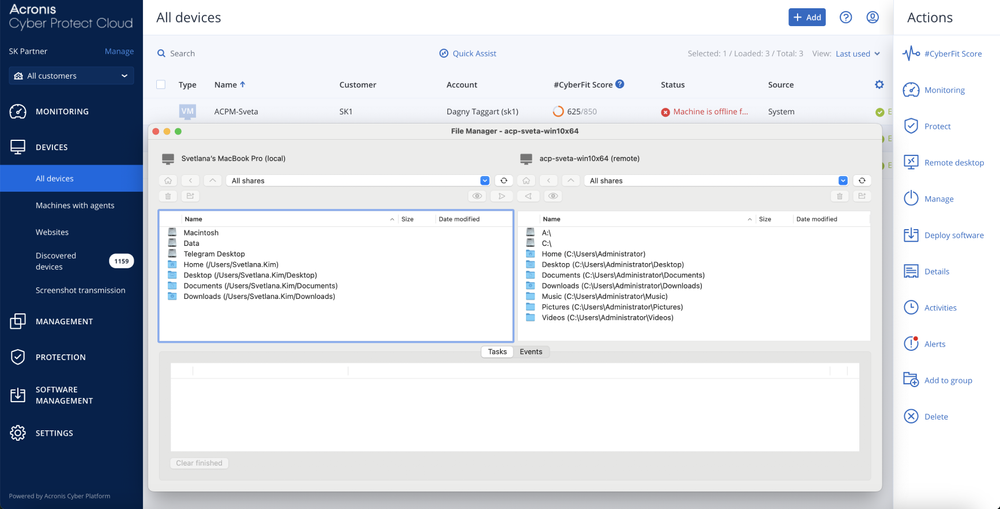
  • Secure file transfers

    Secure file transfers

    Facilitates safe file sharing and transfers through the NEAR protocol.
  • Session recording

    Session recording

    Enables MSPs to record videos of the sessions for quality control, technical analysis and dispute resolution.
  • Screenshot transmission

    Screenshot transmission

    Enables monitoring of remote machine status by taking screenshots of the remote desktop at specified frequencies.
  • Multi-connect

    Multi-connect

    Enables simultaneous viewing of multiple remote desktops within a single window.
  • Session history

    Session history

    Provides comprehensive records of all remote sessions for accountability and tracking.

Showcase: Key remote desktop and assistance capabilities for MSPs

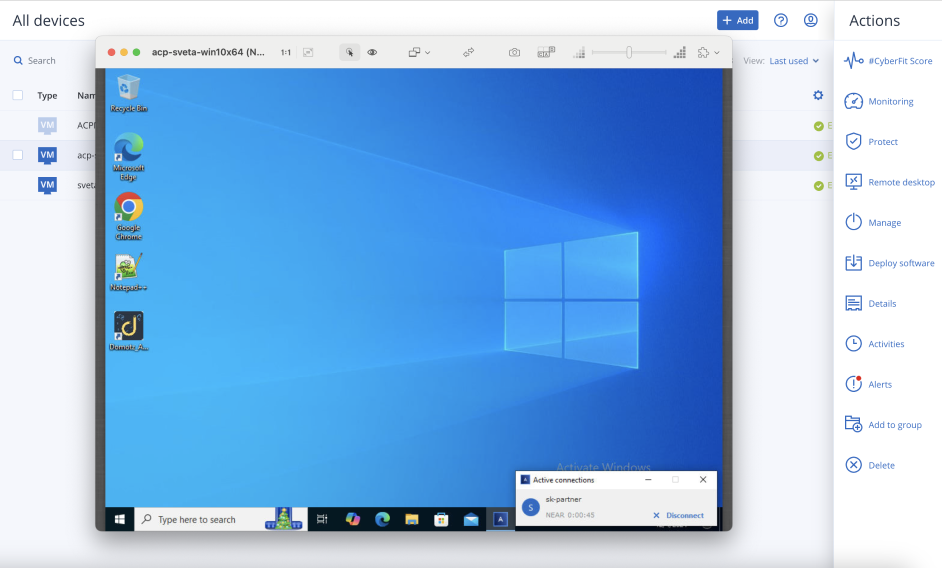
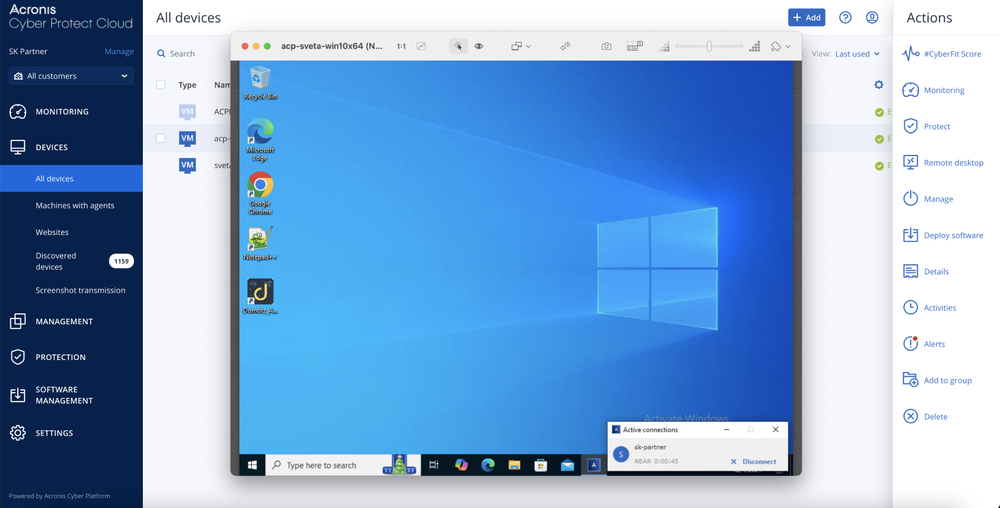
  • Connecting to desktops remotely from the web console
    Connecting to desktops remotely from the web console
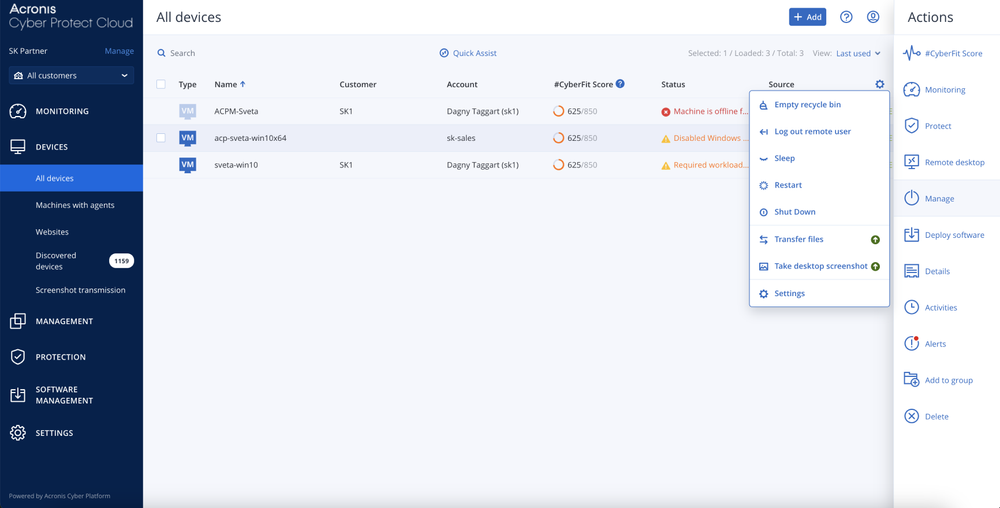
  • Remote action options
    Remote action options
  • Transferring files
    Transferring files
  • Connecting to a machine with no installed agent via Quick Assist
    Connecting to a machine with no installed agent via Quick Assist
Part of Acronis RMM

Achieve peak MSP performance with a natively integrated, secure, AI-powered RMM

Looking for help?

Frequently Asked Questions

Product help
In case you have any difficulties, we have collected all the useful materials for this product in our FAQ, Knowledge Base, video tutorials and product documentation. Also you can always ask your question on our discussion boards.
Support
Customers with active product maintenance or subscription are entitled to 24/7 technical support. Follow the instructions at the technical support site to get prompt support by phone, chat or e-mail.

Sorry, your browser is not supported.

It seems that our new website is incompatible with your current browser's version. Don’t worry, this is easily fixed! To view our complete website, simply update your browser now or continue anyway.