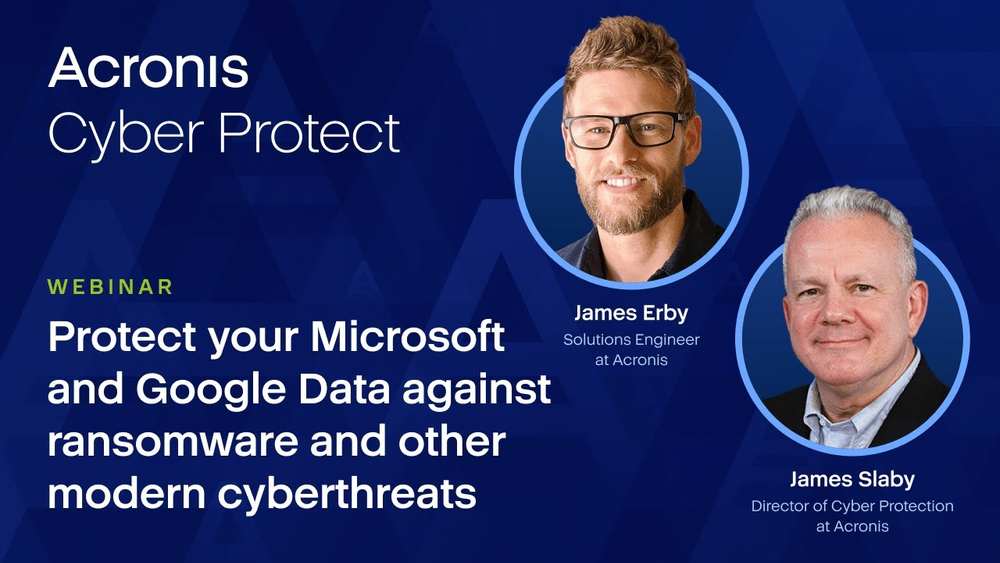
Backup for M365 Data Protection

Why you need to back up Microsoft 365 data?

Microsoft provides infrastructure resilience, but data protection remains your responsibility.

Protect your business data from accidental deletions, internal and external security threats, retention policy gaps and more with the power of Acronis.

• Access your clients' backed-up Microsoft 365 data quickly with easy search capabilities
• Keep clients compliant with legal and regulatory mandates
• Ensure business continuity and meet shorter recovery time objectives (RTOs)
• Safeguard email, SharePoint, OneDrive and Teams from a wide range of threats

world-class recovery option
  • With more than 130 million active monthly users, Microsoft 365 is the go-to productivity solution for many organizations.
  • Without third-party backup, sensitive business data is at risk from data loss (e.g., accidental deletions and malware attacks).
  • Microsoft reported 1,220 new common vulnerabilities and exposures (CVEs), while attacks against Teams continue to rise.
Infrastructure and data
Security onus
Regulatory obligations
Microsoft’s responsibility
  • • Data center (DC)
  • • Network controls
  • • Applications
  • • Virtualization
  • • Operating systems (OS)
  • • DC protection
  • | Software failures |
  • | Natural disasters |
  • | Power outages |
  • | OS errors |
  • • DC redundancy / replication
  • • Short-term data recovery
  • • Role of a data processor
  • • Process customer's data as per the controller's instructions
  • • Timely response to breaches
  • • Transparent policies and audit trail
Your responsibility
  • • Data and information
  • • Endpoint devices
  • • Access management
  • • Account and applications
  • • Data and information
  • | Malware | Deletion |
  • | Ransomware | Sync errors |
  • • Data backup
  • • Business continuity
  • • Role of a data controller
  • • Onus of consent, access, privacy and protection of data
  • • Data backup, retention and archival
  • Specific legal requirements
  • | GDPR | HIPAA | FINRA | SOX |

Why Acronis?

Acronis provides backup and recovery solutions with best-in-class, cloud-to-cloud agentless backup and recovery technologies to protect Microsoft 365 data.

  • Leverage agentless backup
    Leverage agentless backup
    Ensure your client’s Microsoft 365 data is backed up and recoverable with best-in-class, cloud-to-cloud agentless backup and recovery technologies.
  • Address vulnerabilities
    Address vulnerabilities
    Monitor all Microsoft products for vulnerabilities and close security gaps quickly with automated patch management that’s prioritized by vulnerability criticality.
  • Protect data, improve compliance
    Protect data, improve compliance
    Make sure critical Microsoft 365 data is backed up and recoverable and improve compliance with legal and regulatory mandates.
Talk to an expert

Key features to protect your Microsoft 365 data

  • One solution for any workload
    One solution for any workload
    Save on licensing, education and integration. Acronis Cyber Protect Cloud is a scalable solution that protects clients’ data across 20+ platforms — physical, virtual, cloud, or mobile.
  • Quick granular restore
    Quick granular restore
    Avoid client downtime and ensure their business continuity by recovering their data in seconds. You can granularly back up and restore required pieces of data (e.g., emails, files, sites, contacts, attachments).
  • Automatic protection for new Microsoft 365 items
    Automatic protection for new Microsoft 365 items
    Reduce headaches by streamlining backup management for Microsoft 365. New users, groups and sites are automatically protected.
  • Quick backup search
    Quick backup search
    Find a file needed in seconds. Enhanced search for mailboxes allows you to search by email subject, recipient, sender or date. Also search with Word forms or partial information and search Teams, OneDrive for Business and SharePoint Online by site item and file name.
  • Powerful status monitoring
    Powerful status monitoring
    Achieve higher levels of transparency and security thanks to advanced reporting capabilities and backup-status monitoring, including widgets, notifications, and alerts for critical events.
  • Group management
    Group management
    Update and apply specific policies for large groups — up to hundreds of users — not just one at a time.

#Resources

Acronis is the only solution that can protect any piece of data across 20+ platforms — physical, virtual, cloud, or mobile, ensuring that clients' data is always safe and available via quick backup and granular restore capabilities.
Talk to an expert
Acronis
Talk to an expert

Get in contact with Acronis experts to protect your Microsoft 365 data
Acronis

Acronis is the market leader in backup and data protection

  • 200,000
    Exabytes of data under Acronis protection
  • 5,000,000 +
    Consumer customers
  • 500,000 +
    Business customers
  • 6 000,000 +
    OEM licenses in 2014
OPSWAT Platinum certification for anti-malware
AV-TEST Advanced Threat Protection certification
ICSA Labs endpoint anti-malware certified
Anti-Malware Testing Standards Organization member
VirusTotal member
VirusTotal member
Cloud Security Alliance member
Anti-Phishing Working Group member
Microsoft Virus Initiative member

Looking for help?

Frequently Asked Questions

Product help
In case you have any difficulties, we have collected all the useful materials for this product in our Knowledge Base, Video Tutorials and Documentation. Also you can always ask your question on our Discussion Boards.
Technical support

Customers with active product maintenance or subscription are entitled to 24/7 technical support. Follow the instructions at the Technical Support Site to get prompt support by phone, chat or e-mail.

Sorry, your browser is not supported.

It seems that our new website is incompatible with your current browser's version. Don’t worry, this is easily fixed! To view our complete website, simply update your browser now or continue anyway.