Acronis

The most secure backup and cloud storage for photographers

Accessible and secure cloud storage for photographers

  • Protect every pixel of your photos with secure backup and cloud storage
    Easily back up your photos and videos to a NAS, external drive or the cloud — anytime, from anywhere.
  • Share your photos with family, friends, clients or collaborators
    Select folders directly from your cloud backup and share them with everyone in a secure way, using a password-protected link.
  • Prevent theft and prove ownership of your photography
    Blockchain technology ensures the authenticity and integrity of your unique photos and videos.
  • Keep your files safe from viruses and ransomware
    Get built-in antivirus and anti-malware protection alongside your secure photo backup.

Best photography backup solution without compromise

With Acronis True Image (formerly Acronis Cyber Protect Home Office), you can easily back up your photos and videos securely — keeping them safe.

  • Versatile

    Versatile

    Back up the photos and videos you want, no matter the file size, no matter the file format. You can even make full-image backups, clone an active disk or just back up specific files or folders.
  • Flexible

    Flexible

    Control your photo storage and backup and where you store your data, photos and videos, whether it’s locally on an external drive, network folder or NAS device; off-site in the cloud; or a combination of these to ensure total protection. Even approve specific Wi-Fi networks for data transfer to avoid potential problems.
  • Visual

    Visual

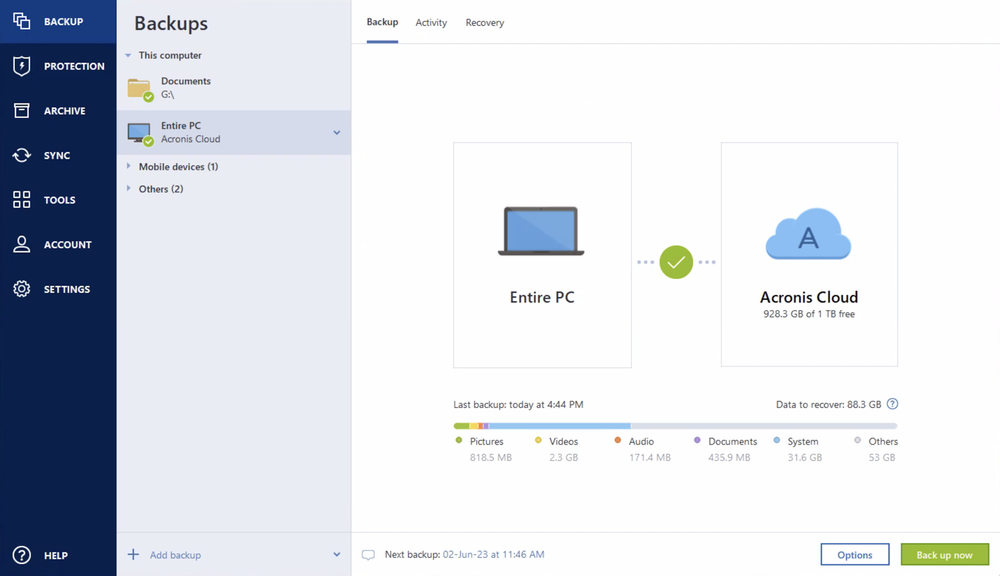
    As a photographer, you know visual aspects are important. With Acronis True Image, you have your photo cloud backup and protection all in one place. Notifications are pushed to your desktop tray to keep you informed, while the dashboard displays file sizes, backup speeds, the status of scans, files checked and threats prevented.
  • Secure

    Secure

    By using the 3-2-1 photography backup strategy, you are creating three copies of your photos — the photos on your primary device and at least two copies; using two different storage devices such as your PC, external hard drive, NAS or cloud storage; and keeping one of the backup copies off-site. By storing copies of your photos and other data in a remote location, you prevent data loss.

Choose the Acronis True Image plan that meets your needs

Essentials

Local backup and anti-ransomware protection

One-year subscription

$49.99per year

  • Flexible backups: full image to file level
  • Active disk cloning
  • Quick recovery / Universal restore
  • Ransomware protection
  • FREE UPGRADES to the most recent product version
  • Phone, email and chat support
  • Available for Windows and macOS

Advanced

Local and cloud backup and security

Most popular

One-year subscription

$72.99per year

  • Flexible backups: full image to file level
  • Active disk cloning
  • Quick recovery / Universal restore
  • Ransomware protection
  • +
  • Identity Protection
  • Block viruses and malware
  • Cloud backup and features
  • Automatic replication of data in the cloud
  • Microsoft 365 backups
  • FREE UPGRADES to the most recent product version
  • Phone, email and chat support
  • Available for Windows and macOS

Premium

Up to 5TB of cloud and local backup and security

One-year subscription

$124.99per year

  • Flexible backups: full image to file level
  • Active disk cloning
  • Quick recovery / Universal restore
  • Ransomware protection
  • +
  • Identity Protection
  • Block viruses and malware
  • Cloud backup and features
  • Automatic replication of data in the cloud
  • Microsoft 365 backups
  • +
  • Blockchain certification of files
  • Electronic signatures on files
  • Ability to add up to 5TB of cloud storage
  • FREE UPGRADES to the most recent product version
  • Priority phone, email and chat support
  • Available for Windows and macOS

Give the gift of cyber protection

Get Acronis True Image as a gift

One powerful solution to protect your photos, your system and your passion

  • Cloud storage and capabilities

    Cloud storage and capabilities

    Back up your photography files to the cloud or replicate your local backup in the cloud automatically so you always have an off-site copy available when needed. Get up to 5TB cloud storage for compressed data depending on your preferred plan.
  • Automatic photo backup

    Automatic photo backup

    Easily automate your photo backups to the cloud, NAS and external drives at any time. No need to worry as it is super easy to set up and it will enable you to have a copy of all your created photos and videos.
  • Full image backups

    Full image backups

    Protect everything to recover anything. A full image of your system disk or a selected partition empowers you to easily recover whatever you need — from your full system to an individual photo or folder.
  • Active disk cloning

    Active disk cloning

    Clone your Windows or macOS system while it is running, without having to stop and reboot.
  • Microsoft 365 backup

    Microsoft 365 backup

    Create direct, cloud-to-cloud email backups of your Microsoft 365 account, including the emails and attachments from your Outlook.com mailbox and all the files and folders in your OneDrive.
  • Integrated advanced anti-malware

    Integrated advanced anti-malware

    Safeguard your photos, files, apps and systems by detecting and stopping ransomware and cryptojacking attacks, as well as never-before-seen threats coming from the web. Automatically restores any affected files.

Supported platforms

Microsoft Windows

  • Windows 11 (all editions)
  • Windows 10 (all editions)

Windows file systems

  • NTFS
  • Ext2/Ext3/Ext4
  • ReiserFS(3)
  • Linux SWAP
  • HFS+/HFSX
  • FAT16/32/exFAT

Apple macOS

  • macOS Tahoe 26
  • macOS Sequoia 15
  • macOS Sonoma 14
  • macOS Ventura 13
  • macOS Monterey 12

macOS file systems

  • APFS
  • HFS+
  • FAT32
  • NTFS (including Boot Camp)

Mobile operating systems

  • iOS 15 or later
  • Android 10 or later
Acronis

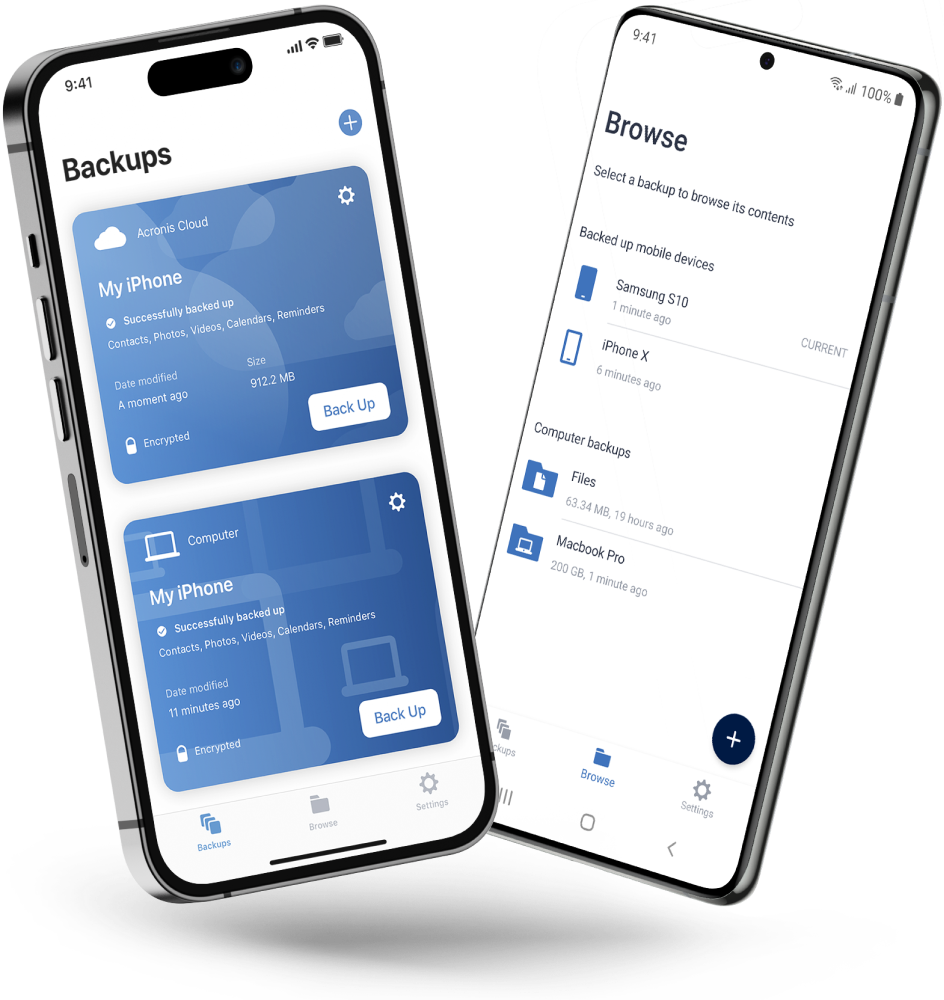
Acronis Mobile: Easy, secure and portable

Never worry about losing your photos, videos, contacts or important files again. With the Acronis Mobile app, you can easily back up everything that matters on your phone and keep it safe in the cloud. Access your files anytime, anywhere from the Acronis Cloud, whether you're switching devices or just want peace of mind. It’s fast and always ready to protect your digital life.
Looking for help?

Frequently Asked Questions

Product help
If you need product assistance, you can find helpful materials in the Knowledge Base. Or, post questions on our discussion boards.
Technical support
For subscription owners, there is free, 24-hour technical support. Refer to the Technical Support Site to find the appropriate support contact.

Sorry, your browser is not supported.

It seems that our new website is incompatible with your current browser's version. Don’t worry, this is easily fixed! To view our complete website, simply update your browser now or continue anyway.