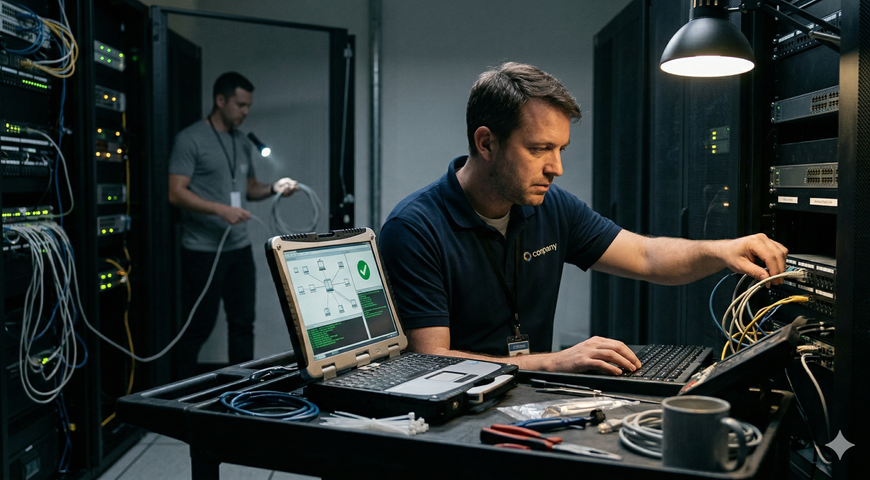
In our hyperconnected landscape, software vulnerabilities are proliferating at a record pace. In 2024 alone, more than 40,000 Common Vulnerabilities and Exposures (CVEs) were published, marking a 38% increase over the previous year. Many of these vulnerabilities are weaponized within days, leaving organizations exposed if updates are not applied immediately.
Patch management software addresses this risk by automating the detection, acquisition, and deployment of software updates across an IT environment. This ensures systems remain secure and up-to-date while significantly easing the administrative burden on IT teams.
This guide explores why patching matters, the key features to prioritize, and how leading solutions compare. We also clarify the distinction between Acronis’s two offerings: Acronis Cyber Protect (for corporate/enterprise use) and Acronis RMM (part of the Acronis Cyber Protect Cloud platform for Managed Service Providers).
In a hurry? Here are six leading patch management solutions:
- Acronis Cyber Protect: Unified patching, backup, and anti-malware in a single platform for corporate IT teams.
- Acronis RMM: A cloud RMM module within Acronis Cyber Protect Cloud that automates Windows patching and vulnerability assessment for MSPs.
- ManageEngine Patch Manager Plus: Comprehensive multi-OS patching supporting over 850 third-party application updates.
- NinjaOne: An easy-to-use cloud RMM featuring automated patch deployment and remote management.
- Automox: A lightweight, cloud-native patching platform focused on speed and simplicity across multiple operating systems.
- Ivanti Security Controls: Enterprise patch management integrated with vulnerability assessment and endpoint security.
What Is Patch Management Software & Why It Matters
Patch management software is a centralized platform that automates and orchestrates the lifecycle of software updates (patches)—from detection and acquisition to testing and deployment, across computers, servers, and other endpoints.
Instead of manually installing updates on individual devices, these solutions scan an organization’s inventory, identify missing fixes, download required packages, and deploy them according to defined policies, typically during scheduled maintenance windows.
The Security and Operational Imperative
Effective patching is a cornerstone of modern cybersecurity. Unpatched systems are prime targets for ransomware operators, and regulatory frameworks like GDPR, HIPAA, and PCI DSS mandate the timely remediation of known vulnerabilities. Organizations that neglect this process risk data breaches, financial losses, compliance fines, and operational downtime.
By rapidly closing security gaps, patch management tools reduce the attack surface and improve system stability. Furthermore, automated workflows boost operational efficiency by freeing IT staff for high-value tasks, while centralized dashboards provide essential visibility into patch status and compliance. With remote and hybrid work now standard, robust solutions are critical for ensuring consistency across distributed endpoints.
Key Features to Look For in Patch Management Tools
When evaluating software, prioritize features that deliver comprehensive coverage, automation, and risk reduction:
- Multi-OS Support: In heterogeneous environments, the ability to patch Windows, macOS, and Linux devices from a single console is essential. Modern tools must manage server and desktop operating systems alongside laptops and mobile devices.
- Third-Party Application Patching: Effective solutions must update widely used software beyond the OS, such as browsers, Java, PDF readers, and productivity suites. Platforms like ManageEngine offer pre-tested packages for over 850 third-party applications.
- Automation & Scheduling: Automation reduces manual effort via policy-based approvals, maintenance windows, automatic reboots, and zero-touch deployment. Scheduling capabilities should allow teams to define exactly when patches are applied to minimize business disruption.
- Vulnerability Assessment Integration: Integration with vulnerability assessment provides context by scanning for missing patches and prioritizing remediation based on severity, often using CVSS scores. Acronis, for example, utilizes CVSS for prioritization and performs continuous risk assessments.
- Rollback / Fail-Safe Mechanisms: To prevent downtime, choose tools that create restore points before patching. Acronis’s fail-safe patching performs a full-image backup prior to deployment, allowing for instant rollback if an update causes issues.
- Reporting & Compliance: Comprehensive dashboards are necessary to demonstrate compliance to auditors. Metrics such as patch success rates, endpoint compliance, and outstanding vulnerabilities should be readily accessible.
- Integration & Unified Management: Some tools integrate patching into broader IT management or cyber protection suites. Combining patching with backup and security reduces complexity and eliminates agent sprawl.
- Proprietary Patching Technology: Many vendors rely on open-source managers like Chocolatey, where community-maintained packages may suffer from inconsistent maintenance or security issues. Proprietary engines, such as Acronis’s, offer vendors greater control over package quality and security.
- Cloud vs. On-Premises Deployment: Cloud platforms (SaaS) like Automox, NinjaOne, and Acronis Cyber Protect Cloud simplify multi-tenant management. Conversely, on-premises solutions like WSUS or SCCM may be better suited for organizations with strict data residency requirements.
- Cost & Scalability: Evaluate licensing models—per endpoint, per technician, or subscription tiers—to ensure the solution scales with your organization. Note that some products offer free tiers or MSP-friendly pricing.
Top 10 Patch Management Software Tools in 2026
Below is an examination of ten leading solutions, presented alphabetically, highlighting their offerings, target audiences, and key pros and cons.
1. Acronis Cyber Protect – Best Unified Patch Management with Integrated Backup & Security
Overview: Acronis Cyber Protect is a unified cyber protection platform combining patch management, full-image backup, anti-malware, and endpoint management. It allows IT teams to remediate vulnerabilities and protect data from a single central console.
Key Features:
- Continuous vulnerability assessment with CVSS-based prioritization.
- Fail-safe patching: Automatically creates full-image backups before updates to enable instant rollback.
- Integrated anti-malware and ransomware protection.
- Centralized management for Windows, macOS, Linux, and over 300 third-party applications.
- API integrations and multi-tenant cloud console for MSPs and enterprises.
Ideal For: Organizations seeking to consolidate patching, backup, and security into a single agent, particularly enterprises with strict compliance and reporting requirements.
Pros:
- All-in-one platform reduces tool sprawl.
- Fail-safe patching minimizes update-related downtime risks.
- Strong multi-OS and third-party app support.
- Multi-tenant console suits MSPs and distributed enterprises.
Cons:
- Premium pricing may exceed standalone tool costs.
- Comprehensive feature set may present a learning curve.
2. Acronis RMM – Windows-Focused Patch Management for MSPs
Overview: The RMM module within Acronis Cyber Protect Cloud is designed for MSPs to monitor client systems and automate patching from a unified console. Unlike the corporate product, Acronis RMM currently supports Windows operating systems only.
Key Features:
- Automated vulnerability assessment with CVSS prioritization.
- Proprietary patching engine (no reliance on repositories like Chocolatey).
- Automated patching for over 320 third-party Windows applications.
- Fail-safe patching with pre-update backups.
- Multi-tenant console integrating backup, disaster recovery, and PSA.
Ideal For: MSPs managing primarily Windows environments who require a unified cloud platform for monitoring, backup, and remediation.
Pros:
- Deep integration with Acronis Cyber Protect Cloud.
- Proprietary engine ensures stable, reliable patching.
- Extensive third-party Windows app coverage.
Cons:
- Limited to Windows OS; no native macOS or Linux patching.
- Potentially overkill for small MSPs needing only basic patching.
3. ManageEngine Patch Manager Plus – Broad Multi-OS Coverage
Overview: A dedicated solution supporting Windows, macOS, and Linux, plus over 850 third-party applications. It offers both on-premises and cloud editions.
Key Features:
- Massive catalog of OS and third-party patches (850+ apps).
- Flexible scheduling, testing, and approval workflows.
- Vulnerability assessment and compliance reporting.
- Integrates with other ManageEngine IT products.
Ideal For: Heterogeneous environments requiring broad coverage and flexible deployment options (cloud or on-prem).
Pros:
- Extensive third-party application library.
- Competitive pricing, including a free tier for small environments.
Cons:
- Interface can be complex for new users.
- Separate agents may increase overhead compared to unified platforms.
4. NinjaOne – Cloud RMM with Automated Patching
Overview: A cloud-based RMM platform popular for its intuitive interface, integrating patching with monitoring, remote access, and scripting.
Key Features:
- Automated patch scanning/deployment for Windows, macOS, and Linux.
- Granular scheduling and reboot management.
- Comprehensive monitoring and scripting engine.
Ideal For: MSPs and IT teams seeking an all-in-one RMM with strong ease of use.
Pros:
- User-friendly interface facilitates fast onboarding.
- Solid multi-OS and third-party support.
Cons:
- Reporting is less deep than enterprise-grade tools.
- Costs can increase with additional modules.
5. Automox – Lightweight, Cloud-Native Patching
Overview: A cloud-native platform focused on simplicity and speed, designed for modern, distributed workforces.
Key Features:
- Agent-based scanning/patching for Windows, macOS, and Linux.
- Policy-driven automation and real-time visibility dashboards.
- Support for popular third-party software.
Ideal For: Organizations and SMBs needing a simple solution for remote endpoints without full RMM complexity.
Pros:
- Fast deployment and easy administration.
- Excellent for distributed/remote environments.
Cons:
- Narrower feature set than full RMMs (no remote control/PSA).
- Limited offline/air-gapped capabilities.
6. Ivanti Security Controls – Enterprise Patch Management & Security
Overview: An enterprise-grade tool (formerly Shavlik) combining patching with vulnerability scanning and application control.
Key Features:
- Patching for Windows, macOS, Linux, and third-party apps.
- Integrated vulnerability assessment and application control.
- Robust reporting with on-prem and cloud options.
Ideal For: Medium-to-large enterprises requiring comprehensive endpoint security and application control.
Pros:
- Strong combination of security and management features.
- Centralized dashboard with deep visibility.
Cons:
- Complex feature set requires training.
- Higher pricing compared to simpler tools.
7. Microsoft Intune / Endpoint Manager – Windows-Centric Management
Overview: Provides mobile device management, app management, and patching, primarily for Windows but with support for macOS and mobile OS.
Key Features:
- Windows Update for Business integration.
- Configuration profiles for macOS and mobile updates.
- Deep integration with Azure AD and Microsoft Defender.
Ideal For: Microsoft-centric organizations utilizing Microsoft 365 and hybrid Active Directory.
Pros:
- No additional agent required on Windows devices.
- Strong mobile device management and security integration.
Cons:
- Limited third-party app patching compared to dedicated tools.
- Limited Linux support.
8. GFI LanGuard – Vulnerability Assessment & Patch Management
Overview: A network security scanner and patch tool that helps administrators discover and remediate vulnerabilities across endpoints and network devices.
Key Features:
- Network discovery and vulnerability scanning.
- Automated patching/rollback for Windows, macOS, and Linux.
- Auditing reports aligned with security regulations.
Ideal For: SMBs and mid-sized organizations needing a combined scanner and patch tool without a full RMM suite.
Pros:
- Scans network devices in addition to endpoints.
- On-premises deployment for strict control.
Cons:
- Dated user interface.
- Requires more manual configuration than SaaS options.
9. Atera – All-in-One RMM for MSPs
Overview: A cloud-based RMM for MSPs that bundles monitoring, ticketing, remote access, and patching into a single subscription.
Key Features:
- Automated patching for Windows and macOS, including third-party apps.
- Built-in help desk and billing.
- "Unlimited endpoints per technician" pricing.
Ideal For: MSPs and small IT departments wanting an affordable, unified IT delivery suite.
Pros:
- Simple, cost-effective pricing model.
- Cloud-native with minimal setup.
Cons:
- Patching functionality is less advanced than dedicated tools.
- Limited third-party application coverage.
10. Kaseya VSA – Comprehensive RMM & Patch Management
Overview: A mature RMM platform offering granular control, automation, and scripting for large networks.
Key Features:
- Automated scanning/deployment for Windows, macOS, and Linux.
- Advanced policy-driven approvals and custom windows.
- Deep scripting and network monitoring capabilities.
Ideal For: Larger MSPs and internal IT teams requiring a scalable platform with advanced automation.
Pros:
- Full IT lifecycle management feature set.
- Strong automation and scripting.
Cons:
- High complexity and learning curve.
- Past security incidents necessitate evaluation of vendor practices.
Comparison: Which Patch Management Solution Should You Choose?
The optimal tool depends on your specific environment and business goals. Consider these common scenarios:
- For basic, Windows-only coverage: Built-in services like WSUS or light tools like ITarian manage fundamental Microsoft updates at low cost but lack automation and third-party support.
- For RMM with built-in patching: Cloud suites like NinjaOne, Atera, Kaseya VSA, and Acronis Cyber Protect Cloud (via Acronis RMM) are ideal when patching is one component of broader IT service delivery.
- For pure, lightweight cloud automation: Solutions like Automox or Action1 offer speed and simplicity for remote endpoints without the weight of full RMM features.
- For existing vendor ecosystems: Products like ManageEngine Patch Manager Plus or Ivanti integrate well if you already use tools from those vendors, though this may result in multiple consoles.
- For a complete, unified security + patching approach: Acronis Cyber Protect delivers patch management, backup, anti-malware, and vulnerability assessment in a single platform. This all-in-one approach minimizes tool sprawl and strengthens cyber resilience.
FAQs
What is patch management software? It is a centralized tool that automates the identification, acquisition, testing, and deployment of software updates, ensuring systems remain secure and compliant while reducing manual effort.
Which is the best patch management tool? There is no single "best" tool. NinjaOne and Atera excel in cloud RMM; ManageEngine offers broad OS coverage; Automox is great for lightweight deployment; Ivanti suits enterprises; and Microsoft Intune is best for Windows-centric shops. Acronis Cyber Protect stands out for unified backup and security.
How does patch management work? The lifecycle involves inventorying devices, scanning for missing patches, prioritizing based on severity, testing, deploying during maintenance windows, and verifying success. Many tools also create backups for rollback.
Are there free patch management tools? Yes. WSUS is free for Windows. ManageEngine has a free edition for up to 20 PCs and five servers. Open-source options like Local Update Publisher and PDQ Deploy exist but often require manual maintenance.
What types of patches exist? Patches generally fall into three categories: security patches (vulnerability fixes), bug-fix patches (functional repairs), and feature updates (enhancements).
How do I choose patch management software? Evaluate your needs regarding automated scanning, third-party app support, OS compatibility, reporting, and integration with backup/security tools.
Why is patch management important in cybersecurity? Unpatched systems are prime targets. Regular patching closes security holes before exploitation. With over 40,000 vulnerabilities disclosed in 2024, prompt patching is vital for preventing ransomware and maintaining compliance.
Timely patching is essential for a secure, resilient IT environment. As cyber threats multiply and remote work persists, organizations must invest in tools providing automation, visibility, and reliability.
The ten products reviewed here range from simple Windows utilities to comprehensive cyber protection suites. Acronis Cyber Protect distinguishes itself by integrating patching with backup and anti-malware, while Acronis RMM provides a dedicated Windows-focused engine for MSPs. Regardless of your choice, prioritizing patch management is critical to reducing breaches and ensuring system stability.
Interested in seeing unified cyber protection in action?
- Corporate/Enterprise: Sign up for a free trial of Acronis Cyber Protect to experience integrated patching, backup, and security: https://www.acronis.com/products/cyber-protect/.
- MSPs: Explore Acronis RMM as part of Acronis Cyber Protect Cloud: https://www.acronis.com/en/solutions/cloud/patch-management/.
About Acronis
A Swiss company founded in Singapore in 2003, Acronis has 15 offices worldwide and employees in 60+ countries. Acronis Cyber Platform is available in 26 languages in 150 countries and is used by over 21,000 service providers to protect over 750,000 businesses.