
Locky is one of the most widespread and active ransomware families on the malicious threats landscape. There is a new version that just appeared a couple of days ago. It’s being delivered by the Necurs botnet through SPAM emails containing Microsoft Word macros exploiting the Microsoft’s Dynamic Data Exchange (DDE). DDE is a Windows feature that handles the electronic transfer of MS Office files using shared memory and data.
The new version of Locky ransomware (MD5: 1676f1817d6ed6d76fbde105f88e615a) is compiled on November 8 and downloaded from the following sources:
hxxp://gulercin.com/HJGdyt73 hxxp://euriskosrl.it/HJGdyt73 hxxp://fgmindia.com/HJGdyt73
Installation
The Locky is downloaded by a script embedded in the Microsoft Word Document. It copies itself as “svchost.exe” to the “%Temp%” folder:

Then, it maps the “%Temp%\svchost.exe” to memory and restarts itself as “svchost.exe”.
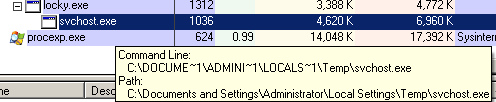
Then, the original Locky file is deleted using the following command:
cmd.exe /C del /Q /F "%TEMP%\<RANDOM>.tmp
Obfuscation
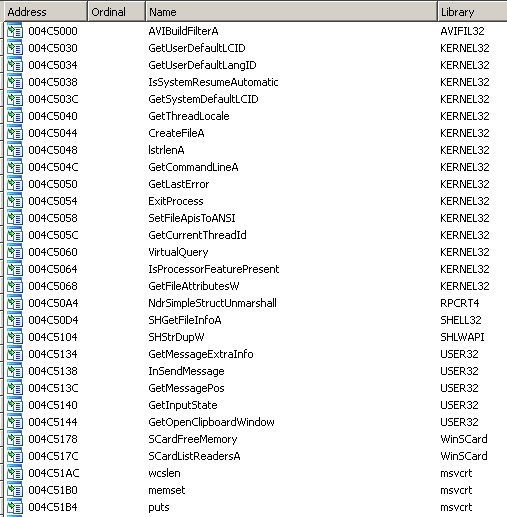
The code is highly obfuscated. Locky has a fake Import Address Table:
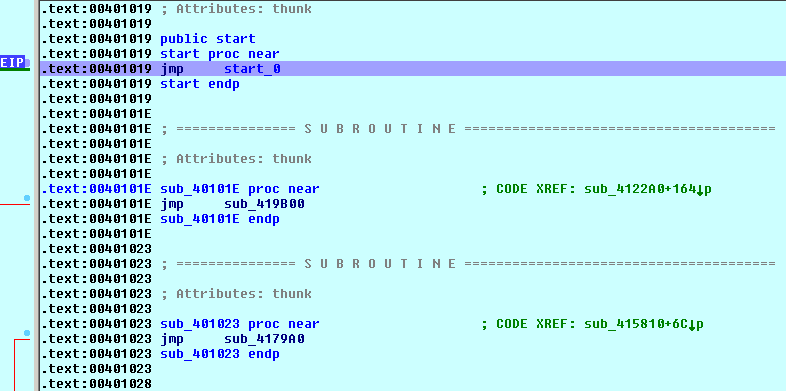
Similar to Cerber, the code starts with numerous JMP instructions:
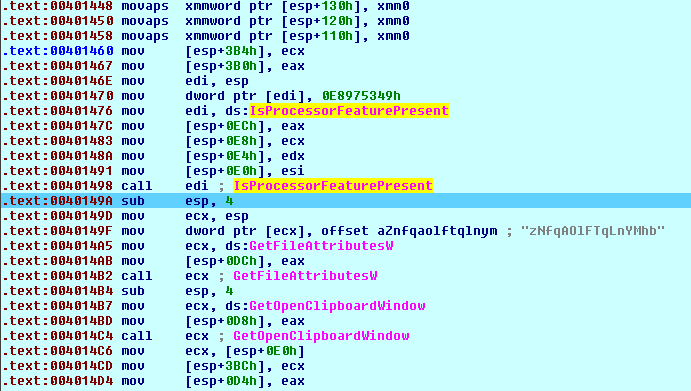
Then, there is junk code:
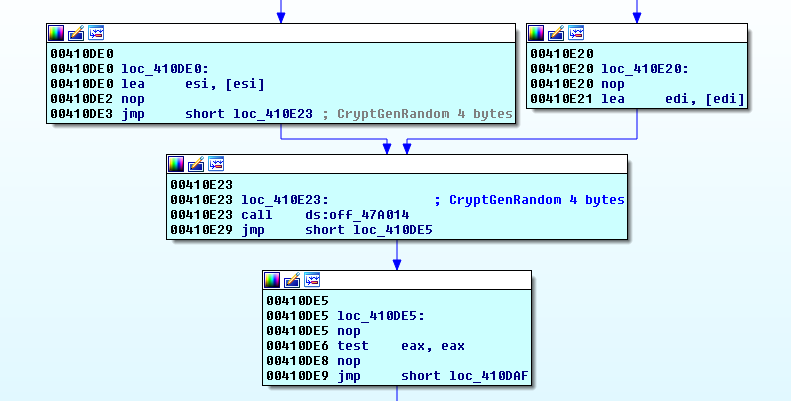
API functions are called indirectly using an internal address table and the code mixed with junk “nop” and “jmp” instructions.
Encryption
Locky encrypts files on all local and mapped network drives.
In the beginning, the ransomware creates a list of files with the following extensions:
ms11 (Security copy), db_journal, plus_muhd, moneywell, pspimage, SQLITEDB, sqlitedb, backupdb, mapimail, sas7bdat, tar.bz2, SQLITE3, sqlite3, onetoc2, contact, litesql, litemod, config, design, ycbcra, backup, wallet, wallet, sqlite, groups, d3dbsp, laccdb, incpas, erbsql, psafe3, asset, class, ibank, asset, accdt, qcow2, accdr, pages, accde, accdb, qcow2, forge, nvram, blend, class, dotm, xlsm, docm, mpeg, save, potx, html, jpeg, 7zip, pptm, pptm, dotx, docx, flvv, vmdk, xltx, jpeg, sldx, java, ppsm, ms11, java, sldx, qcow, ppsx, m2ts, docb, aiff, potm, indd, pptm, xltm, xltm, xlam, xlsm, sldm, dotm, ppsx, vmxf, ppam, vmsd, potm, vmdk, flac, vhdx, docm, vbox, xlsb, s3db, safe, pptx, aspx, kpdx, xlsx, kdbx, ppsm, grey, mpeg, gray, djvu, djvu, tiff, ddrw, lay6, ddoc, sldm, craw, ppsm, cdrw, ppam, cdr6, potx, cdr5, pptx, cdr4, xltx, cdr3, xlsx, bank, xlsb, back, dotx, agdl, docx:wallet:dat, stc, wab, hwp, raw, max, wmv, CSV, 008, y, XLS, n64, ott, apk, p12, pas, sxc, std, st6, pdf, say, mkv, qbb, sav, pfx, tgz, pat, jar, oil, frm, key, pst, nsg, wb2, nsd, pst, iif, jpg, fff, mid, dtd, avi, dcr, mp3, dac, iwi, cr2, PAQ, cdx, svg, bkp, NEF, act, dch, xlt, mdf, xlm, sql, wps, 004, svg, sxm, r3d, sti, pcd, slk, max, rtf, fxg, ppt, eps, oab, drw, doc, db3, m4u, cpi, flv, cdr, mp4, aac, vob, wmv, swf, wav, vmx, thm, ltx, srt, bsa, sav, aes, psd, bak, odt, zip, mpg, png, mp3, jpg, mlb, cmd, mdf, brd, m3u, vbs, ldf, php, key, MYI, flv, dbf, dxf, 010, dds, 006, css, 002, cer, lay, avi, odg, asp, pot, aoi, otp, 3g2, wks, 1cd, xlc, xlt, xml, ots, yuv, DOT, xis, xml, x3f, RTF, x11, stw, wpd, DOC, wb2, crt, tex, stc, sxm, st4, sxi, qbm, sxg, ptx, sxd, pef, stx, pas, stw, odp, sti, nsh, std, nsf, st8, mos, st5, fpx, srw, fdb, srf, ddd, sr2, dbf, sdf, crt, sda, cgm, sd0, cdf, rwz, adp, rwl, xlw, rdb, xlr, raw, xla, rat, tga, raf, rw2, qby, pct, qbx, mdb, qbw, m4v, qbr, fla, qba, dxb, pot, dot, plc, cpp, pem, cls, pdd, arw, p7c, 3dm, p7b, wma, p12, vob, ott, swf, ots, sql, otp, pwm, oth, php, mp4, odm, mov, , 2, bak, nrw, asx, nop, asf, nk2, 3gp, nef, 3ds, ndd, zip, myd, xls, mrw, txt, mny, rar, mmw, prf, mfw, pps, mef, ods, mdc, msg, lua, jnt, kdc, dbx, kc2, m4a, jpe, m3u, iiq, wma, ibz, 3g2, ibd, 3gp, hbk, mov, gry, asf, fhd, mpg, ffd, fla, exf, wav, erf, vdi, eml, upk, dxg, re4, drf, lbf, dng, das, dgc, bik, des, gpg, der, ARC, dcs, tbk, dc2, tar, csl, rar, csh, djv, crw, bmp, cib, gif, ce2, cgm, ce1, tif, bpw, psd, bik, bat, bgt, asp, bdb, sch, bay, dip, awg, asm, cpp, apj, ldf, ait, ibd, ads, MYD, adb, odb, acr, mdb, ach, 011, ab4, 009, 3pr, 3fr, vmx, vhd, vdi, asc, stm, mml, st7, otg, rvt, uop, qed, sxd, png, pps, pif, sxi, pdb, odp, pab, 123, ost, wk1, ogg, xlw, ndf, xlm, mkv, dif, m4p, sxc, log, ods, hpp, 602, hdd, 3dm, gif, 3ds, edb, txt, dit, uot, dat, pdf, cmt, PPT, bmp, sxw, bin, pem, wad, csr, tlg, sxw, py, rb, fh, gz, nd, js, al, db, ps
For example:
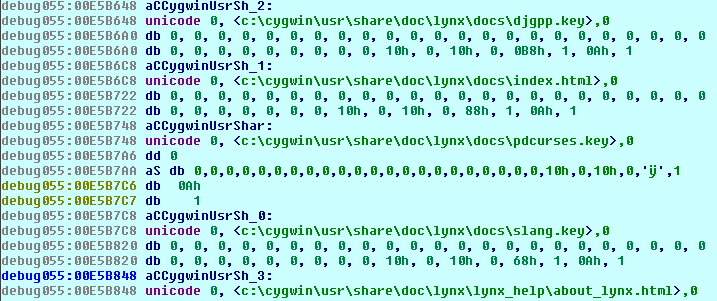
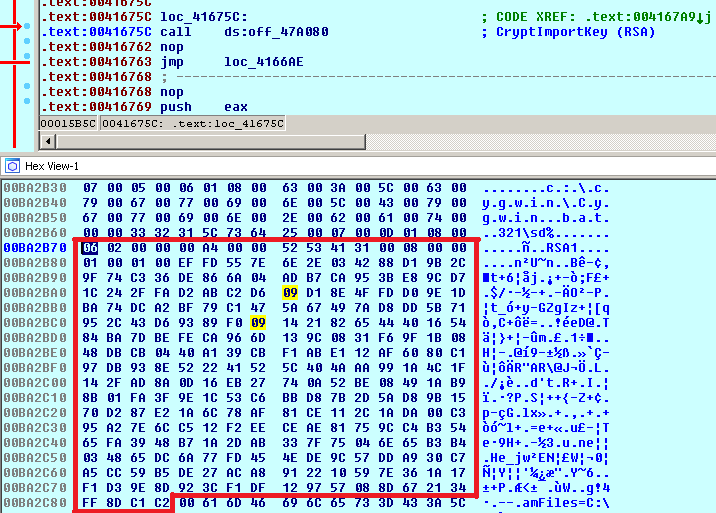
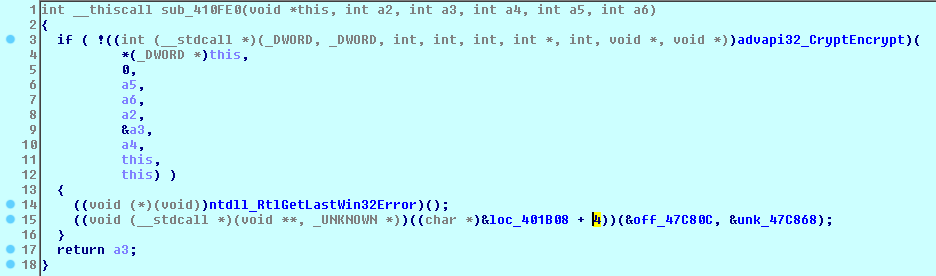
It imports the hardcoded RSA-2048 public key.
where:
1st byte: BLOB type = PUBLICKEYBLOB (0x06) 2nd byte: version = CUR_BLOB_VERSION (0x02) 5-8 bytes: algorithm id = CALG_RSA_KEYX (0x0000A400) 9-20 bytes: RSAPUBKEY {magic = ‘RSA1’, key length = 2048 bits, public exponent = 65537} 21-276 bytes: key data 256 bytes
Locky takes the name of an original file and renames it to “<ID>.asasin”.
Then, it reads the data from the file:
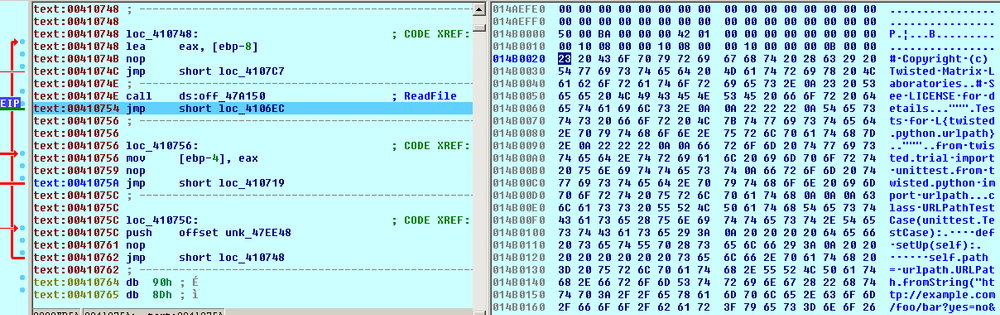
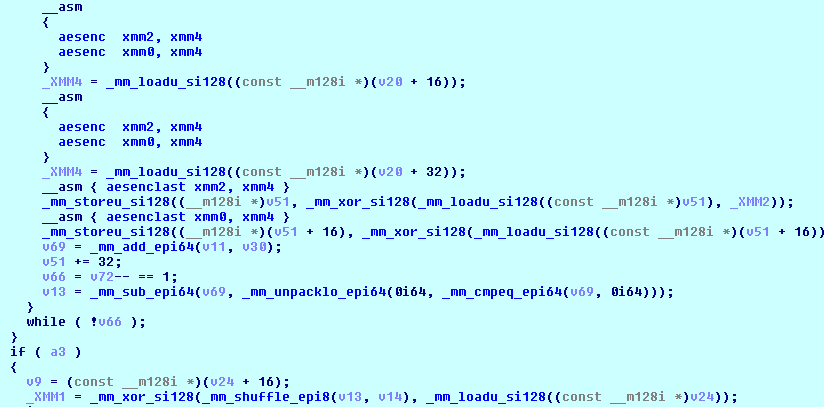
Encrypts the file’s content using the embedded AES algorithm with a 128-bit key.
Writes the encrypted file’s data to the original renamed file:
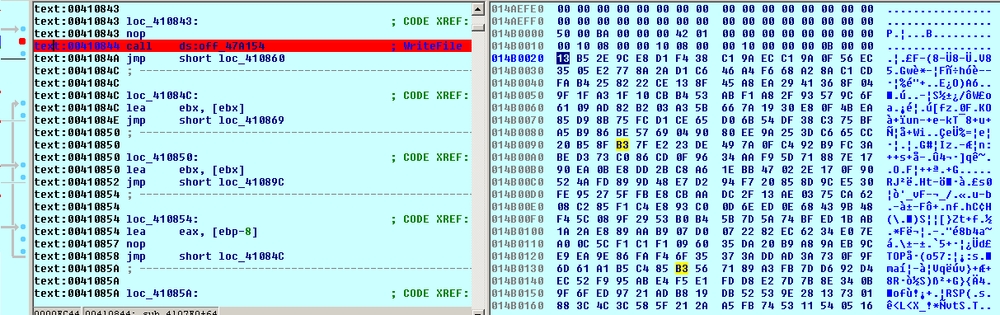
Adds the 836-byte block - the footer - with the encrypted file’s name and AES-128 key:
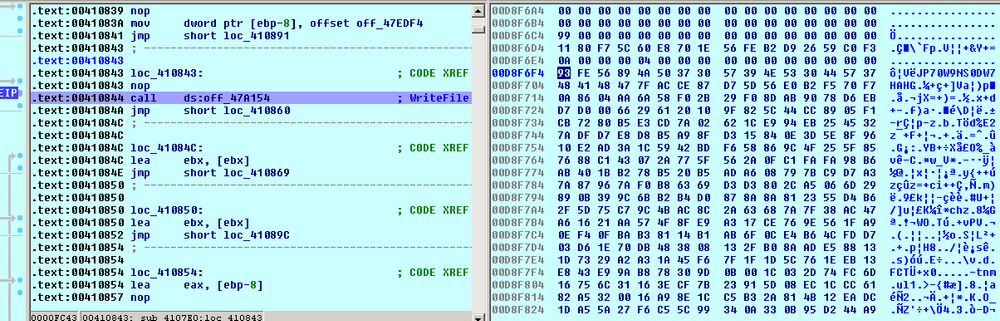
So, the whole file encryption process looks as follows:
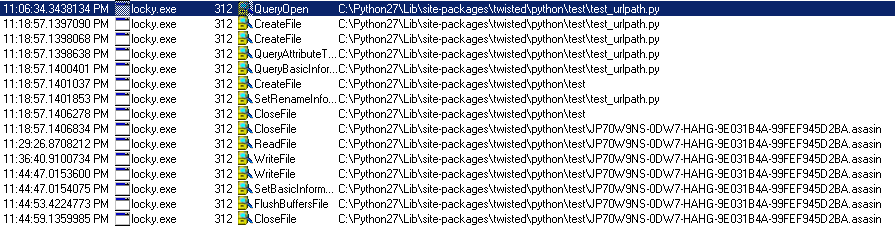
And the encrypted content of the file looks like this:
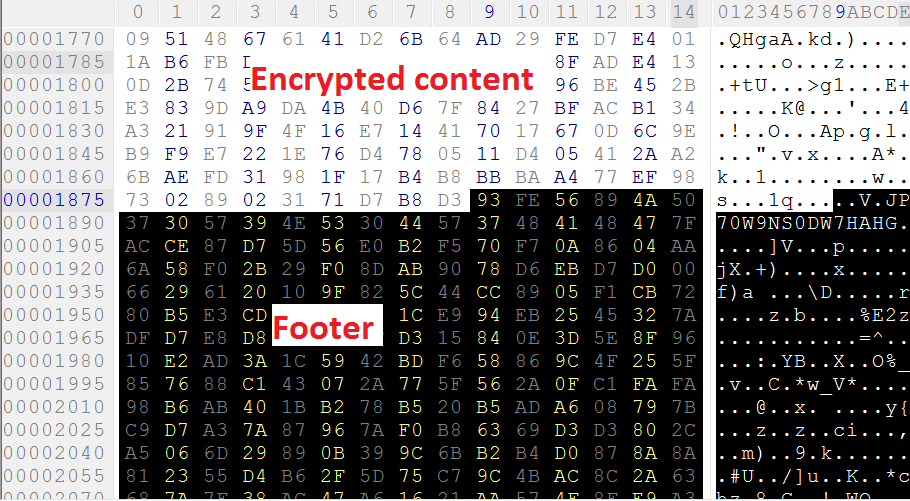
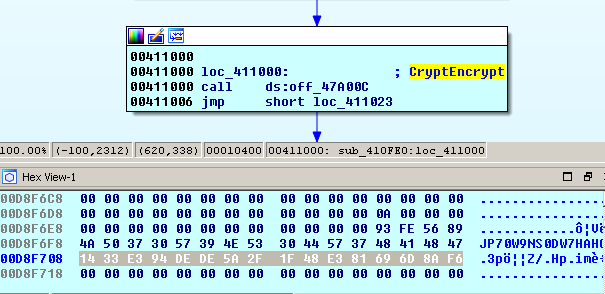
The footer (836 bytes) starts with 4-byte Locky label = “8956FE93h”
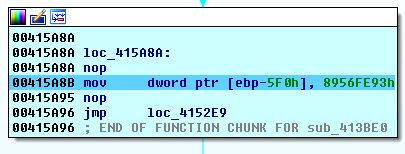
and victim’s ID = “JP70W9NS0DW7HAHG”. Then, 256 bytes go with the file’s key encrypted with the RSA-2048 master public key done with the help of MS CryptoAPI:
The remaining 560 bytes of the footer contain another Locky label = “0D41BA12Ah” at the beginning:
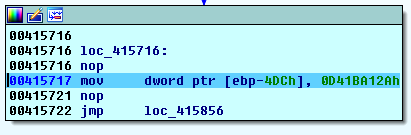
and the filename encrypted with the same embedded AES crypto algorithm used for the encryption of the file’s data. This is done to bypass the behavioral blocker of an antivirus.
After the encryption, the encrypted file will contain the following data blocks:
Decryption Service
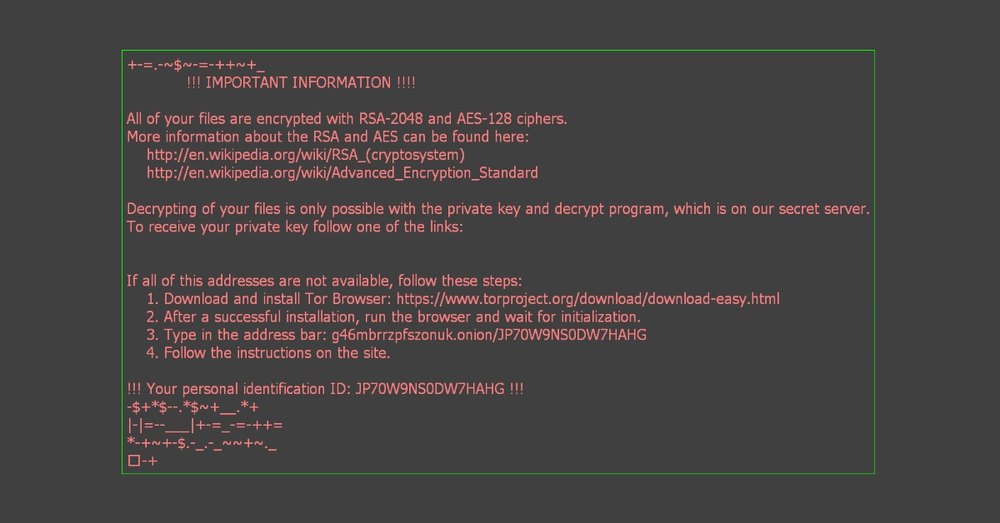
The cryptolocker creates an image, which is set as a wallpaper, and an html page with decryption instructions which are shown to the user:
"HKCU\Control Panel\Desktop\" "Wallpaper" = "%USER%\Desktop\asasin.bmp"
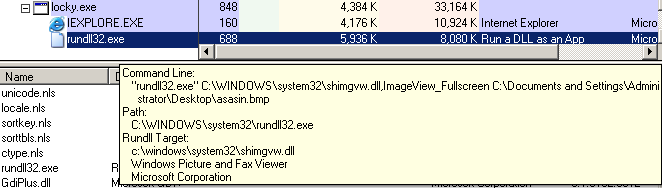
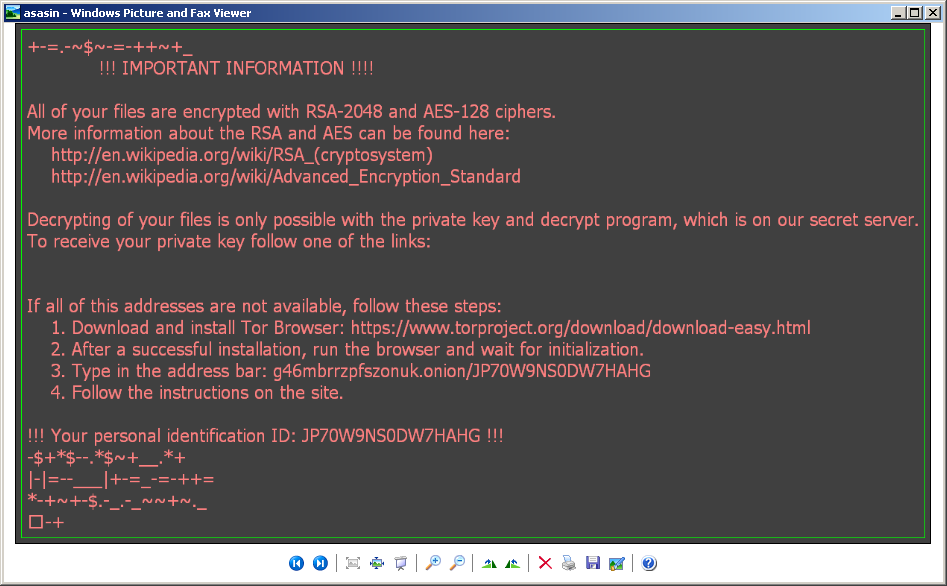
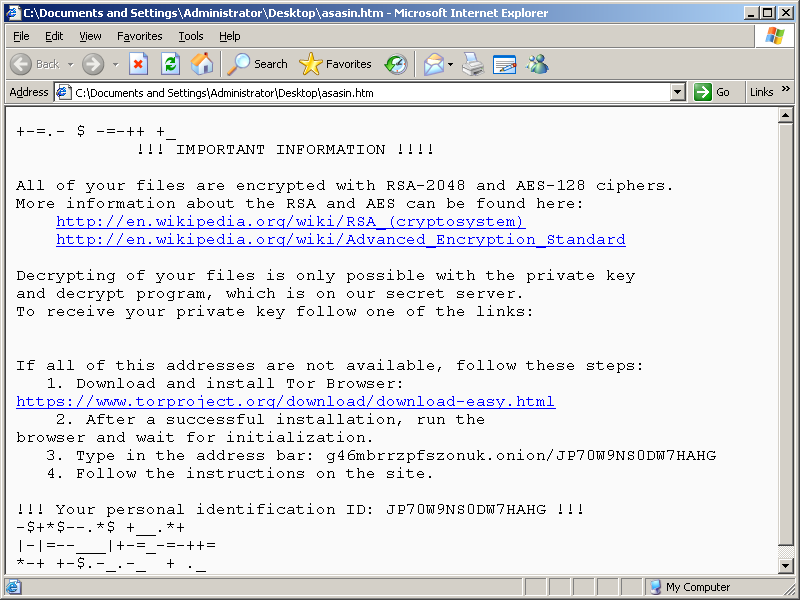
The decryption service is located in the Tor network:
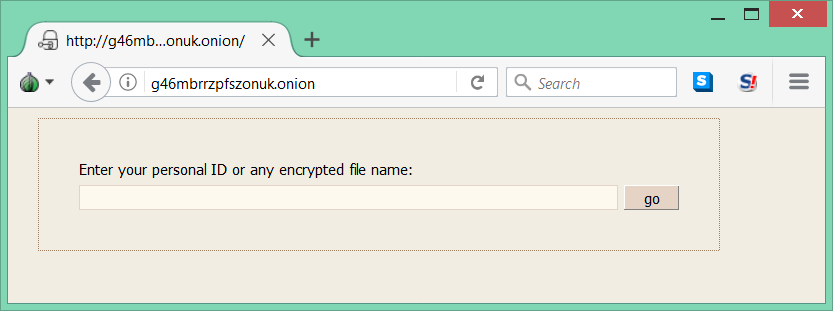
Important to mention that communication with C&C is not available in this version.
As always, Acronis Active Protection stops the threat
We tested Acronis True Image 2018 and as expected, it successfully detected and blocked the new Locky ransomware. It provided easy and reliable protection for user files against being encrypted.
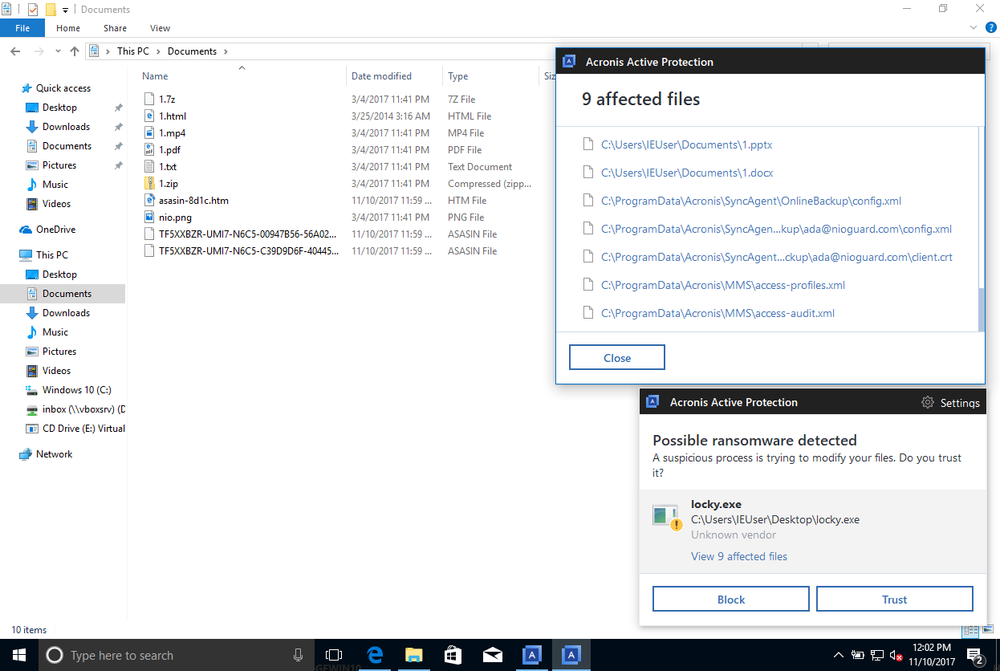
Acronis data protection solutions come with built-in active protection against ransomware — Acronis Active Protection. If you’re using Acronis True Image, Acronis Cyber Backup, or Acronis Backup Cloud, make sure it’s enabled. It will detect the threat, block the attack, and restore the affected data.
Written by
About Acronis
Acronis is a leader in AI-native cyber protection, unifying data protection, cybersecurity, IT operations and hybrid infrastructure to deliver business continuity, security and compliance with less cost and complexity. More than 21,000 service providers trust Acronis to protect over 750,000 businesses in 150 countries. Acronis is headquartered in Schaffhausen, Switzerland.