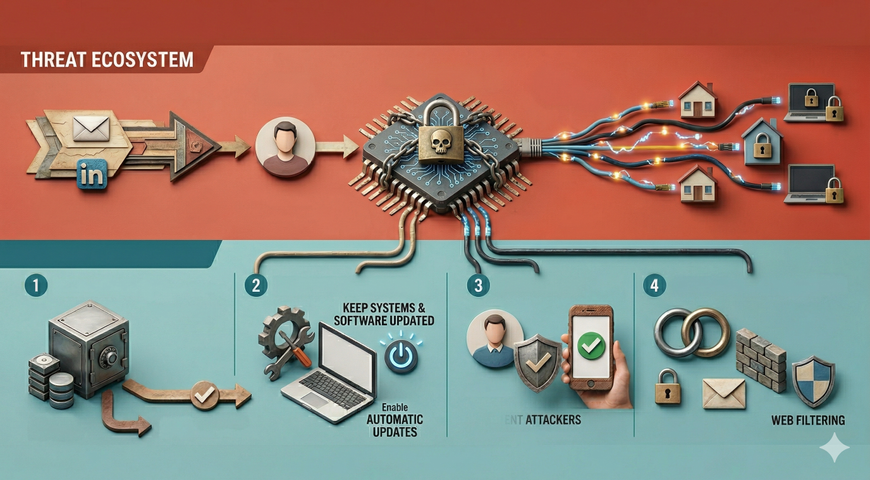
Stop modern email-borne attacks with real-time AI defense.
Email threat prevention is a comprehensive security technique that identifies, blocks and neutralizes email threats such as phishing, malware, and business email compromise (BEC) before they reach a user’s inbox. It combines multiple layers of defense, including AI-driven analysis, URL scanning, attachment sandboxing and authentication protocols like DMARC.
Modern email threat prevention solutions are designed to block a wide spectrum of threats, including spam, phishing, BEC, account takeover, malware, Advanced Persistent Threats (APTs) and zero-day attacks before they reach end users — across cloud, hybrid and on-premises email environments.
According to Verizon’s Data Breach Investigations Report 2024, 94% of malware is delivered via email. The FBI Internet Crime Report (IC3) 2024 reports that Business Email Compromise caused USD 2.9 billion in losses in a single year.
Key features and functions of email threat prevention
A robust email threat prevention strategy is not about a single tool but a set of integrated capabilities. These functions work together to create a multi-layered defense that can adapt to new attack vectors.
SEG vs ICES: Why architecture matters
Email security solutions generally fall into two architectural models:
Secure Email Gateways (SEGs) filter inbound email before delivery but often lack deep visibility into internal (east–west) threats and typically rely on static filtering models.
Integrated Cloud Email Security (ICES) platforms integrate via API and can analyze both inbound and internal emails. However, many ICES solutions analyze messages after delivery, creating a short exposure window where a malicious email may be visible to the end user before remediation.
Acronis Email Security uses an ICES architecture but performs ultra-fast inline inspection. This enables full internal and external visibility while avoiding user exposure risks commonly associated with post-delivery API remediation models.
Phishing, malware and Business Email Compromise (BEC) prevention
Modern email security relies on artificial intelligence (AI) and machine learning (ML) engines to move beyond simple keyword filtering. These systems analyze indicators including email headers, sender reputation and linguistic cues within the message body.
This AI-driven analysis is crucial for phishing prevention and stopping business email compromise. It can detect subtle language anomalies such as unusual urgency, requests for wire transfers or slight variations in a known sender’s tone. This allows it to catch deceptive BEC attempts and phishing links that legacy signature-based filters may miss. According to Deloitte research, 91% of successful cyberattacks begin with a phishing email.
How Acronis delivers
- Emails are scanned in under 30 seconds using advanced AI-based detection engines powered by Perception Point. Attachment verdicts can occur in as little as 10 seconds.
- Unlike many API-based ICES tools that remediate after delivery, Acronis performs inline-speed inspection of 100% of email traffic. This minimizes the risk of malicious emails being visible to users while maintaining zero delivery latency.
- The system detects phishing, BEC, impersonation and account takeover attempts using contextual analysis of sender behavior and message tone.
- Detection models are continuously updated with real-time intelligence from the Acronis Threat Research Unit (TRU) and Perception Point.
- Independent SE Labs testing has ranked this detection engine as a Category Leader in email security for more than five consecutive years, based on real-world live attack detection testing.
Safe attachments and safe links (sandboxing and URL analysis)
Attackers frequently hide malware in seemingly harmless attachments like PDFs or ZIP files or use links that redirect to malicious sites.
Sandboxing counters this by opening suspicious attachments in a secure, isolated virtual environment. It observes the file's behavior. If it attempts to encrypt files, contact a malicious server or exploit a vulnerability, it is blocked before reaching the user.
URL rewriting and time-of-click analysis ensure that even if a link appears safe initially, it is rechecked every time a user clicks it. This neutralizes delayed attacks, in which a webpage is clean when scanned, but weaponized later. According to Osterman Research, more than 48% of successful phishing attacks involve a malicious link leading to a fake login page.
How Acronis delivers:
- Acronis uses dynamic unpacking and CPU-level behavioral analysis to detect advanced persistent threats (APTs) and polymorphic malware that traditional sandboxes may miss.
- Every attachment and embedded link is scanned, including visually embedded threats such as QR codes and image-based phishing attempts.
- Real-time URL recognition and rewriting neutralize malicious redirects and credential harvesting pages at the time of click.
- Unlike some email security tools that modify or reconstruct attachments during analysis — potentially rendering them partially unusable — Acronis preserves file integrity. Users receive the original, unaltered file once it is verified as safe, ensuring business continuity without disrupting workflows.
- The entire inspection process operates at inline speed, delivering protection without email latency or attachment corruption.
Email authentication
To stop attackers from spoofing a trusted domain (for example, making an email look like it came from your CEO or bank), a set of authentication standards is used:
SPF (Sender Policy Framework): Lists the mail servers authorized to send email for your domain.
DKIM (DomainKeys Identified Mail): Adds a digital signature to emails to verify the sender and ensure the message was not altered.
DMARC (Domain-based Message Authentication, Reporting and Conformance): A policy that tells receiving servers what to do with emails that fail SPF or DKIM reject, quarantine or monitor.
According to Gartner, enforcing DMARC can prevent more than 90% of direct domain-spoofing attacks.
How Acronis delivers:
- Provides easy-to-use tools to implement and enforce DMARC policies from a single, centralized console.
- Simplifies the setup, monitoring and management of SPF, DKIM and DMARC records across all your domains.
- This strengthens your domain reputation and reduces false positives by ensuring your organization's legitimate emails are properly authenticated.
Threat Intelligence
The email threat landscape changes constantly. An effective solution cannot rely only on what it has seen before. It must be connected to a real-time global threat intelligence network. This network shares data on phishing campaigns, malicious IP addresses, newly registered malicious domains and emerging malware signatures, enabling the system to preemptively block threats before they hit your network.
Forrester reports that organizations using active threat intelligence reduce successful phishing attacks by more than 40%.
How Acronis Delivers:
- Acronis Email Security is powered by continuous real-time intelligence from the Acronis Threat Research Unit (TRU), Perception Point’s detection research team and additional third-party intelligence sources.
- Perception Point operates as an independent cybersecurity research organization specializing in advanced threat detection and zero-day prevention.
- Detection engines are continuously updated using global attack telemetry, behavioral analysis and emerging threat data to ensure rapid adaptation to new phishing campaigns, BEC techniques and malware variants.
- Threat intelligence is integrated directly into incident response workflows, providing automated alerts, remediation guidance and centralized reporting through a unified console.
How Email Threat Prevention Works: A Step-by-Step Flow
Understanding how email security operates requires understanding the architecture. Today, organizations typically choose between two deployment models: Secure Email Gateways (SEGs) and Integrated Cloud Email Security (ICES).
SEG vs ICES: Architectural trade-offs
Secure Email Gateways (SEGs) SEGs sit in the mail flow path and inspect messages before delivery.
Benefits:
· Pre-delivery blocking model.
· No user exposure window if threat is detected.
· Mature policy enforcement controls.
· Strong for perimeter filtering.
Limitations:
· Limited visibility into internal (east–west) email threats.
· Requires MX record changes and mail routing configuration.
· Can introduce operational complexity.
· May rely heavily on signature-based filtering.
Integrated Cloud Email Security (ICES) ICES solutions integrate via API directly with cloud platforms such as Microsoft 365 and Google Workspace.
Benefits:
· Visibility into internal and external email.
· No MX changes required.
· Cloud-native deployment.
· Behavioral and mailbox-level telemetry.
Limitations:
· Typically scan messages on or after delivery.
· Potential short exposure window before remediation.
· Remediation may involve post-delivery retraction.
Acronis Email Security operates using an ICES architecture but performs ultra-fast inspection that minimizes exposure risk while preserving internal visibility. This combines the deployment simplicity and east–west visibility of ICES with the prevention model typically associated with pre-delivery systems.
1. Cloud-Native Inspection Layer
Acronis integrates directly with Microsoft 365, Google Workspace and on-premises mail environments through API-based integration.
Because it does not require MX record modification, deployment is simplified and does not disrupt existing mail flow.
Unlike many API-only ICES solutions that remediate after delivery, Acronis performs rapid analysis designed to minimize the window in which malicious content could be visible to end users.
2. Multi-layered scanning and analysis
As an email arrives, it undergoes layered inspection:
· Authentication: SPF, DKIM and DMARC validation.
· Signature Scanning: Known malware detection.
· AI Analysis: Phishing, impersonation and BEC behavioral detection.
· Sandboxing: Dynamic attachment and URL analysis for zero-day threats.
This defense-in-depth model ensures coverage across known and unknown threats.
Acronis unifies these layers into a single high-speed workflow. The full inspection of 100% of email traffic is completed in under 30 seconds, including CPU-level behavioral analysis for advanced threats and APTs.
3. Quarantine or delivery
Each message receives a risk score.
· Clean messages are delivered.
· Suspicious or malicious emails are quarantined or remediated according to policy.
Administrators manage policies from a centralized console, with options to auto-delete, quarantine or allowlist specific senders and content types.
4. Incident response and continuous learning
Modern email security extends beyond filtering.
If a threat is detected, automated workflows can:
· Alert administrators.
· Retract malicious emails.
· Trigger remediation actions.
Detection telemetry feeds back into global threat intelligence networks, strengthening models over time.
Acronis integrates incident response with intelligence from the Acronis Threat Research Unit (TRU) and Perception Point to continuously refine detection accuracy.
Answering your top questions on email threat prevention
What is email threat prevention?
Email threat prevention is a layered security approach designed to stop malicious emails before they cause user impact. It focuses on proactively identifying and blocking phishing, malware, business email compromise (BEC) and zero-day threats using AI-based analysis, attachment sandboxing, authentication controls and real-time threat intelligence.
Unlike reactive remediation models, prevention emphasizes minimizing or eliminating user exposure to malicious content.
Modern cloud-native platforms such as Acronis Email Security apply multi-layered inspection across inbound and internal emails, using behavioral detection and CPU-level analysis to prevent threats before they can trigger compromise.
How do you prevent email threats?
Preventing email threats requires a defense-in-depth strategy that combines:
· AI-driven behavioral detection.
· Dynamic attachment sandboxing.
· Real-time URL analysis and rewriting.
· SPF, DKIM and DMARC authentication enforcement.
· Continuous global threat intelligence.
· Security awareness and user training.
An integrated platform like Acronis Email Security unifies these layers into a single prevention workflow, validated through independent detection testing by SE Labs.
What is the best email protection?
The best email threat prevention solution is one with independently verified detection accuracy. According to independent SE Labs testing, Acronis Email Security ranked #1 in detection efficiency against real-world phishing, BEC and malware attacks and has been recognized as a Category Leader for more than five consecutive years.
What is advanced threat protection for emails in Office 365?
Microsoft Defender for Office 365 (formerly ATP) provides baseline protection such as Safe Attachments and Safe Links. However, many organizations supplement it with Acronis to achieve higher detection accuracy. SE Labs testing shows Acronis detects more phishing and BEC attacks than Microsoft’s native tools because it uses deeper behavioral analysis and global threat intelligence.
Conclusion: Choose Proven Accuracy, Not Promises
While many vendors offer standard protection layers, Acronis distinguishes itself through independently verified detection accuracy and advanced threat analytics. Acronis Email Security has been consistently recognized by SE Labs for more than five years. It protects organizations with 100% traffic inspection, zero email delivery latency and CPU-level threat detection that stops attacks other systems miss.
Do not just prevent threats. Choose the solution proven to detect them first.
About Acronis
A Swiss company founded in Singapore in 2003, Acronis has 15 offices worldwide and employees in 60+ countries. Acronis Cyber Platform is available in 26 languages in 150 countries and is used by over 21,000 service providers to protect over 750,000 businesses.