

1Password


Company:
1Password
Integration:
1Password
Category:
Password management
Acronis

1Password® Enterprise Password Manager – MSP Edition integration with Acronis

Simple, Automated Deployment of 1Password with Acronis RMM

With an intuitive MSP console, technicians can efficiently manage clients, configure their security settings, and monitor client level usage activity - all from one place. Consumption based billing with no license minimums supports faster onboarding and profitability, while reducing password related tickets improving team performance. Our unique Two-Key-Derivation and end-to-end encryption ensures client data remains secure, even in the unlikely event of a breach. Enabling MSPs to excel as strategic IT partners, 1Password provides customizable access controls, actionable insights, and detailed usage reporting, ensuring your team can stay ahead of client’s security and compliance needs. To get started, select your region based on data compliance needs. Billing currency will correspond to chosen region. A deployment script enables MSPs to quickly deploy 1Password using Acronis RMM.

Empower your clients with effortless security they can trust

Enhance client security with the same password manager 180,000 businesses know and love. Our industry-leading security model ensures important data is protected, while also being easy for new users to use confidently.

How MSPs can activate 1Password with Acronis:

  1. Provision your 1Password MSP account by clicking on the Try Now link above and choose the region that matches your data residency and billing requirements.
  2. Look for the email from 1Password and follow the setup instructions.
  3. Click the Deployment Script link above to download the script.
  4. Add the PowerShell script to Acronis RMM and run it on the Windows endpoints you want to deploy to. The script installs the latest 1Password app silently, checks whether 1Password is already installed, and supports reinstallation when needed.
  5. After deployment, use the 1Password MSP console to link customer accounts, assign technician access, and enforce client security policies.
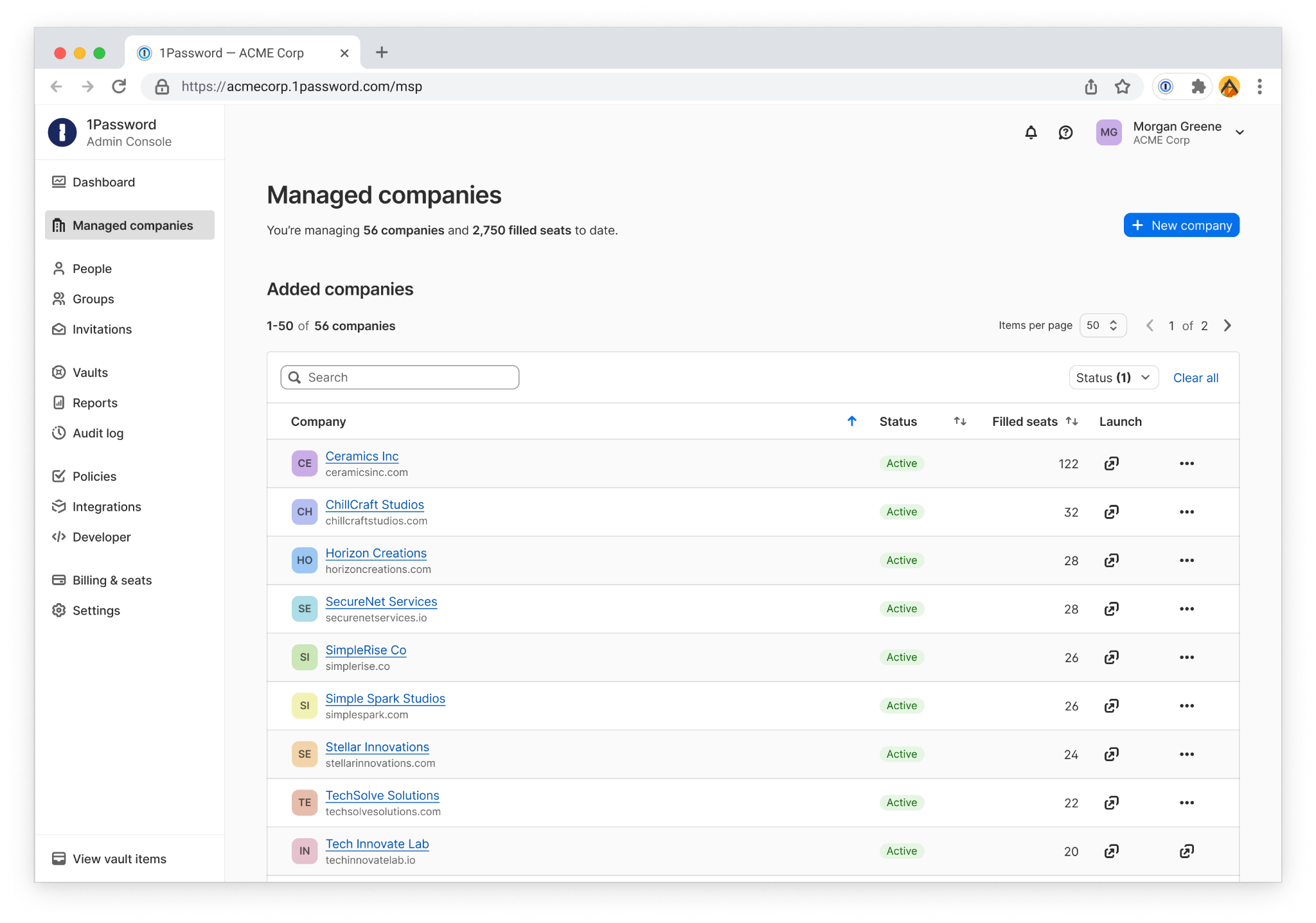
  • Empower your clients with effortless security they can trust

Features

  • Link existing 1Password customers

    If your client is already using 1Password, you can easily connect their existing account to your MSP admin console. Take over management, policy enforcement, and billing while keeping their environment intact.

  • Granular group controls for MSP technicians

    MSPs can work with their managed companies to control access to shared vaults within managed company tenants and enforce least-privilege access so technicians only see what they need to resolve tickets and support clients.

  • Consumption-based billing, no minimums

    MSPs benefit from improved operational efficiency through consumption-based billing with no license minimums and saving your team time on password related tickets, making it easy to grow profitably.

  • 14-day free trial

    Experience full access to all the benefits of 1Password Enterprise Password Manager – MSP Edition. Launch into client accounts from a dedicated MSP console, set access controls with custom groups and permissions, and more.

Discover the Acronis Technology Ecosystem

Explore how Acronis partners with top technologies to deliver secure, integrated, and automated solutions. Stay informed and unlock new opportunities through our growing ecosystem.

New Case Study

Nord Security business suite accelerates product adoption by 350% through the Acronis Technology Ecosystem

Read now