
Featured

Acronis SIEM Connector


Company:
Acronis
Integration:
Acronis SIEM Connector
Category:
SOAR & SIEM
Acronis

Acronis SIEM Connector

The new Acronis SIEM Connector 2.0 implemented as a SIEM LogForwarding plan

SIEM (Security Information and Event Management) platforms are cybersecurity solutions that provide centralized log management, offer real-time threat detection, facilitate incident investigations, and help managed service providers meet compliance requirements.

The new Acronis SIEM Connector 2.0 offers easier configuration, broader data coverage and improved compliance. Integrated directly into protection plans, it uses the Acronis agent as the data writer - eliminating complex syslog server setup - and exports alerts, events, activities and tasks in either CEF or JSON format to a designated file path for ingestion by any SIEM platform. This simplifies data consolidation.

By launching this integration, Acronis maintains its active membership in MISA – reinforcing our shared commitment to delivering secure, Microsoft-aligned solutions for MSPs.

Explore resources

Start Ingesting Acronis Data in Minutes

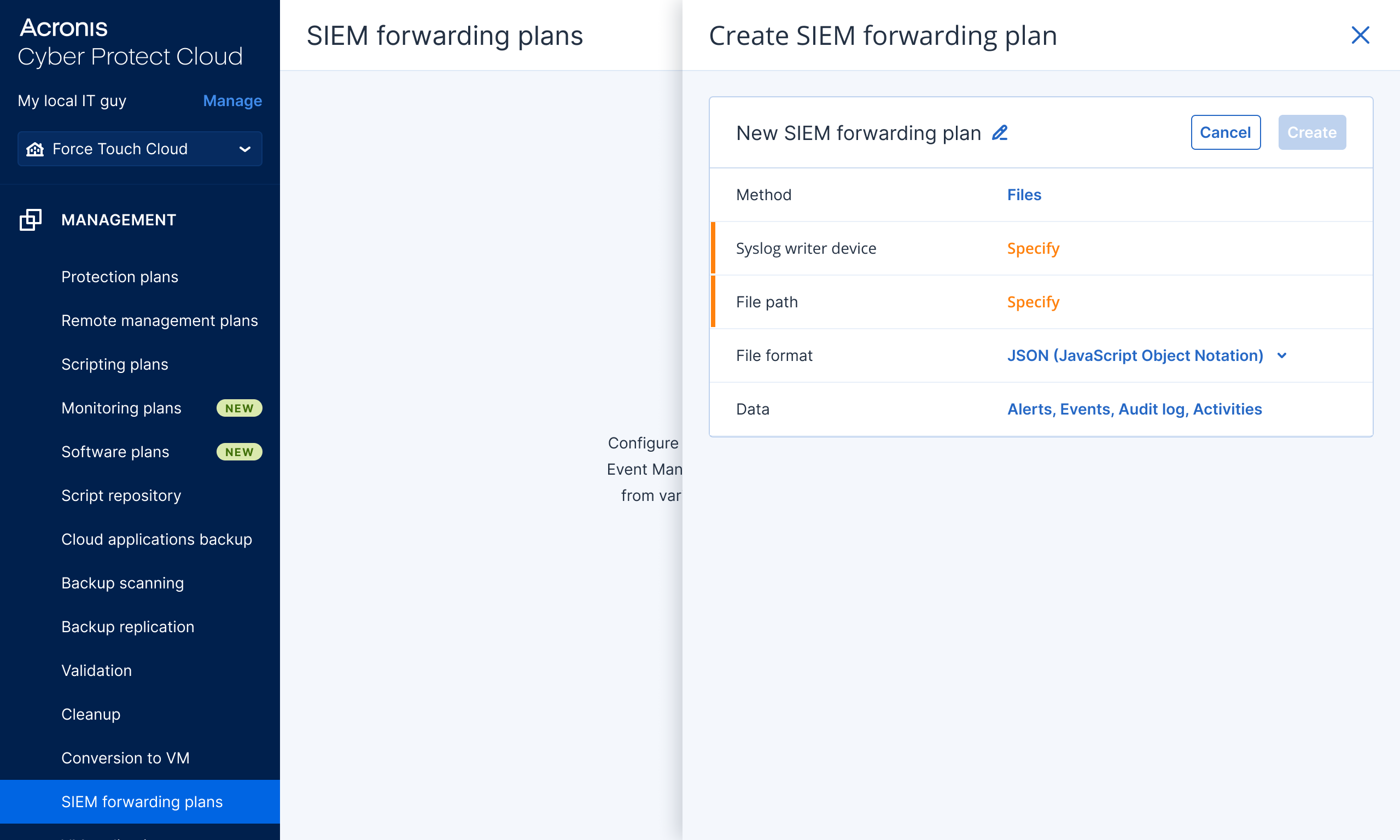
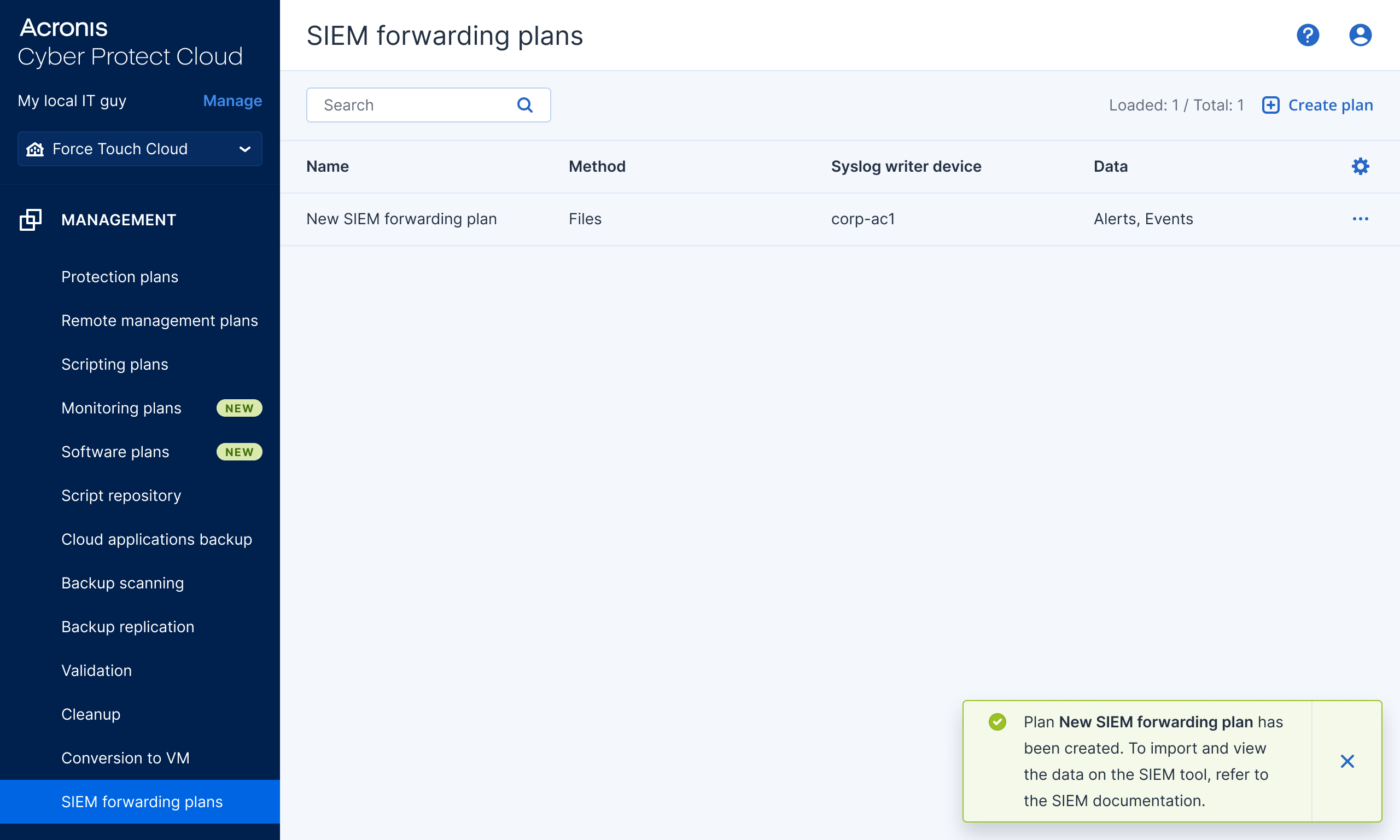
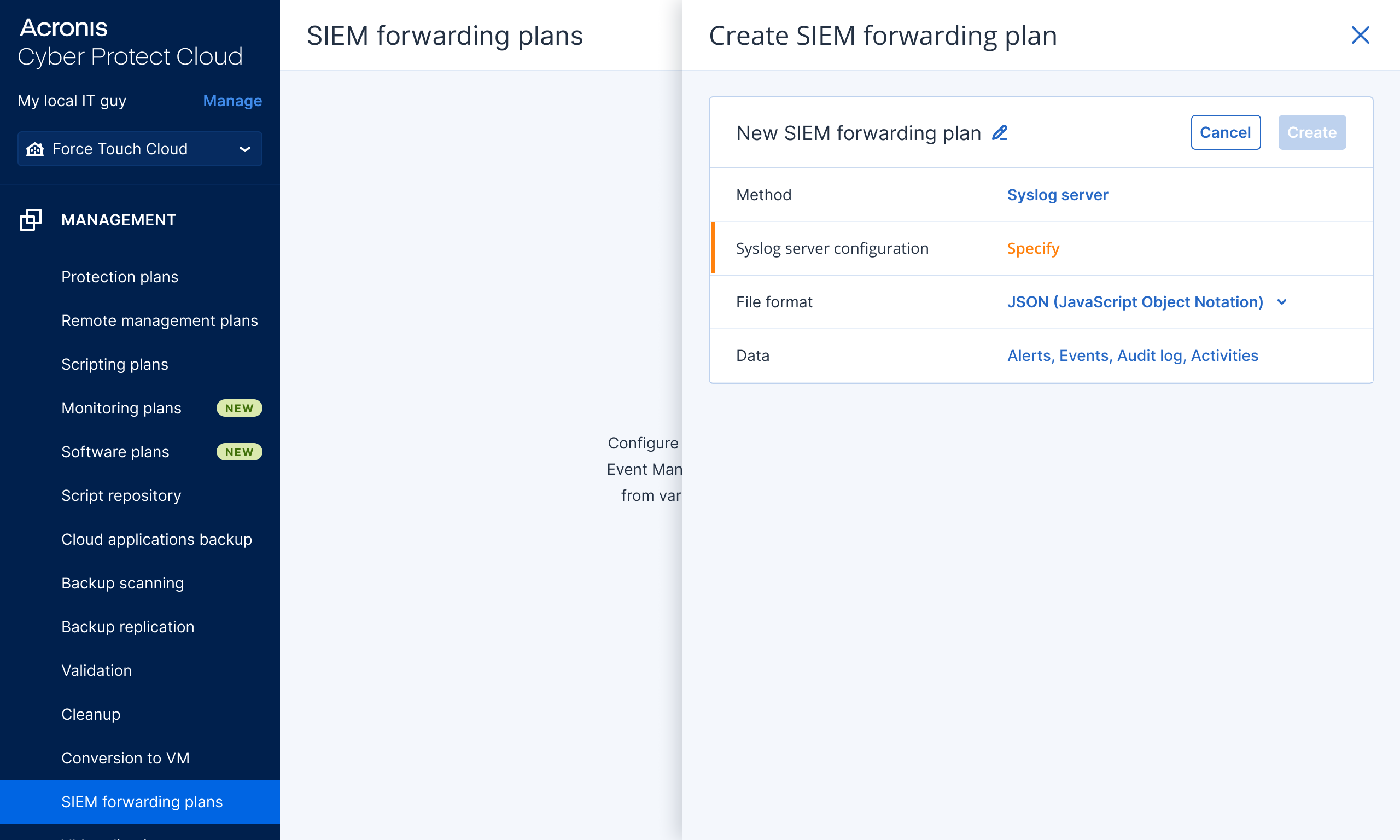
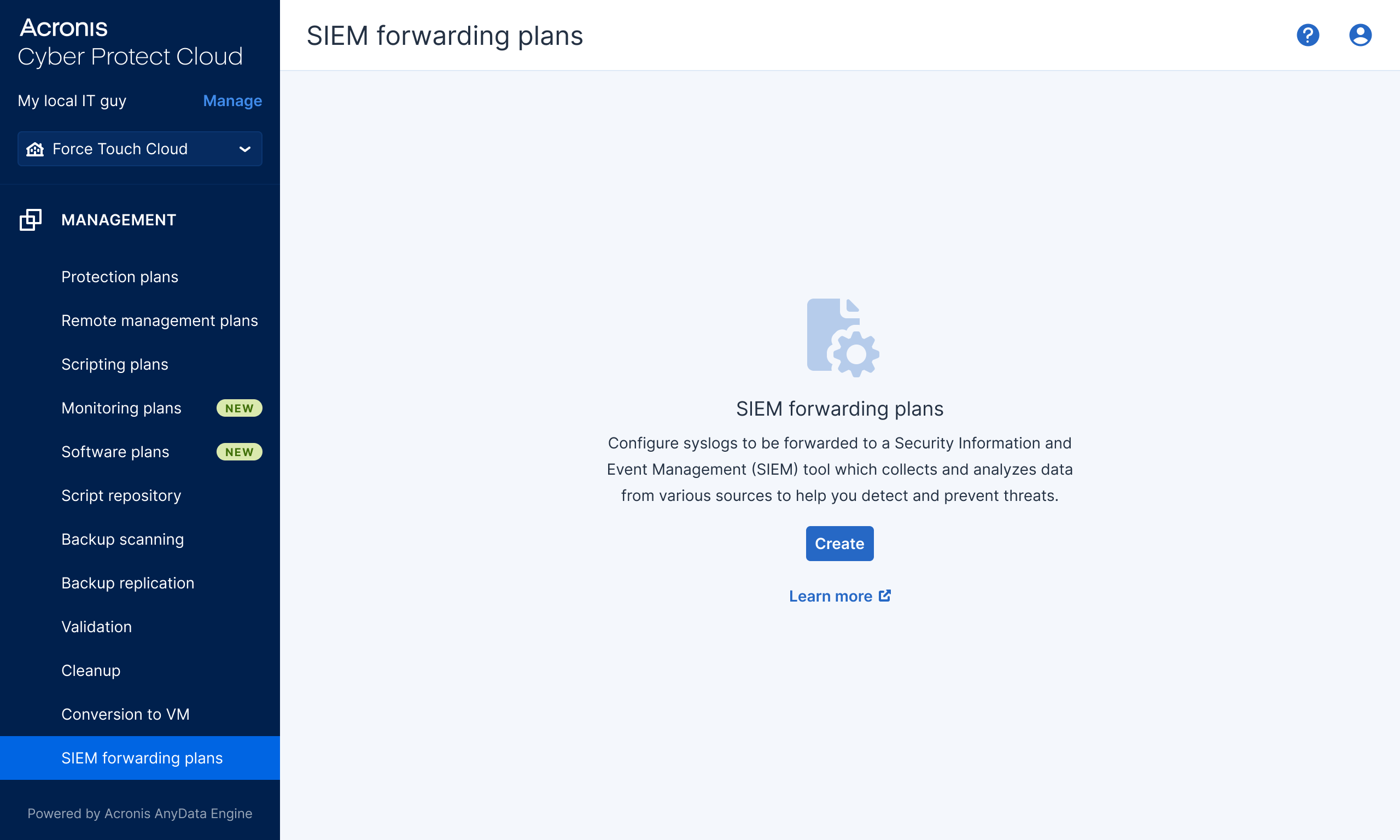
The SIEM LogForwarding plan (SIEM Connector 2.0) eliminates the time-consuming setup of syslog servers and certificate generation by leveraging the Acronis agent. It allows MSPs to begin collecting Acronis logs, ready for ingestion by any SIEM, in just four simple steps.

  1. Create an Acronis SIEM LogForwarding plan
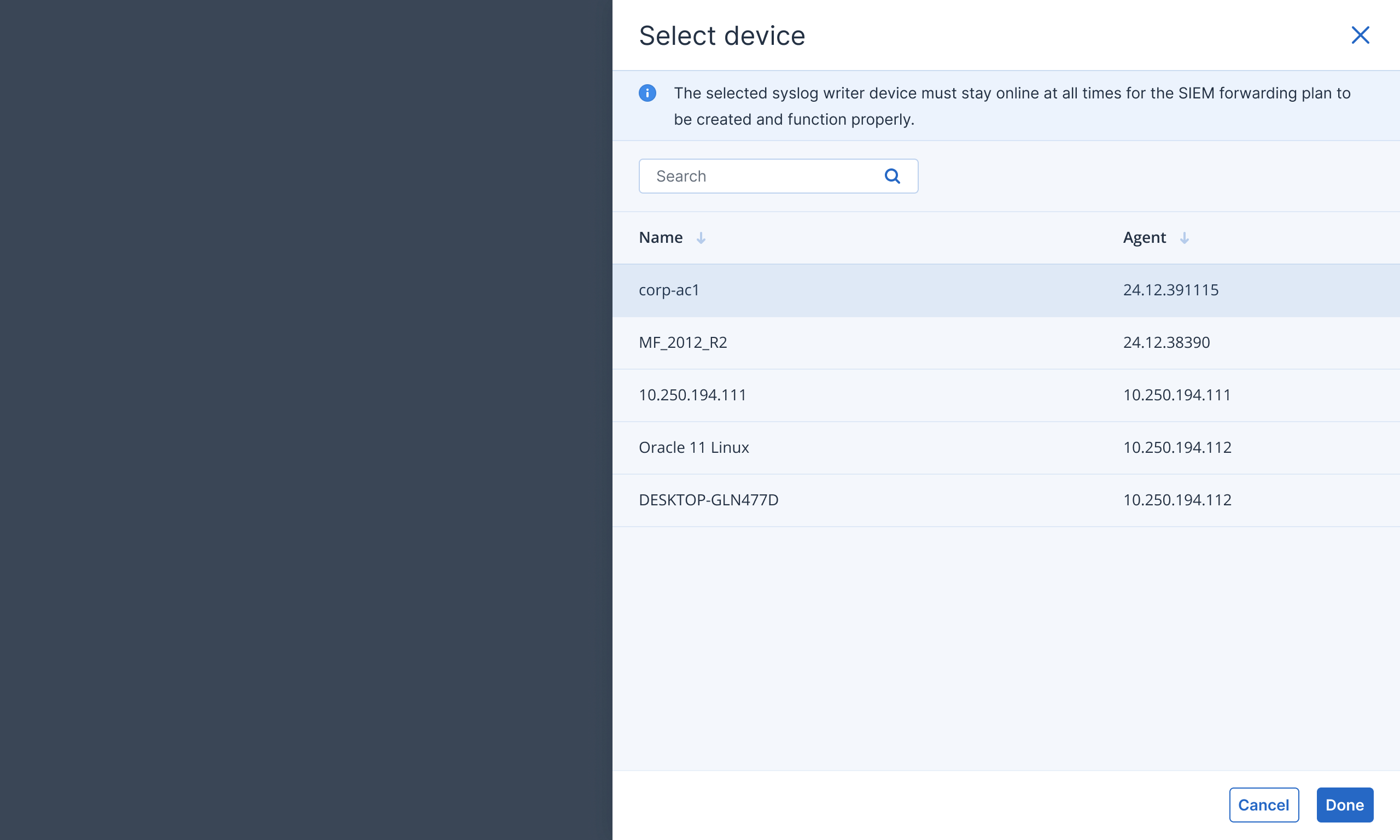
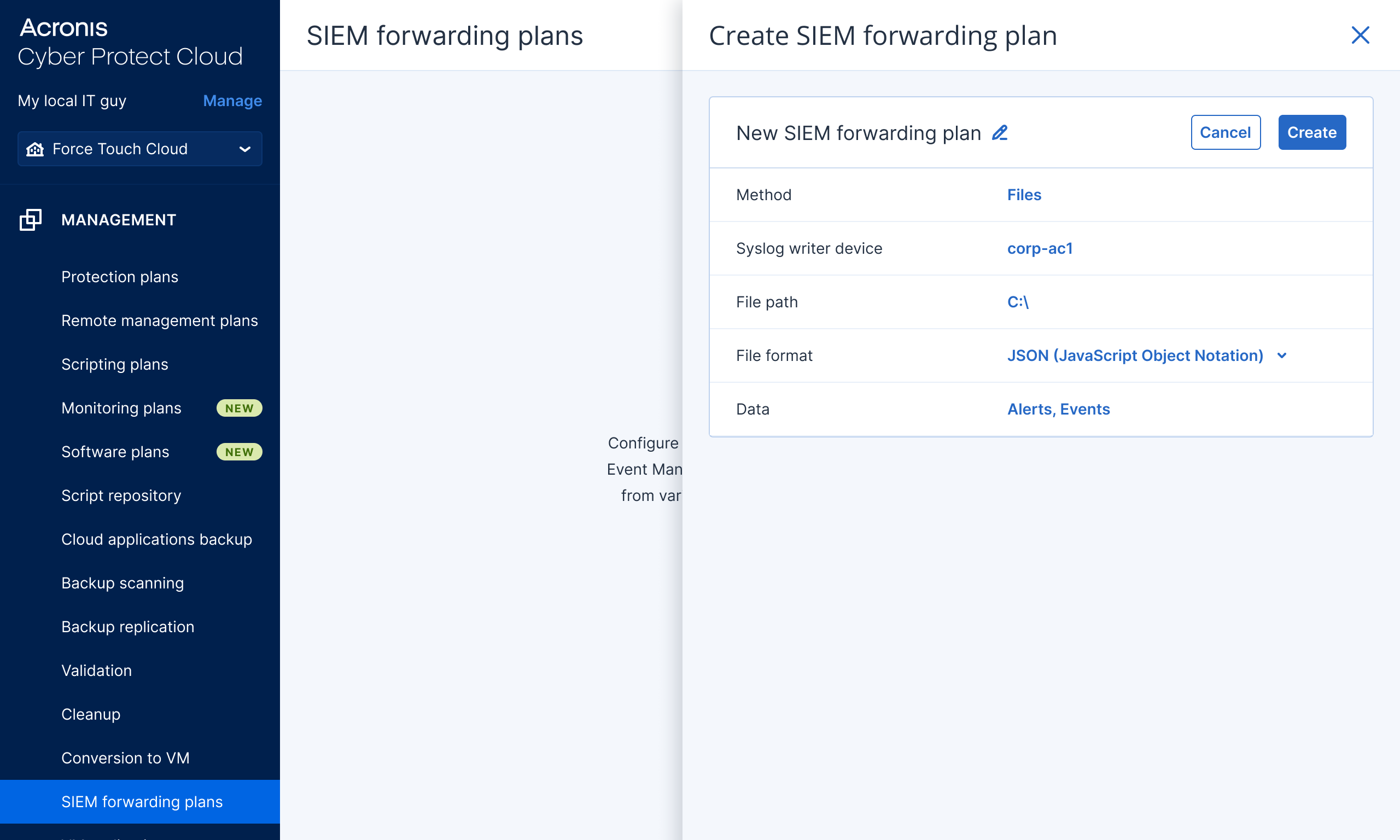
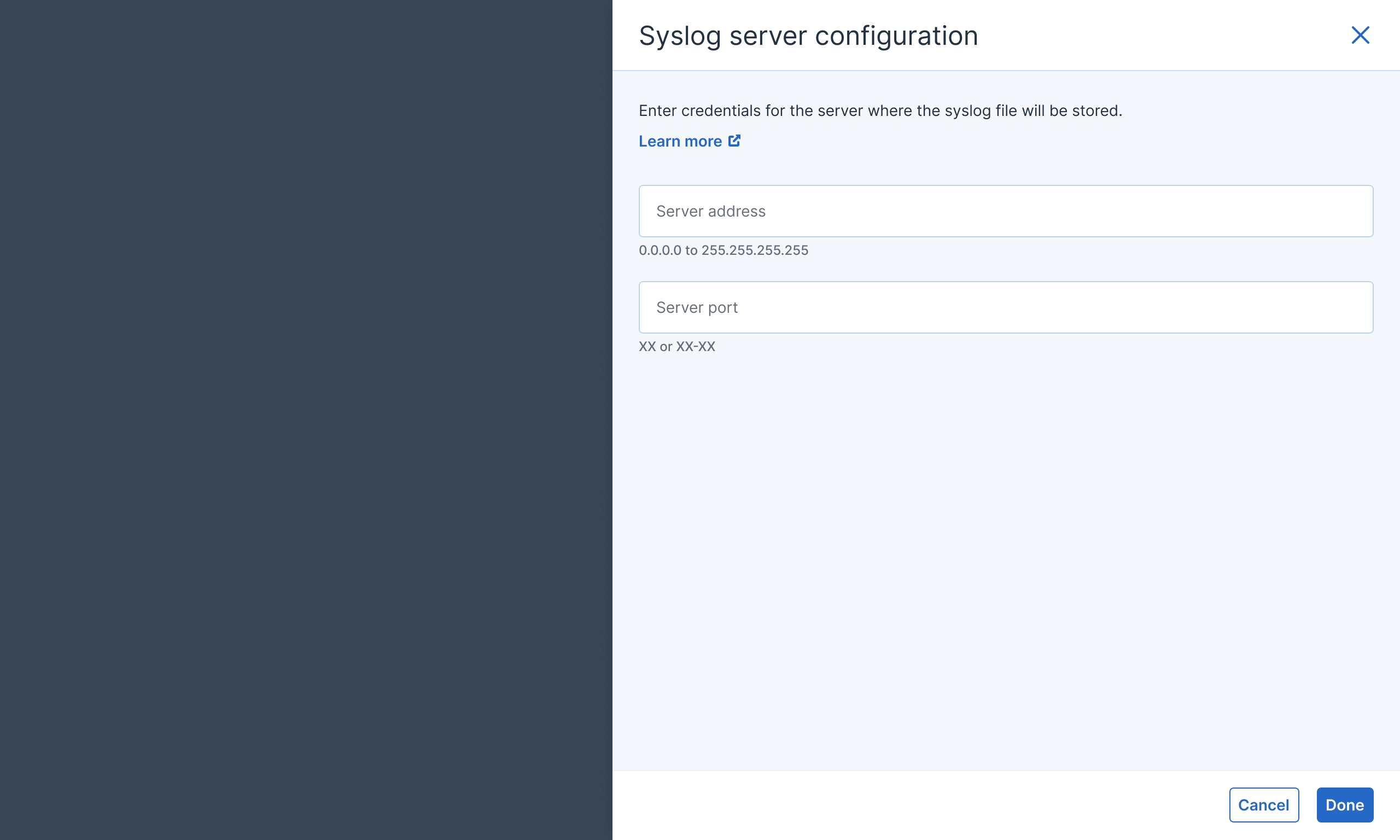
  2. Choose a writer device on the company network (Windows or Linux) and file path where to store the Acronis data. You can also pick a syslog server (no need to generate certificates)
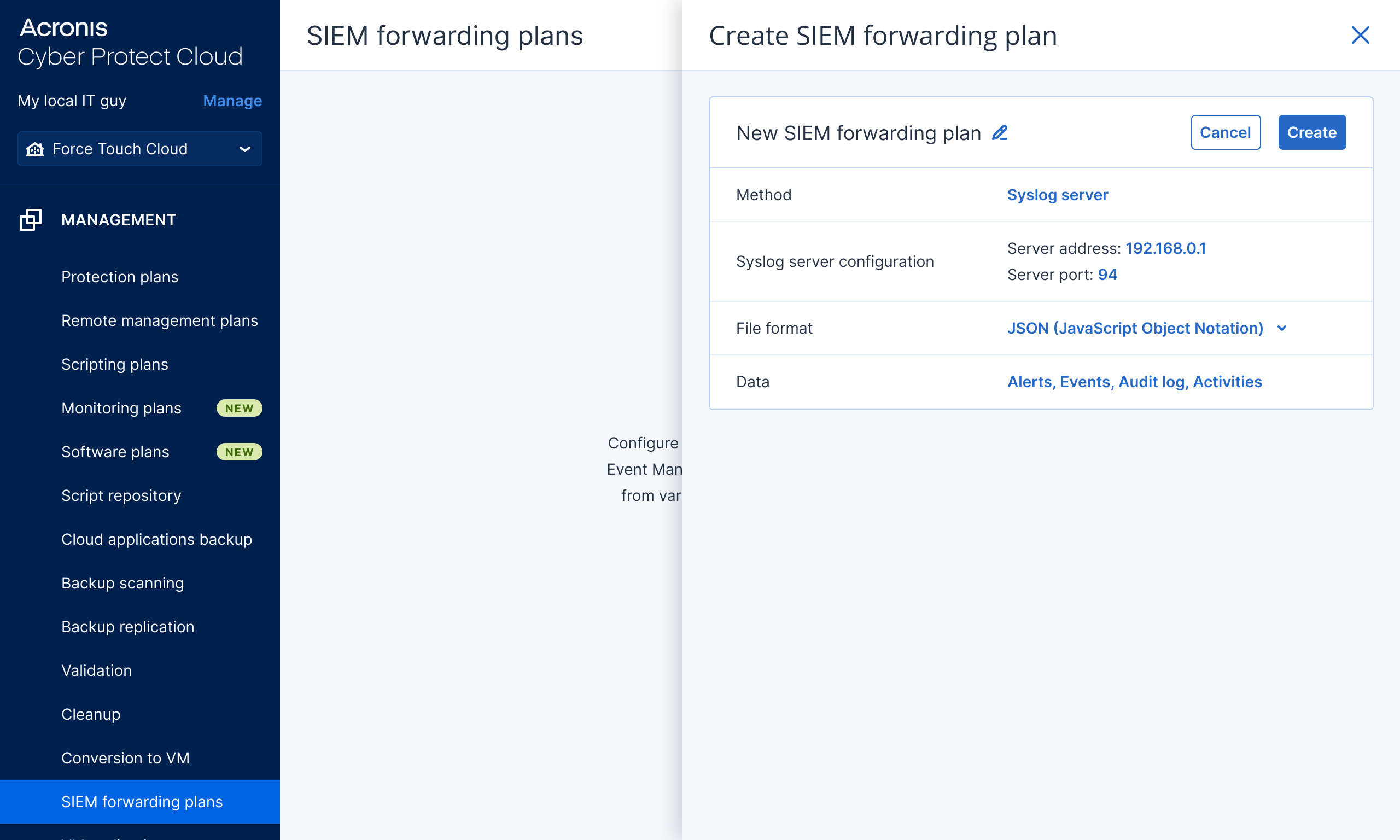
  3. Pick file format (we recommend CEF)
  4. Choose what Acronis data to collect (Alerts, Events, Tasks, Audit Log)
  • Start Ingesting Acronis Data in Minutes
  • Start Ingesting Acronis Data in Minutes
  • Start Ingesting Acronis Data in Minutes
  • Start Ingesting Acronis Data in Minutes
  • Start Ingesting Acronis Data in Minutes
  • Start Ingesting Acronis Data in Minutes
  • Start Ingesting Acronis Data in Minutes
  • Start Ingesting Acronis Data in Minutes

Features

  • Simple Activation Utilizing the Acronis Agent

    The SIEM LogForwarding plan (SIEM Connector 2.0.) eliminates the time-consuming and complex process of manually configuring syslog servers and generating security certificates. Instead of spending hours on infrastructure setup, MSPs simply select a destination device, either an existing machine on the customer's network (Windows or Linux) or a designated syslog server, and the Acronis agent automatically writes Acronis logs to a specified path on that device without requiring additional certificate generation, firewall rule adjustments, or gateway server setup.

  • Expanded Security Data Coverage

    The connector now forwards a comprehensive suite of security telemetry including event logs, custom alerts, EDR data, DLP data, URL filtering logs, and activity records—providing MSPs with richer security intelligence than the previous alerts-and-audit-logs-only approach. This expanded data scope enables MSPs to deliver more complete security visibility to their customers.

  • Tenant-Isolated Secure Connections

    Each customer tenant now has an independent, dedicated connection to their preferred SIEM platform, ensuring complete data isolation and eliminating compliance risks associated with shared data destinations across multiple tenants. This architectural change addresses critical compliance requirements by guaranteeing that security events and logs from one customer remain completely separate from those of other customers, even within the same MSP account.

  • HIPAA Compliant Log Storage and Retention

    The SIEM Connector enables MSPs to maintain HIPAA compliance by allowing logs to be stored directly on any device on the customer network with an Acronis agent. The MSP can use this device as a server and store logs for the required minimum of six years. This capability eliminates the need for separate archival solutions and simplifies compliance audits, as all historical security events and logs remain readily accessible in a single location.

Acronis Support

Discover the Acronis Technology Ecosystem

Explore how Acronis partners with top technologies to deliver secure, integrated, and automated solutions. Stay informed and unlock new opportunities through our growing ecosystem.

New Case Study

Nord Security business suite accelerates product adoption by 350% through the Acronis Technology Ecosystem

Read now