- Navigate to Integrations in the Acronis management console and select IT Glue.
- Enter the IT Glue server URL and your API key, then save.
- The system validates your credentials and activates the integration.
- Configure provisioning policies and device-sync settings.
- Map IT Glue organizations to Acronis customers.
- Device matching and data publishing begin automatically.


IT Glue integration with Acronis Cyber Platform
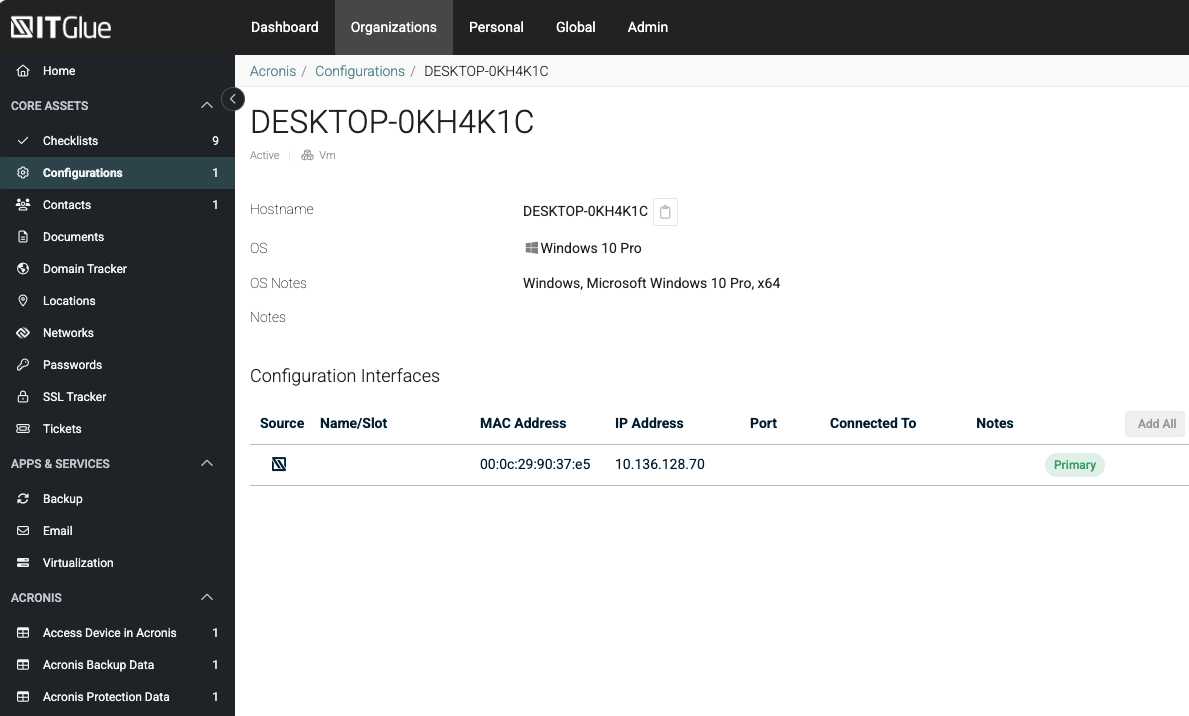
The Acronis integration for IT Glue bridges Acronis Cyber Platform with IT Glue IT documentation, giving MSPs a single pane of glass for customer, device, and protection data. Once enabled, the integration connects to the IT Glue API using partner-managed credentials. MSP administrators map IT Glue organizations to Acronis customer tenants - either linking to existing tenants or creating new ones with configurable provisioning defaults. Devices are automatically matched by hostname, serial number, or MAC address and synced as IT Glue configurations.
What Gets Synced
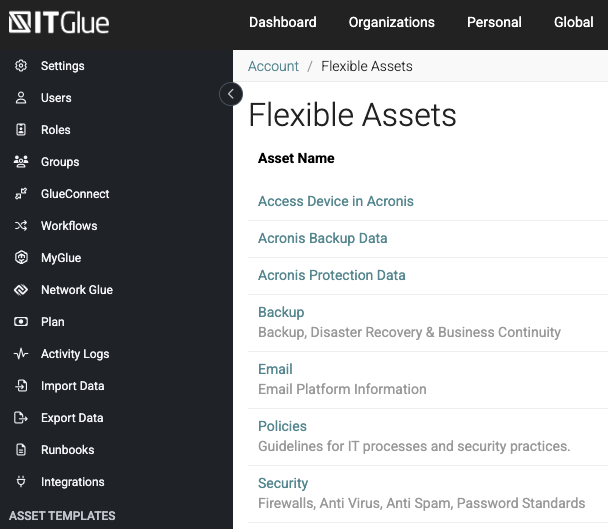
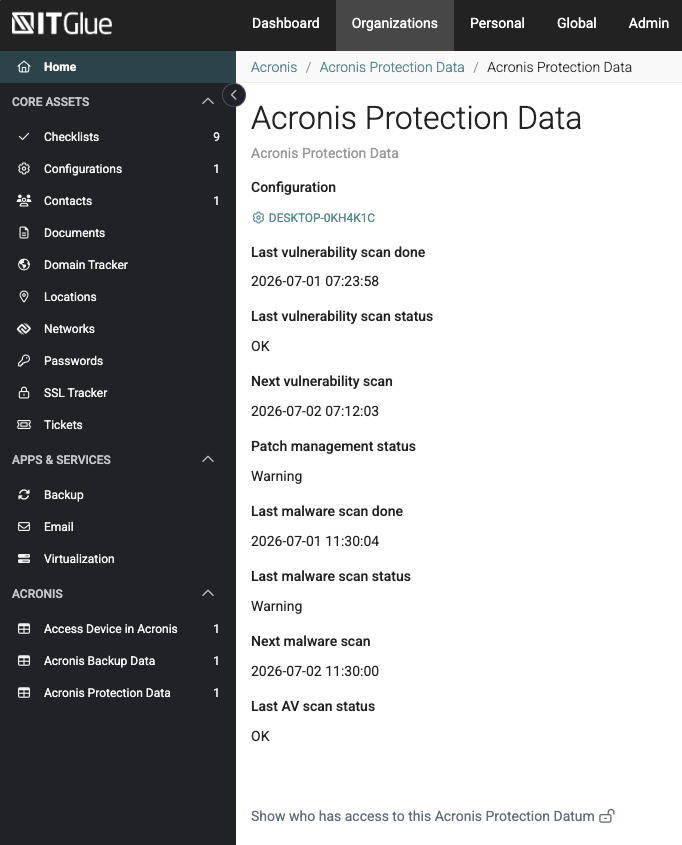
For every matched device, the integration publishes three categories of Acronis data as IT Glue flexible assets:
- Device & Access Data Agent version, hostname, IP addresses, operating system, Acronis console link, and remote-access connection status.
- Backup Data Last backup timestamp, backup status, next scheduled backup, backup plan name, total backup size, and recovery point count.
- Protection Data Last vulnerability scan and status, patch management status, last malware scan and status, and antivirus scan results.
Data is refreshed automatically on a recurring sync schedule, so IT Glue always reflects the latest Acronis state.
Supported IT Glue Data Centers
- United States:
https://api.itglue.com - European Union:
https://api.eu.itglue.com - Australia:
https://api.au.itglue.com - Custom server URLs are also supported.
Requirements
- Acronis Cyber Platform partner tenant with administrator access.
- IT Glue account with an API key (generated at Account Settings).
- Network connectivity between the Acronis platform and the IT Glue API endpoint.
Getting Started
Features
Quick Setup
Enter your IT Glue server URL and API key, validate credentials, and the integration is ready to configure.
Flexible Customer Mapping
Map IT Glue organizations to existing Acronis tenants or provision new customer tenants directly from the mapping workspace.
Configurable Provisioning
Choose account creation mode, set two-factor authentication, enhanced security, and trial/production tenant type for new customers.
Automatic Device Matching
Devices are matched by hostname, serial number, or MAC address. Unmatched devices can optionally be created as new IT Glue configurations.
Rich Flexible Assets
Backup, protection, and access data are published as structured flexible assets attached to each device configuration.
Adoption Reporting
Track activated MSPs, mapped customers, mapped devices, and Acronis-created configurations across the partner base.