Strengthen backup and security, and simplify management by applying sophisticated protection plans through the same interface you use to manage your other service offerings.


Acronis Cyber Platform integration with Jamf Pro
The integration with Jamf Pro enables remote mass-deployment of Acronis Cyber Platform on as many macOS workloads as needed with minimal efforts. Additionally, you can efficiently manage, configure, and monitor cyber protection plans and statuses by leveraging the integration’s use of native Jamf Pro tools and workflows.
Explore resources
Streamline your service provider business by keeping your macOS environment connected and secure
Features
Simple configuration, integrated with standard enrollment
The integration with Jamf Pro leverages standard enrollment and management methods for macOS computers. Assign a static or dynamic group as the install-queue, and the integration will automatically deploy Acronis Cyber Platform to any workloads in this queue using standard policies.
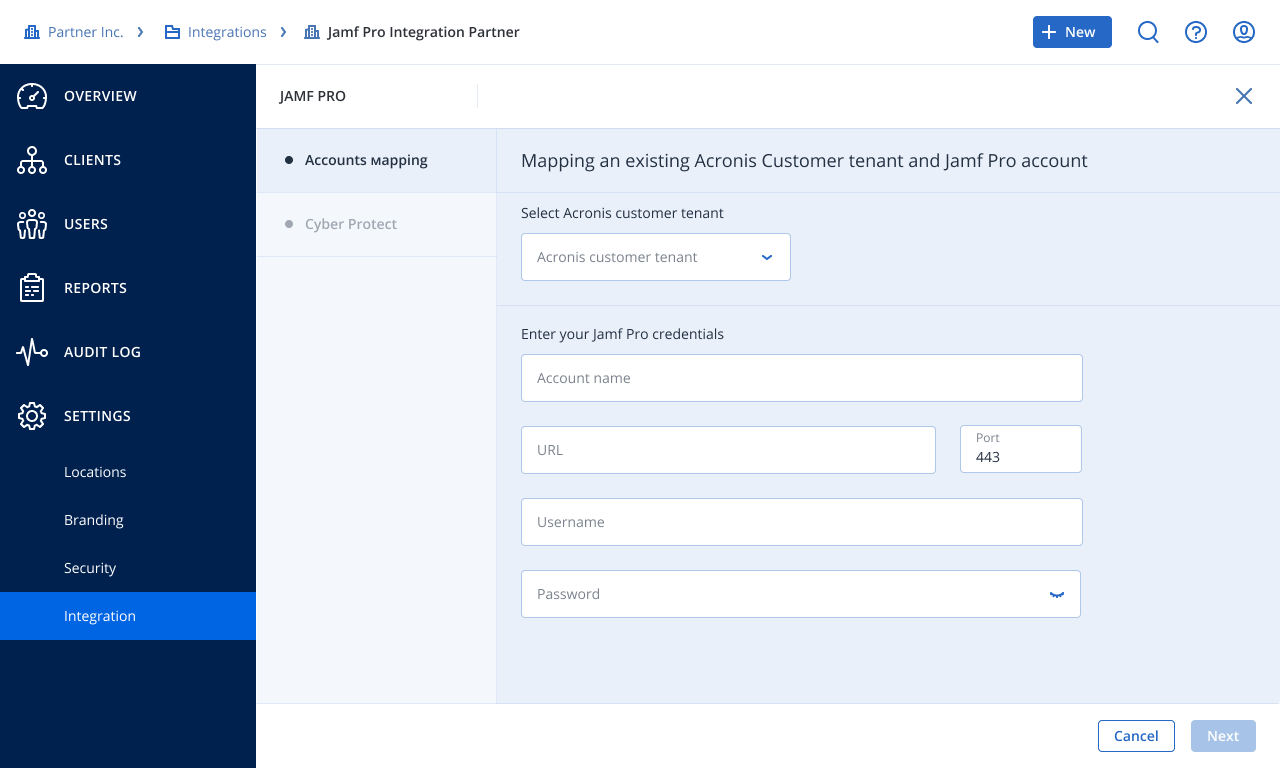
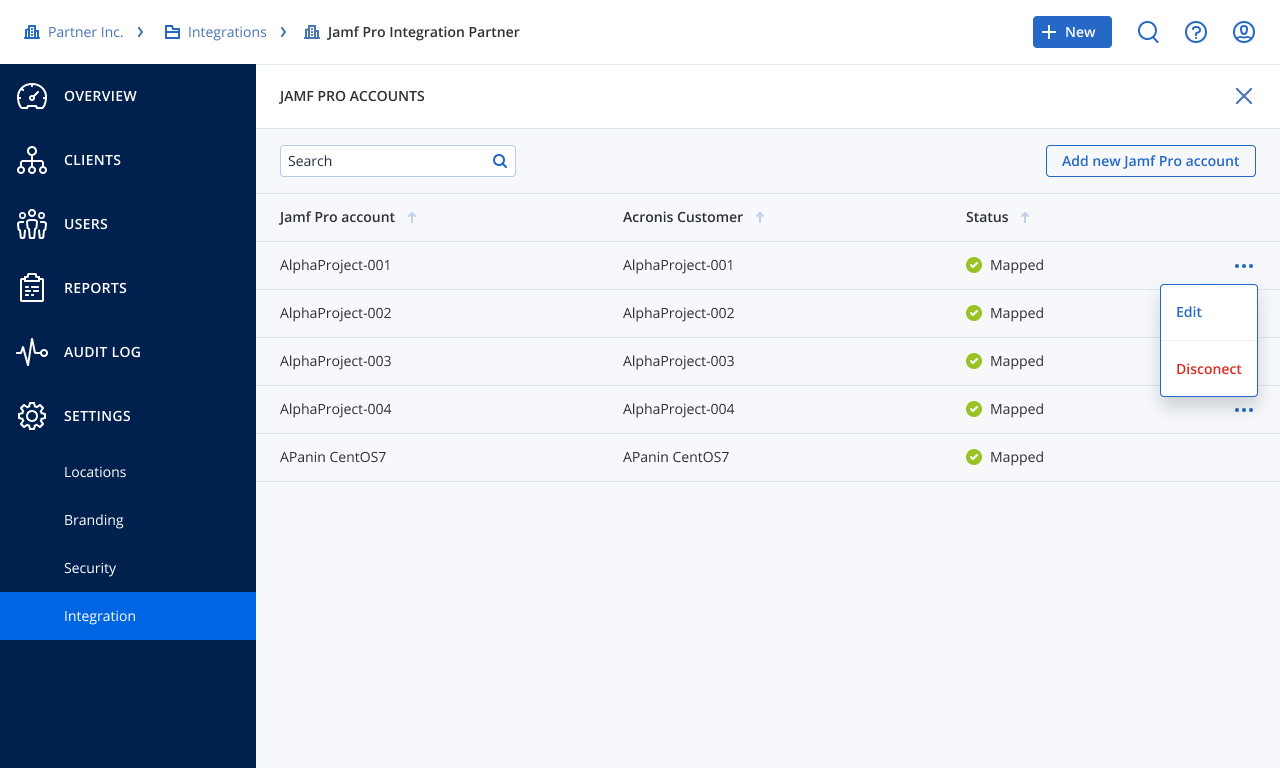
Manage multiple Jamf Pro accounts with ease
If you manage multiple Jamf Pro accounts for multiple Jamf Pro instances, this integration lets you use a single Acronis account to manage all your clients. Ensure a controlled and secure process by configuring all integration settings in one place.
Remotely install the protection agent on macOS computers
Assign any macOS computer to the static or dynamic group that you have defined, either manually or as part of your standard enrollment procedure for new machines. Deployment is supported on Intel and M1 devices.
Apply cyber protection plans on a client level
Unleash the power of Acronis Cyber Platform to strengthen the cyber resilience of you and your clients. Leverage a default protection plan for all macOS computers used by a Jamf Pro account. By choosing the default plan option during configuration, it will be automatically applied when Acronis Cyber Platform is deployed to macOS computers.
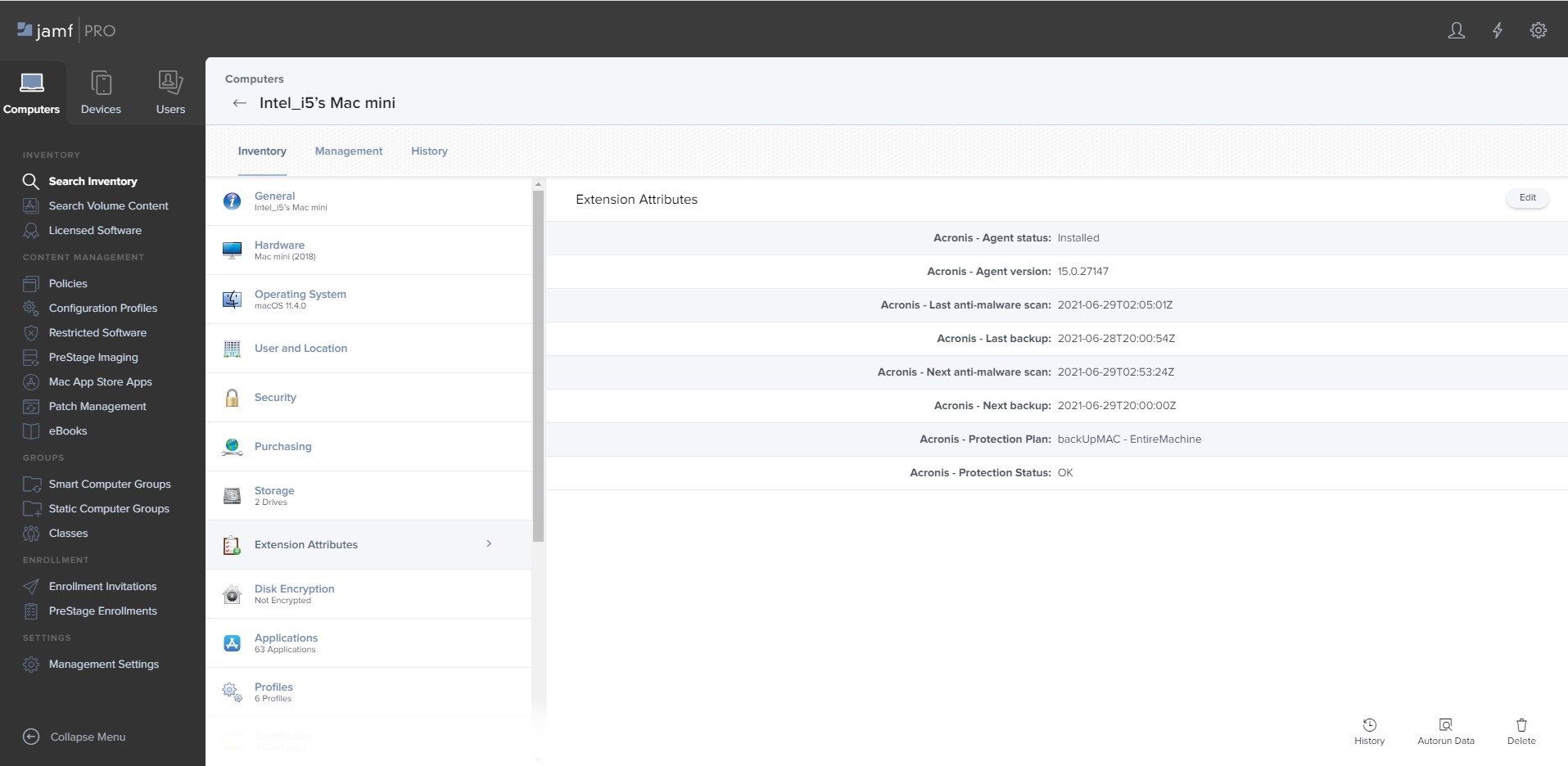
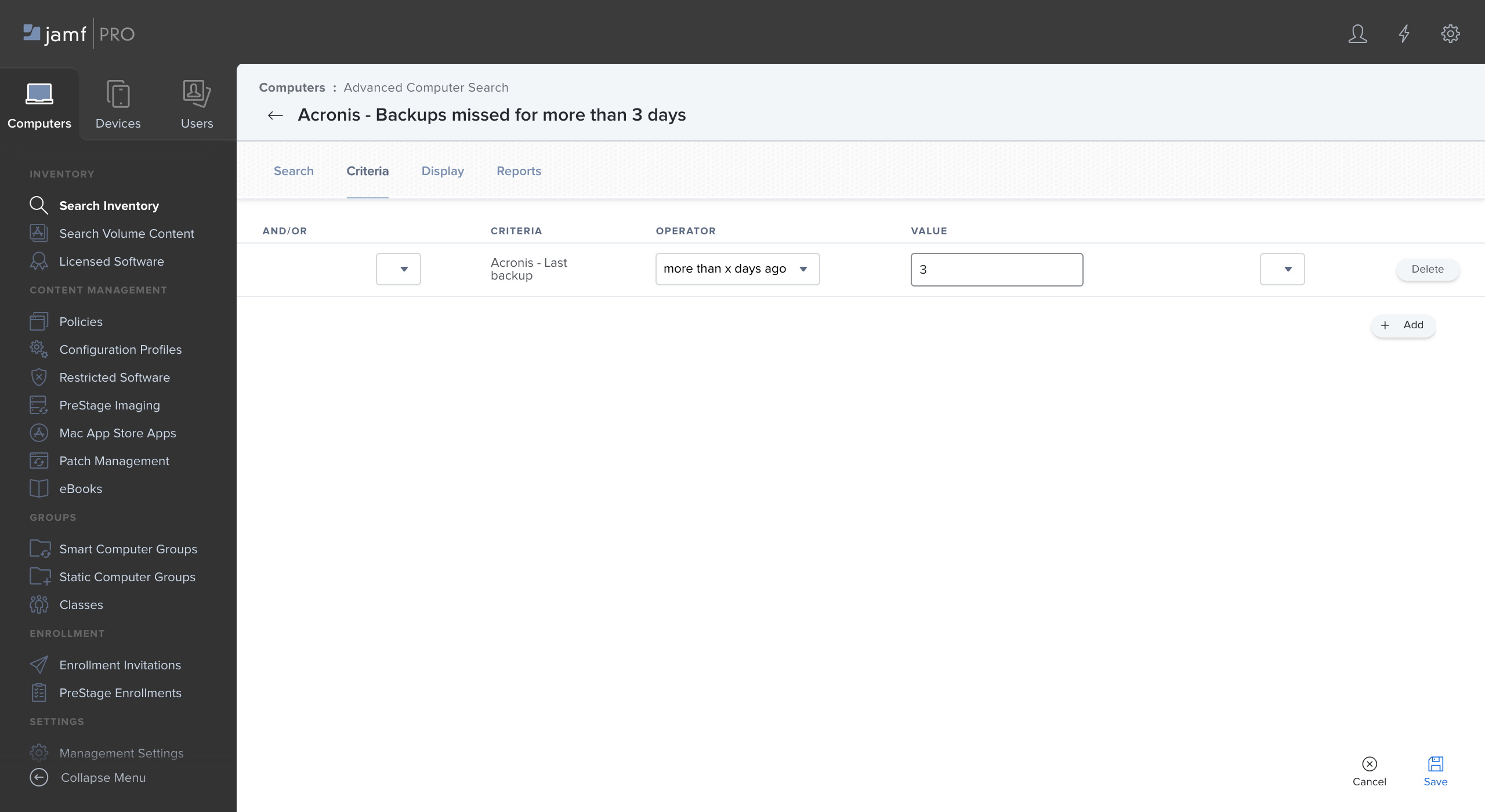
Monitor protection statuses
Monitor the status of applied protection plans within the Jamf Pro interface. Backup and protection statuses are available in Jamf Pro as Extension Attributes, which can be used in Advanced Searches and Dynamic Groups, for example. Elevate the power of Jamf Pro to monitor and respond to issues on any macOS computer you manage.