




Cyber Frame: HCI and IaaS
Acronis Cyber Frame

Cyber Frame: HCI and IaaS

Grow your IaaS business or modernize corporate IT using hyperconverged infrastructure (HCI) and infrastructure-as-a-service (IaaS) with built-in cyber protection across Acronis-hosted, service provider-hosted and on-site deployments.
Cyber Frame: HCI and IaaS
Badge

Meet growing demand for infrastructure choice and control

Service providers can capture migration and sovereign cloud opportunities. IT teams can modernize workloads with greater control over deployment, data location and protection.

  • 86%
    of surveyed North American enterprises are actively reducing their VMware footprint
    CloudBolt, February 2026
  • 80%
    of sovereign cloud IaaS spending is expected to come from new digital solutions or legacy workloads moving to the cloud
    Gartner, February 2026
  • 90%
    of organizations are expected to adopt a hybrid cloud approach by 2027
    Gartner, November 2024

Run infrastructure on your terms with native cyber protection

Cyber Frame is the infrastructure layer of Acronis Cyber Platform. It brings virtual infrastructure together with backup, disaster recovery, cybersecurity and RMM to modernize service delivery and corporate IT operations.

Scale services and IT operations

Grow infrastructure service revenue and deploy business workloads faster with self-service provisioning, automation and fewer tools to manage.
Scale services and IT operations

Keep control of workload location

Use the Cloud and Local editions individually or together across Acronis data centers, provider clusters and customer sites to match workload performance and data residency needs.
Keep control of workload location

Built-in protection for every workload

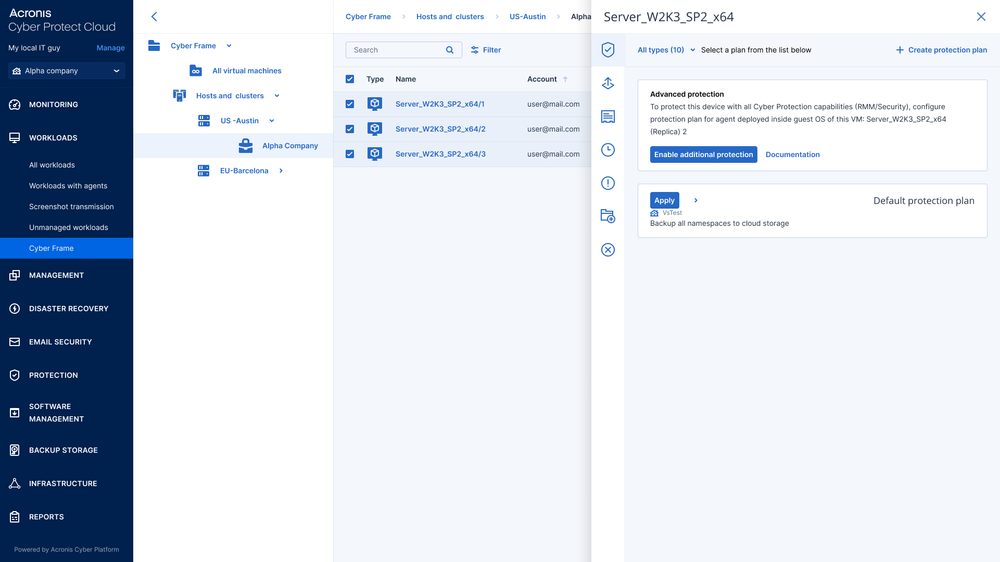
Bring backup, disaster recovery, cybersecurity and RMM into the virtual machine lifecycle to reduce tool sprawl and simplify recovery.
Built-in protection for every workload

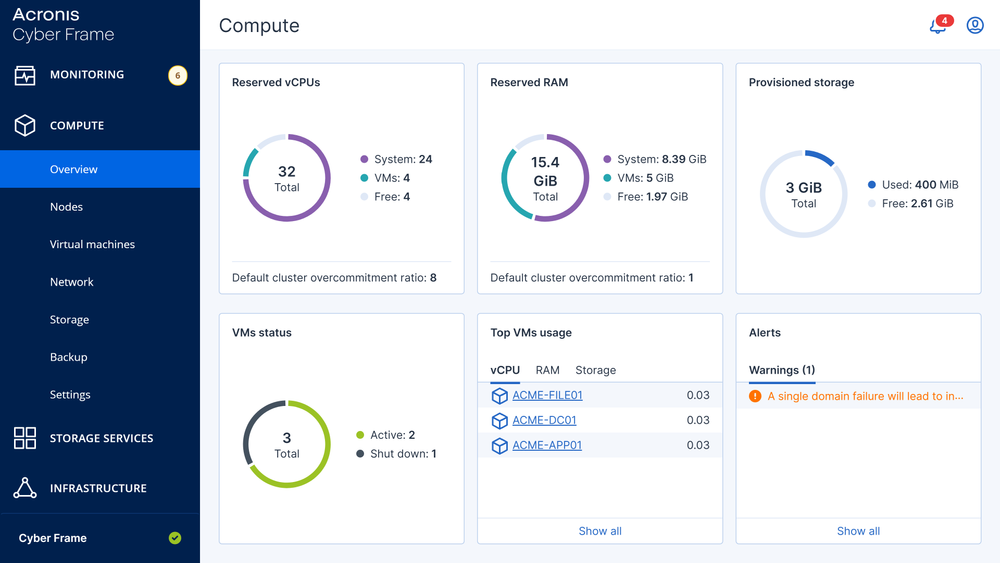
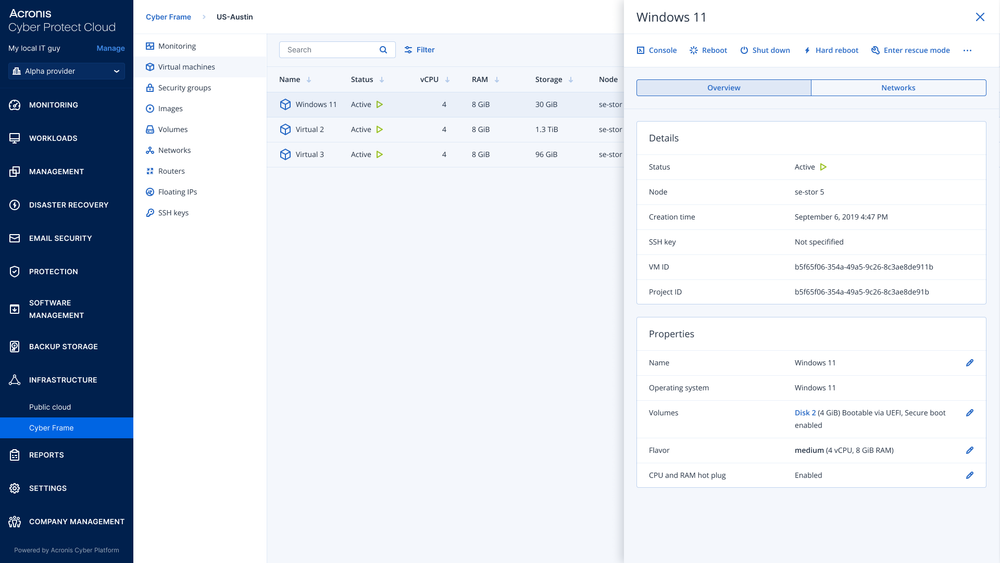
Provision and protect workloads through one console

Virtual infrastructure provisioning

Virtual infrastructure provisioning

Create virtual machines, attach block storage and configure private networks, floating IP addresses and security groups.
Tenant isolation

Tenant isolation

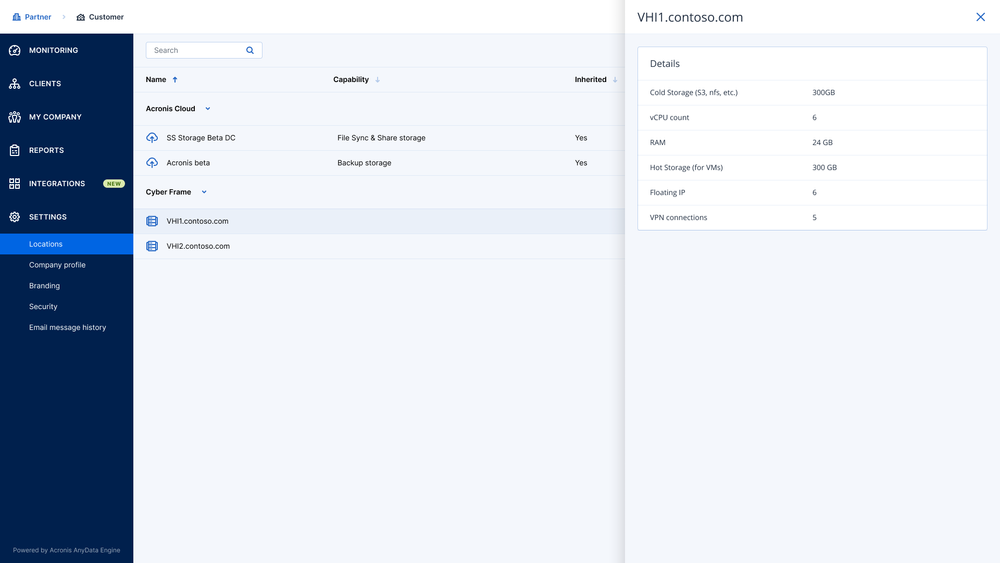
Deliver services to multiple clients with native multitenancy that isolates their resources, administration and network traffic.
Controlled self-service for customers

Controlled self-service for customers

Let authorized users provision and manage resources within defined quotas and role-based access controls.
Workload backup and recovery

Workload backup and recovery

Apply backup policies and restore virtual machines, files or supported application data. Configure disaster recovery for cloud failover and failback.
Virtual machine security and management

Virtual machine security and management

Apply anti-malware, anti-ransomware and endpoint detection and response alongside RMM through preinstalled Acronis agents.
Infrastructure workflow automation

Infrastructure workflow automation

Use OpenStack-compatible APIs to automate provisioning and virtual machine, network and storage lifecycle tasks.
Infrastructure health monitoring

Infrastructure health monitoring

Track virtual machine health and performance alongside protection status to identify issues and keep workloads running.
AI operational guidance

AI operational guidance

Use the built-in AI assistant for help with deployment, configuration and everyday infrastructure management.

Choose your Cyber Frame deployment

Use Cyber Frame Cloud and Local individually or together. Combine Acronis-hosted infrastructure, service provider clusters and single-node deployments at customer sites to match workload and data residency needs.

Option

Cyber Frame Cloud

Cyber Frame Local
for service provider data centers

Cyber Frame Local
for edge deployments

Deployment type

Acronis-hosted shared infrastructure

Service provider-hosted shared (multi-client) cluster

Typically a single server at the client site

Workload location

Acronis regional data centers

Provider data center or colocation facility

Customer premises

For service providers

Launch IaaS without hardware

Build your own cloud

Manage infrastructure at client sites

For IT departments

Run workloads in Acronis Cloud

Use a provider’s cloud

Keep workloads at your site

Hardware footprint

No hardware to deploy

3+ nodes; 5+ for high availability

One compatible server

Resilience

Acronis-operated resilient infrastructure

High availability across cluster nodes

No local failover; cloud recovery when configured

Disaster recovery options

Cloud failover with Acronis Disaster Recovery; restore VMs to Cyber Frame Cloud from cloud backups (“DR Lite”)

Local DR to service provider infrastructure; cloud failover with Acronis Disaster Recovery

Cloud failover with Acronis Disaster Recovery; restore VMs to Cyber Frame Cloud from cloud backups (“DR Lite”)

Available for service providers

Yes

Yes

Yes

Available directly for corporate clients (Acronis Cyber Protect)

Yes

Not available

Not available

See how organizations simplify infrastructure operations

Browns Hill deploys virtual machines up to three times faster
Case study

Browns Hill deploys virtual machines up to three times faster

Browns Hill Engineering and Controls deployed virtual machines in Cyber Frame Cloud up to three times faster than in comparable Azure environments and simplified operations through one portal.

How to buy Acronis Cyber Frame

Monthly billing

Service Providers

Grow recurring revenue with protected infrastructure services.

  • License: Cyber Frame Cloud or Cyber Frame Local
  • Deployment: Cyber Platform cloud service
Through IT provider

IT Departments

Run business workloads with built-in protection.

  • License: Cyber Frame Cloud or Cyber Frame Local
  • Deployment: Cyber Platform cloud and local

Useful resources

  • Data sheet

    Cyber Frame data sheet

    Explore Cloud and Local deployment options, infrastructure capabilities and integrated protection.
  • Product demo

    Product demo

    See how Cyber Frame brings virtual infrastructure and cyber protection into one management environment.
  • Guide

    Getting started guide

    Learn how service providers enable Cyber Frame and configure their first infrastructure environment.
Explore all resources

Looking for help?

Frequently asked questions

Product help

In case you have any difficulties, we have collected all the useful materials for this product in our FAQ, Video Tutorials and Documentation. Also you can always ask your question on our Discussion Boards.

Technical support

Customers with active product maintenance or subscription are entitled to 24/7 technical support. Follow the instructions at the Technical Support Site to get prompt support by phone, chat or e-mail.

Sorry, your browser is not supported.

It seems that our website is incompatible with your current browser's version. Don't worry, this is easily fixed!
To view our complete website, simply update your browser now or continue anyway.