Acronis Cyber Intelligence
Early access for service providers

Acronis Cyber Intelligence

Reduce manual reporting, demonstrate service value and uncover growth opportunities with AI-enabled dashboards, client-ready reports and insights built into Cyber Console.
Acronis Cyber Intelligence
Badge

Manual reporting drains time and adds cost

Turn Acronis service data into clear dashboards and client reports to explain results, reveal protection gaps and support growth.

  • $275–$450/month
    Reported spending by MSPs on standalone BI tools
    Acronis partner research
  • 3–5 hours
    Spent preparing each QBR by 41% of surveyed MSPs
    ScalePad, 2026 — North America
  • 34%
    Of surveyed MSPs identify creating reports and visuals as a QBR challenge
    ScalePad, 2026 — North America

From a question to a client report

  • Step 1

Ask Acronis AI

Describe what you need, such as patch status by client. Acronis AI builds the widget, dashboard or report.
  • Step 2

Review and refine

Explore the data, read the AI summary and adjust the view. Add the context that matters to your client.
  • Step 3

Schedule and share

Choose the clients, recipients and delivery schedule. Each client receives a report containing only their own data.

Turn service data into better decisions and stronger client relationships

As part of Acronis Cyber Platform, Cyber Intelligence combines service data with AI-assisted analysis and reporting to support better business decisions.

Focus your team on what matters

  • Review service performance across clients in one view.
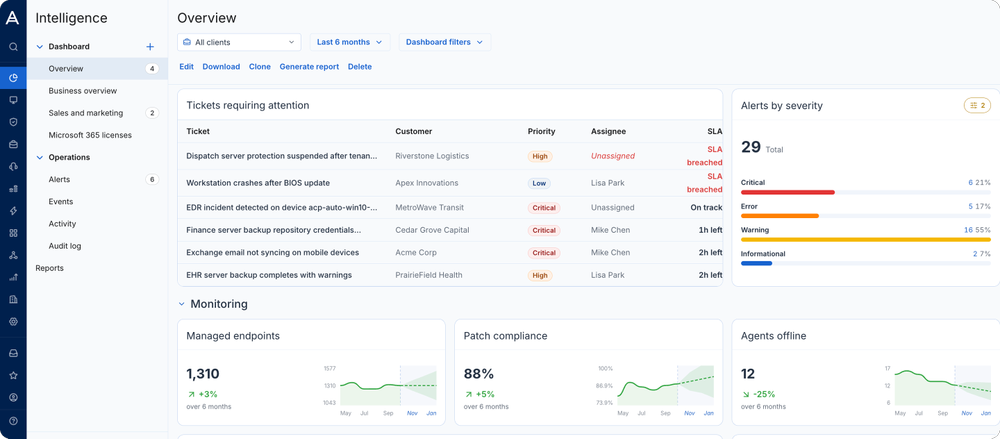
  • Spot backup failures, open tickets and patching issues that need attention.
  • Use AI summaries to understand results and guide investigations.
Focus your team on what matters

Make your service value visible

  • Prepare client business reviews faster with AI-assisted reports.
  • Explain achievements, issues and next steps with clear visuals and context.
  • Keep clients informed with scheduled reports containing only their data.
Make your service value visible

Grow each client relationship

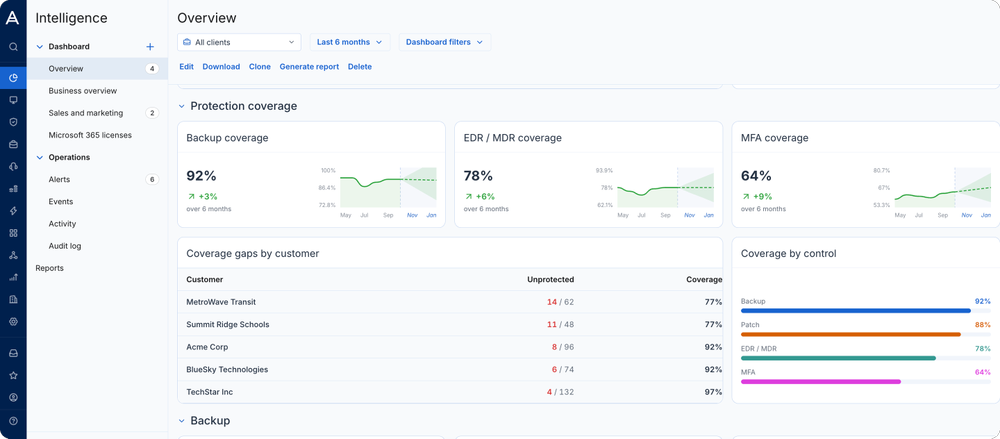
  • Identify workloads missing backup or endpoint protection.
  • Highlight unused licenses to help clients improve utilization.
  • Support recommendations for services with evidence of each client’s needs.
Grow each client relationship

Build the views your team and clients need

Build with Acronis AI

Build with Acronis AI

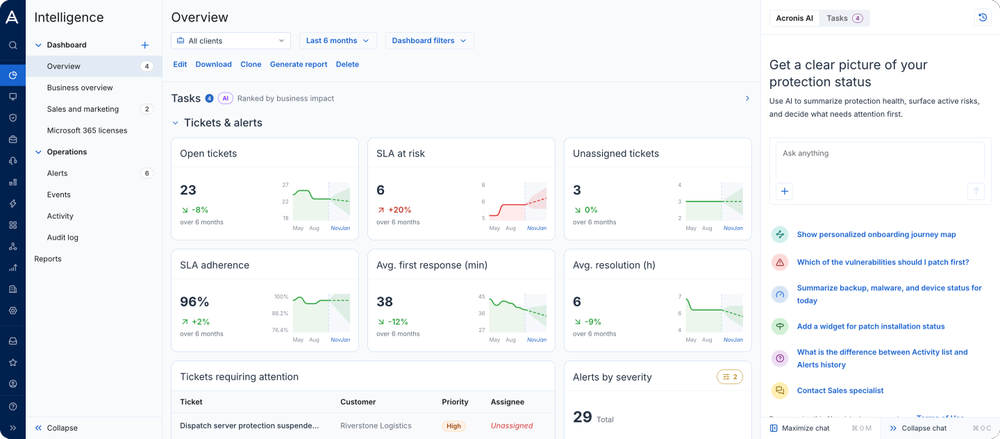
Describe the widget, dashboard or report you need. Acronis AI creates it from the Acronis data available to your team.
Review service performance

Review service performance

View backup, cybersecurity, RMM, service desk and Microsoft 365 data together. Review failures, open tickets and patch status across clients to focus daily investigations.
Understand the results

Understand the results

Get plain-language summaries of dashboard and report data to help your team interpret results and decide what to investigate.
Customize dashboards and widgets

Customize dashboards and widgets

Start from a template or blank canvas. Adjust widgets, filters, grouping, visualizations and layouts for each role or client. Save reusable widgets to your catalog.
Prepare quarterly business reviews

Prepare quarterly business reviews

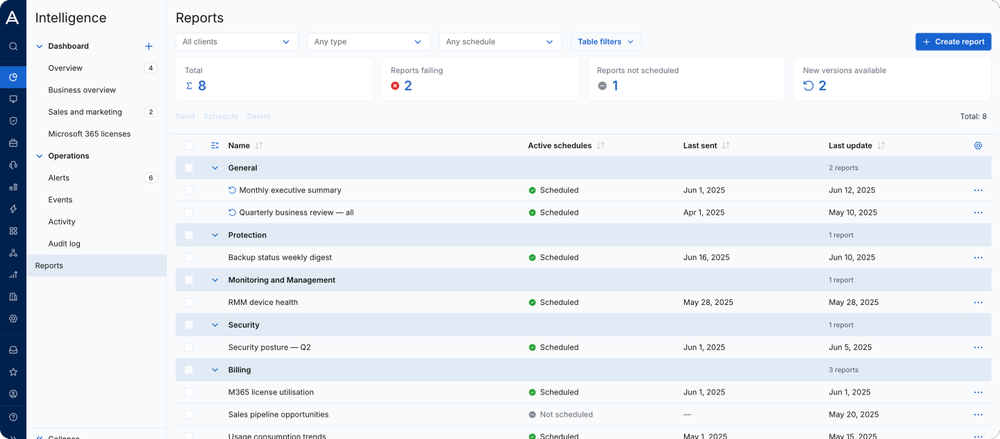
Review up to three months of service activity, protection status and coverage gaps. Combine data with text and AI summaries, then edit the report to explain achievements, issues and next steps.
Find relevant growth opportunities

Find relevant growth opportunities

Identify workloads without backup or endpoint protection and unused Microsoft 365 licenses. Use that evidence to recommend relevant services and plan your next client conversation.
Automate report delivery

Automate report delivery

Set multiple schedules, filters and recipients for the same report. Deliver each client’s data in PDF, Excel, CSV or HTML.
Reuse views across clients

Reuse views across clients

Propagate dashboards to selected clients or your full hierarchy to give teams a consistent view as your client base grows.
Control data access

Control data access

Use role-based permissions to manage who can view data and edit dashboards, reports and widgets. Clients see only their own data.

Get started with Acronis Cyber Intelligence

  • New to Acronis?

    Start a trial of Acronis Cyber Platform and explore Cyber Intelligence in Cyber Console with your service data.
  • Already an Acronis partner?

    Open Cyber Console and select Intelligence. Start with Overview, ask Acronis AI to create a dashboard or build your first scheduled client report. Log in.

Looking for help?

Frequently asked questions

Product help

In case you have any difficulties, we have collected all the useful materials for this product in our FAQ, Video Tutorials and Documentation. Also you can always ask your question on our Discussion Boards.

Technical support

Customers with active product maintenance or subscription are entitled to 24/7 technical support. Follow the instructions at the Technical Support Site to get prompt support by phone, chat or e-mail.

Sorry, your browser is not supported.

It seems that our website is incompatible with your current browser's version. Don't worry, this is easily fixed!
To view our complete website, simply update your browser now or continue anyway.