




Back to homepage
  • For MSPs
  • AI-Native
Search in acronis websites
Login for
  • Service ProvidersAcronis Cyber Protect Cloud
  • Business CustomersAccess business security, backup, and deployment products
  • Home UsersAcronis True Image
  • Acronis Partner PortalPartner resources, training, certifications, and business tools.
  • ConnectAcronis Cyber Protect Connect
  • For MSPs
  • AI-Native

Contact us

  • Contact Sales
  • Contact Support
  • Contact Renewals
  • All Contacts
Search
Try Now
Choose region and language
Americas
  • BrasilPortuguês
  • CanadaEnglish
  • CanadaFrançais
  • LATAMEspañol
  • United StatesEnglish
Asia-Pacific
  • AustraliaEnglish
  • Chinese Simplified简体中文
  • Chinese Traditional繁體中文
  • IndiaEnglish
  • Japan日本語
  • Korea한국어
  • SingaporeEnglish
Europe, Middle East and Africa
  • BulgariaБългарски
  • CzechČeština
  • EuropeEnglish
  • FranceFrançais
  • GermanyDeutsch
  • HungaryMagyar
  • Israelעברית
  • ItalyItaliano
  • NetherlandsDutch
  • PolandPolski
  • RomaniaRomână
  • SpainEspañol
  • SwedenSvenska
  • SwitzerlandDeutsch
  • TürkiyeTürkçe
  • United KingdomEnglish
Worldwide
  • GlobalEnglish
  • Americas
    • BrasilPortuguês
    • CanadaEnglish
    • CanadaFrançais
    • LATAMEspañol
    • United StatesEnglish
  • Asia-Pacific
    • AustraliaEnglish
    • Chinese Simplified简体中文
    • Chinese Traditional繁體中文
    • IndiaEnglish
    • Japan日本語
    • Korea한국어
    • SingaporeEnglish
  • Europe, Middle East and Africa
    • BulgariaБългарски
    • CzechČeština
    • EuropeEnglish
    • FranceFrançais
    • GermanyDeutsch
    • HungaryMagyar
    • Israelעברית
    • ItalyItaliano
    • NetherlandsDutch
    • PolandPolski
    • RomaniaRomână
    • SpainEspañol
    • SwedenSvenska
    • SwitzerlandDeutsch
    • TürkiyeTürkçe
    • United KingdomEnglish
  • Worldwide
    • GlobalEnglish
Acronis True Image
FOR HOME
MenuMenu
Acronis True Image
Try now
Buy now
Backup, cloning, cyber protection and privacy tools for home users

Backup, cloning, cyber protection and privacy tools for home users

Try nowBuy now
100% Detection Rate and 0 False Alarms in independent tests
Best Windows backup software, PCWorld
Cybersecurity Excellence Awards Winner
Editors' Choice, PCWorld
OPSWAT Anti-malware Platinum certification
TIME's Best Cloud Backup Services

The most reliable cyber protection software on the market

Be protected from the unexpected. The complete cybersecurity protection you need with an easy-to-use and reliable solution against data loss, cyberattacks, and identity theft.*
* Only available in the U.S. for Advanced and Premium subscriptions.
Acronis
0:31
  • Backup
    Backup
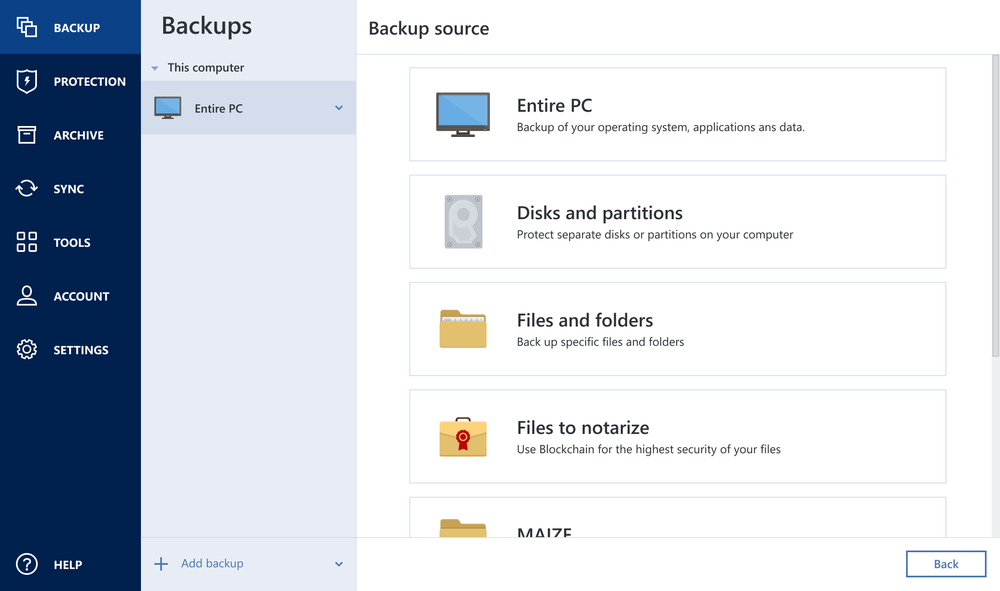
    Flexible local or cloud backup of a complete machine or select files and folders on a flexible schedule that enables your cybersecurity.
  • Disk cloning
    Disk cloning
    Create a complete replica of your data as a backup or a way to migrate to a new drive or computer.
  • Cybersecurity
    Cybersecurity
    Complete AI based cyber protection, including antivirus and ransomware protection.
  • 22+ years
    on the market
  • 5 500 000+
    users worldwide
  • 500 000 000+
    backups and clones

Acronis True Image capabilities

  • Full image backups — a complete replica of a drive or the whole machine
  • Local backups — to internal or external drives or network share
  • Cloud backups — to Acronis data centers designed for reliability, security and speed
Acronis
Acronis
  • Ransomware detection — based on behavioral analysis using AI, prevention zero-day threats
  • Real-time cyber protection — detection and blocking of malicious processes
  • Automatic recovery — one-click recovery of all files affected by ransomware
Acronis
Acronis
  • Web-based console — manage all protected devices and see protection status on one page
  • Remote management — configure and run backup and recovery remotely
Acronis
Acronis

Choose the Acronis True Image plan that meets your needs

Please wait, this may take

a few seconds...

What the experts say

  • Case study
    Case study

    Renowned composer William Goldstein relies on Acronis True Image to protect his valuable music files

    “The backups I make with Acronis True Image are part of my life. They make it possible for me to access my work and be able to get back to it.”

    William Goldstein
    Grammy-nominated composer, pianist and recording artist

    Read case study
  • Case study
    Case study

    Acronis True Image has saved my career on numerous occasions

    “I was hit by a ransomware attack and a gentleman told me on the phone that I should pay a certain amount of money to get my data back. But in the back of my head, I knew that I had the ace card as I had Acronis True Image.”

    Eli Yablonovitch
    Professor of Electrical Engineering and Computer Sciences at UC Berkeley

    Read case study

Trustpilot reviews

Acronis solutions are trusted by thousands worldwide

Trustpilot

Supported platforms

Microsoft Windows

  • Windows 11 (64-bit)
  • Windows 10 (64-bit)

File systems on Windows

  • NTFS
  • Ext2/Ext3/Ext4
  • ReiserFS(3)
  • Linux SWAP
  • HFS+/HFSX
  • FAT16/32/exFAT

Apple macOS

  • macOS Tahoe 26
  • macOS Sequoia 15
  • macOS Sonoma 14
  • macOS Ventura 13
  • macOS Monterey 12

File systems on macOS

  • APFS
  • HFS+
  • FAT32
  • NTFS (including Boot Camp)

Mobile operating systems

  • iOS 15 or later
  • Android 10 or later

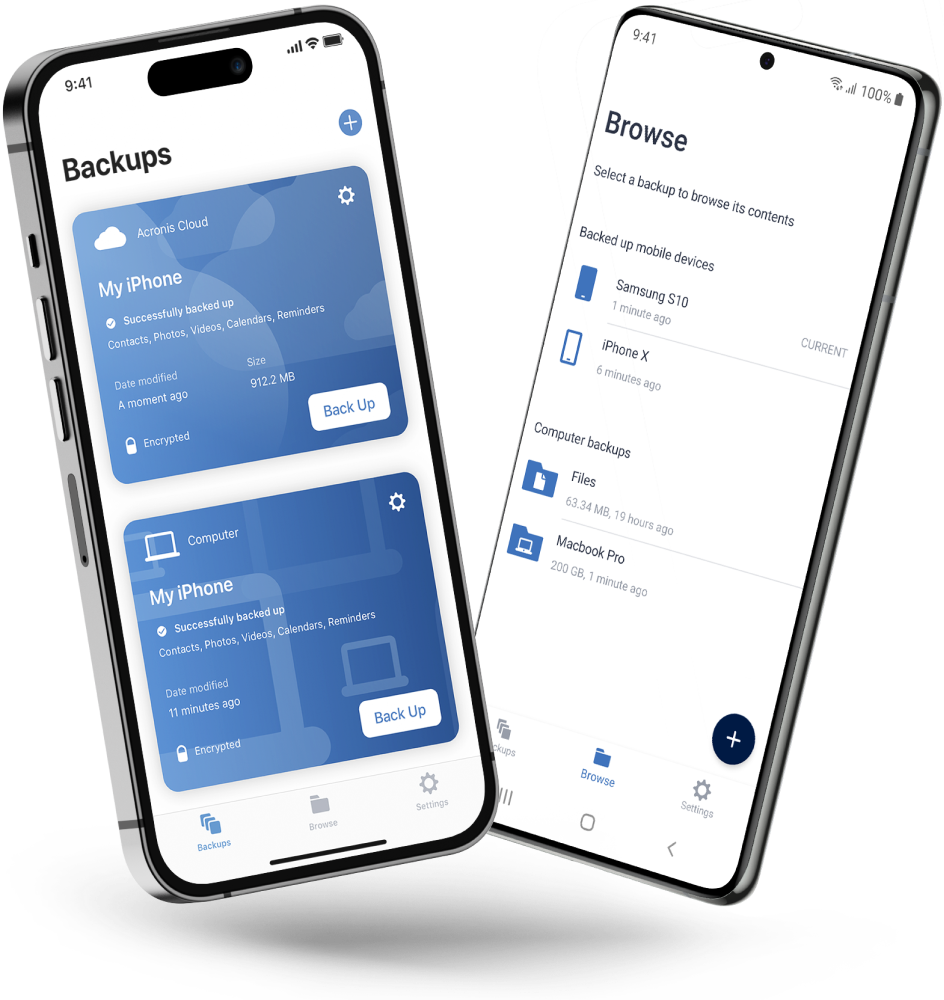
Acronis Mobile: Easy, secure and portable

Never worry about losing your photos, videos, contacts or important files again. With the Acronis Mobile app, you can easily back up everything that matters on your phone and keep it safe in the cloud. Access your files anytime, anywhere from the Acronis Cloud, whether you're switching devices or just want peace of mind. It’s fast and always ready to protect your digital life.

  • How to back up your mobile device via Wi-Fi to a PC or Mac
Acronis Mobile: Easy, secure and portable

Looking for help?

Frequently Asked Questions

  • Acronis True Image is a complete cyber protection solution that ensures the security of all your information. It can back up your documents, photos, emails, and selected partitions, and even the entire disk drive, including operating system, applications, settings, and all your data. One of its main advantages is the combination of data protection (backup) and security features.

  • Acronis True Image backs up your data so that you can recover it in case of a data loss event.
    In addition to backups, Acronis True Image also protects your data and devices:

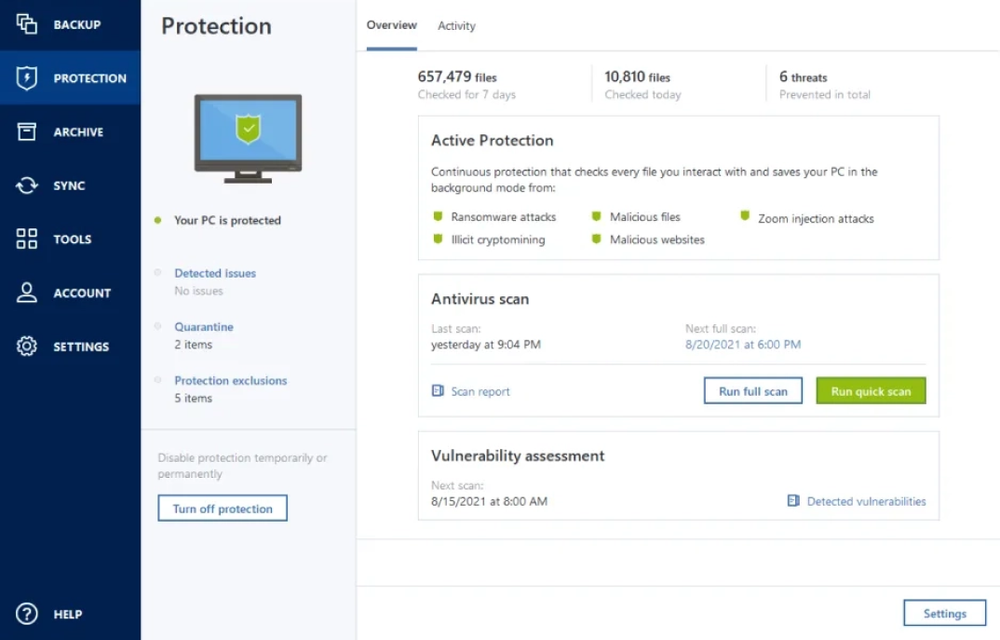
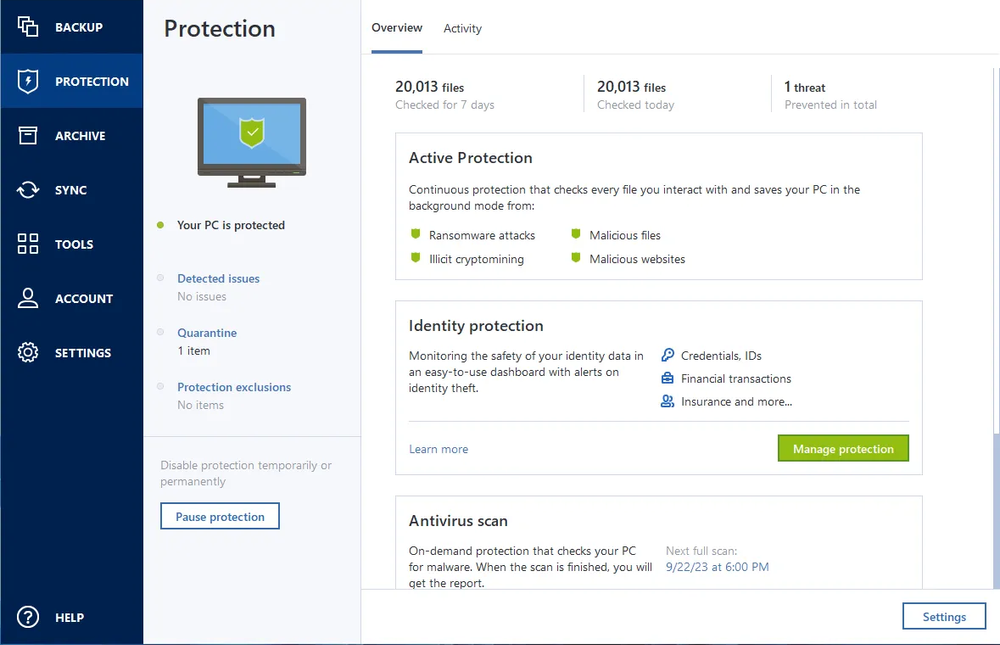
    i. Active Protection runs constantly in the background to protect your machines in real time while you work as usual.
    ii. Antivirus scans run on-demand to perform in-depth search for malicious software throughout the whole system.
    iii. Vulnerability assessment is a daily scan that runs in the background, detects vulnerabilities in your system and apps, and then assesses their severity.
    iv. Identity protection prevents cybercriminals from stealing your personal information.

  • Yes, Acronis True Image provides real-time threat monitoring as part of its comprehensive cyber protection capabilities. The software actively monitors your system for various threats, such as malware, ransomware, and suspicious activities, in real time. When it detects potential threats or security risks, it takes immediate action to block or neutralize them, helping to protect your data and devices from cyberattacks.

  • Acronis True Image is designed to be user-friendly and accessible to both technical and non-technical users. The user interface is intuitive and straightforward, making it easy for non-technical individuals to navigate and utilize the software effectively.

  • Yes, Acronis True Image can serve as computer backup software for your personal devices. It is specifically designed to provide comprehensive cyber protection, including data backup and recovery, for both home and office users. With this software, you can easily create backups of your important files, applications, settings, and even your entire system to protect against data loss due to various scenarios, such as hardware failures, accidental deletions, or cyberattacks.

  • To ensure the best personal cyber security with Acronis True Image, you can follow these essential steps:

    • Install and Keep the Software Updated: Ensure you have the latest version of Acronis True Image installed on all your devices. Regularly check for updates and install them promptly to benefit from the latest security enhancements and bug fixes.
    • Enable Real-Time Protection: Activate real-time threat monitoring, anti-malware, antivirus, and anti-ransomware features to provide continuous protection against various cyber threats.
    • Configure Regular Backups: Set up regular automated backups of your important files, applications, and system. Ensure backups are stored both locally and securely in the Acronis Cloud (if available with your license) to protect against data loss due to hardware failure, accidents, or cyberattacks.
    • Create Strong Passwords: Use strong, unique passwords for all your accounts, including your Acronis account. Avoid using easily guessable passwords and consider using a complicated password with different combination of characters and capitalized letters.
    • Enable Two-Factor Authentication (2FA): Enable 2FA for your Acronis account and other online accounts whenever possible. This adds an extra layer of security, making it more difficult for unauthorized individuals to access your accounts.
    • Regularly Review Security Settings: Periodically review the security settings in Acronis True Image to ensure that they are configured optimally for your needs.
    • Keep Your Operating System and Software Updated: Regularly update your operating system, web browsers, and other software on your devices to patch known vulnerabilities and reduce the risk of exploitation.

  • Yes, Acronis True Image is compatible with different operating systems, allowing you to protect and back up various devices regardless of their platform. The supported operating systems are listed above.

  • Identity protection prevents cybercriminals from stealing the information that you share online, such as IDs, email addresses, credentials, financial information, and so on. This personal information can be leaked as a result of a data breach, phishing, or a malware attack. Identity protection helps you detect data exposure and any suspicious activity related to your information.

Product help
If you need product assistance, you can find helpful materials in the Knowledge Base. Or, post questions on our discussion boards.
Technical support
For subscription owners, there is free, 24-hour technical support. Refer to the Technical Support Site to find the appropriate support contact.
  • Acronis certification 1
  • Acronis certification 2
  • Acronis certification 3
  • Acronis certification 4
Engage with Acronis
  • twitter
  • blog
  • cpoc
  • yt
  • linkedin
  • reddit
  • facebook
  • Legal information
  • Privacy policy
  • Cookie Notice
  • Notice of collection
  • Sustainability & governance
© 2003–2026 Acronis International GmbH.
AcronisBack to homepage

Sorry, your browser is not supported.

It seems that our website is incompatible with your current browser's version. Don't worry, this is easily fixed!
To view our complete website, simply update your browser now or continue anyway.


Contact Sales for Product purchases:

United States: Workdays, 9:00 AM - 5:30 PM. Tel: +1 202-601-3104

Contact PR team:[email protected]

Press ReleasesProduct documentationSupport portalCustomer portalContactsRenewals

© 2003–2026 Acronis International GmbH. Legal information