AI-powered remote desktop and assistance software for MSPs
Cyber Platform

AI-powered remote desktop and assistance software for MSPs

Acronis RMM simplifies and integrates remote desktop and assistance in one console, helping MSPs connect, assist and manage endpoints without extra tools or agents. Get full-control sessions, native RDP support, agentless Quick Assist, secure file transfer and session recording — now enhanced with Acronis AI for real-time in-session recommendations and AI-powered remote session summaries.

Elevate your service with integrated remote desktop and access

Remove the need for separate remote desktop software and reduce training, licensing and maintenance costs. Technicians can connect to client devices and resolve issues from the same platform used for endpoint management, cybersecurity and data protection.
Acronis
9:29

Remote assistance vs. Remote desktop: Understanding the difference

While both remote desktop and remote assistance provide valuable tools for remote control and support, they serve different needs.  
Remote assistance vs. Remote desktop: Understanding the difference

Remote desktop

Allows full access to a computer's resources remotely, mimicking the experience of sitting directly in front of the system.

Remote assistance

Designed for targeted support tasks, such as configuring email settings or troubleshooting specific application errors, allowing technicians to view and interact with a user's desktop to troubleshoot issues effectively.

Flexible remote desktop connections for secure and adaptable access

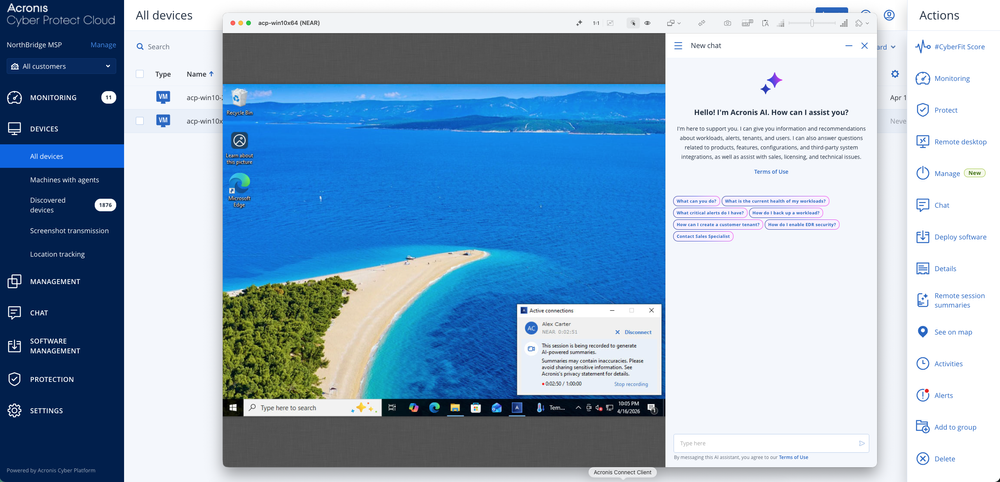
Acronis supports NEAR, RDP, Apple Screen Sharing and Quick Assist, with desktop and web clients available for flexible access across support scenarios.
  • Secure, high-performance remote connection

    Secure, high-performance remote connection

    The proprietary Acronis NEAR protocol provides secure, low-latency remote connections with AES encryption and adaptive quality modes.
  • Connection via both desktop and web clients

    Connection via both desktop and web clients

    Connect through the desktop client or a web browser based on the support scenario.
  • Support for Windows, macOS and Linux devices

    Support for Windows, macOS and Linux devices

    Connect to supported endpoints across all three operating systems from the same Acronis console.
  • Support for native RDP protocol

    Support for native RDP protocol

    Use native Microsoft RDP for supported Windows endpoints when this connection method best fits the support scenario.

Comprehensive remote desktop software tailored for MSPs

  • AI-powered in-session recommendations

    AI-powered in-session recommendations

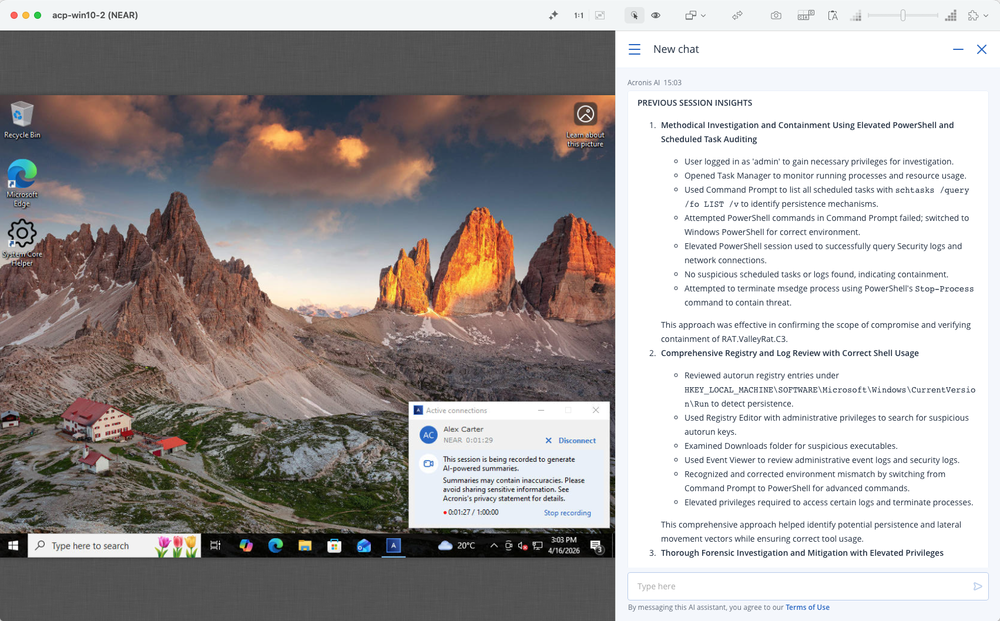
    Use Acronis AI during NEAR sessions to get real-time troubleshooting guidance based on alert context, device details, previously resolved sessions and broader IT knowledge.
  • AI-powered remote session summaries

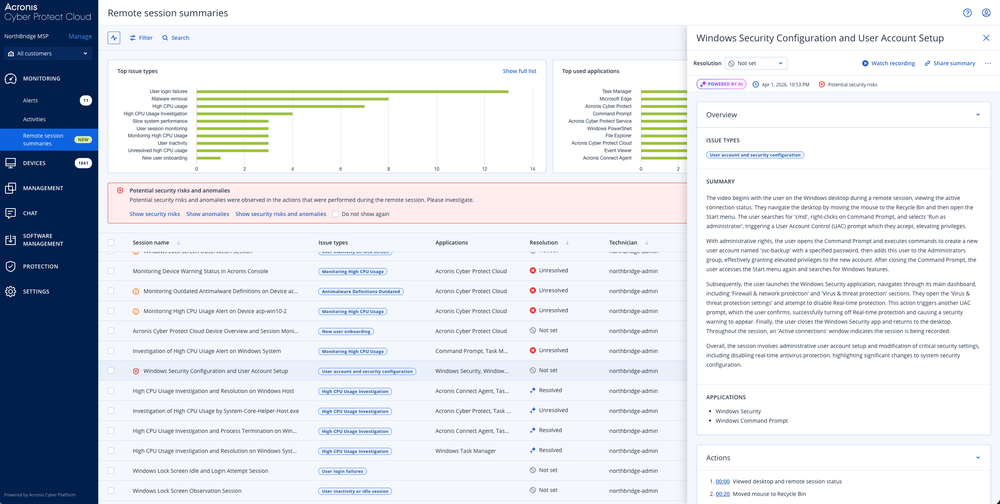
    AI-powered remote session summaries

    After NEAR sessions, use Acronis AI to generate structured summaries with timecoded actions, issue types, applications used and resolution status.
  • Broad OS support

    Broad OS support

    Compatibility with Windows, macOS and Linux ensures comprehensive user support.
  • Single web console

    Single web console

    Connect to remote systems from a centralized web console accessible from any location.
  • High performance

    High performance

    Leveraging hardware acceleration and low latency technology, our solution promises high performance over any network.
  • Seamless integration

    Seamless integration

    As part of Acronis RMM, the remote desktop functionality is included without extra costs, available directly from the same web console.
  • Same agent utilization

    Same agent utilization

    Use the existing Acronis agent on managed endpoints without installing additional remote support software, simplifying maintenance and saving time.
  • Remote actions

    Remote actions

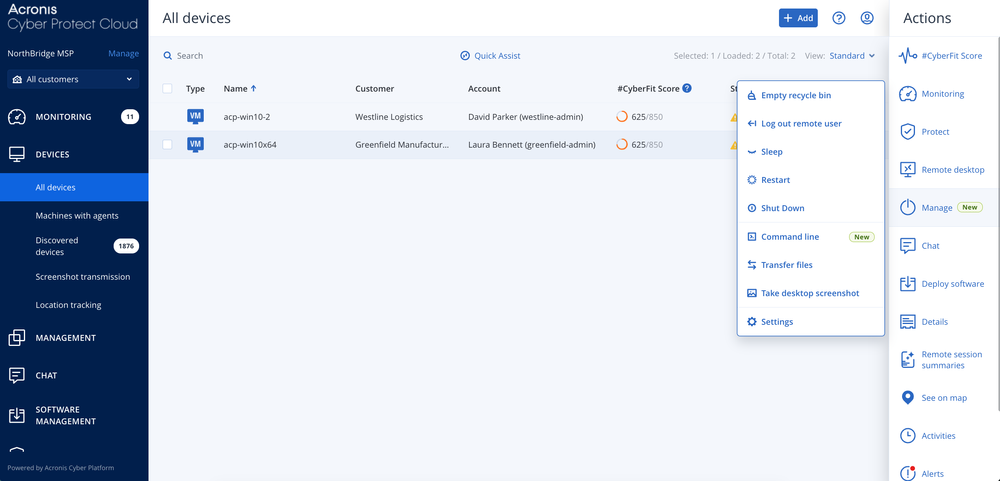
    Restart, shut down or put devices to sleep, empty the recycle bin and log out remote users from the console.
  • Remote command line

    Remote command line

    Run commands securely in the background on Windows and macOS endpoints, with Acronis AI guidance for faster remediation.
  • Quick Assist

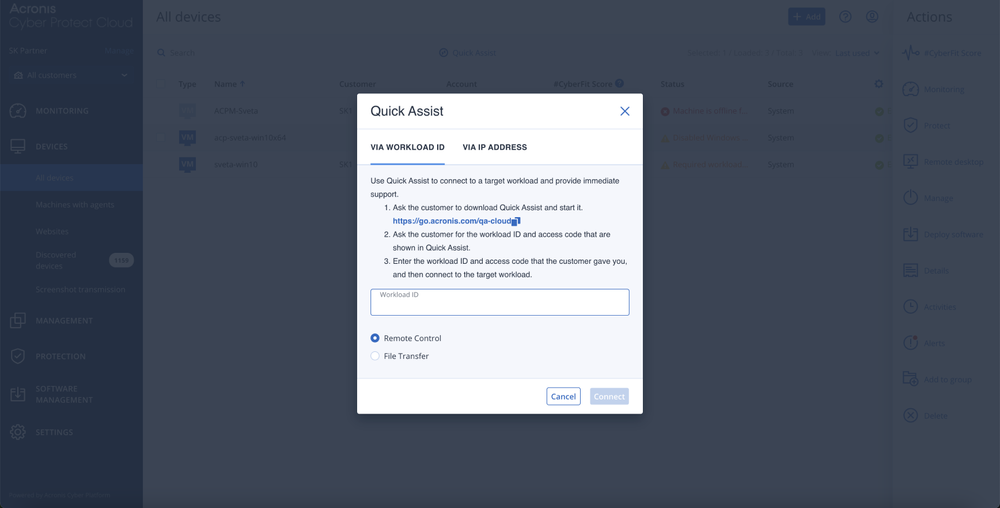
    Quick Assist

    This feature offers the flexibility to provide instant, agentless remote support for urgent cases.
  • Secure file transfers

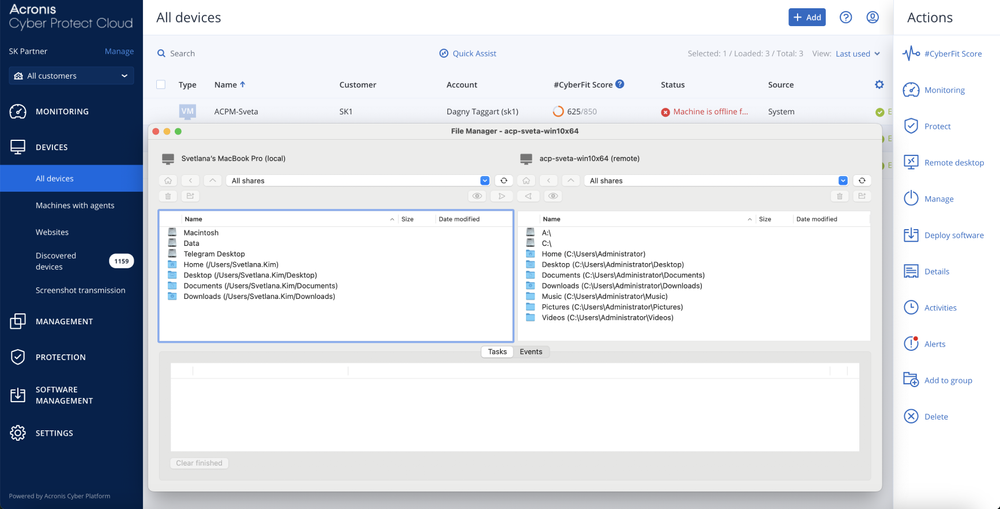
    Secure file transfers

    Facilitates safe file sharing and transfers through the NEAR protocol.
  • Session recording

    Session recording

    Enables MSPs to record videos of the sessions for quality control, technical analysis and dispute resolution.
  • Screenshot transmission

    Screenshot transmission

    Enables monitoring of remote machine status by taking screenshots of the remote desktop at specified frequencies.
  • Multi-connect

    Multi-connect

    Enables simultaneous viewing of multiple remote desktops within a single window.
  • Session history and tracking

    Session history and tracking

    Review remote session history with richer context, including AI-generated summaries, timecoded recordings, issue types and resolution status.

Showcase: Key remote desktop and assistance capabilities for MSPs

  • Connecting to desktops remotely from the web console
    Connecting to desktops remotely from the web console
  • Remote action options
    Remote action options
  • AI-powered summaries of remote sessions
    AI-powered summaries of remote sessions
  • Transferring files
    Transferring files
  • Connecting to a machine with no installed agent via Quick Assist
    Connecting to a machine with no installed agent via Quick Assist

Part of Acronis RMM

Achieve peak MSP performance with a natively integrated, secure, AI-powered RMM

Looking for help?

Frequently Asked Questions

Product help
In case you have any difficulties, we have collected all the useful materials for this product in our FAQ, Knowledge Base, video tutorials and product documentation. Also you can always ask your question on our discussion boards.
Support
Customers with active product maintenance or subscription are entitled to 24/7 technical support. Follow the instructions at the technical support site to get prompt support by phone, chat or e-mail.

Sorry, your browser is not supported.

It seems that our website is incompatible with your current browser's version. Don't worry, this is easily fixed!
To view our complete website, simply update your browser now or continue anyway.