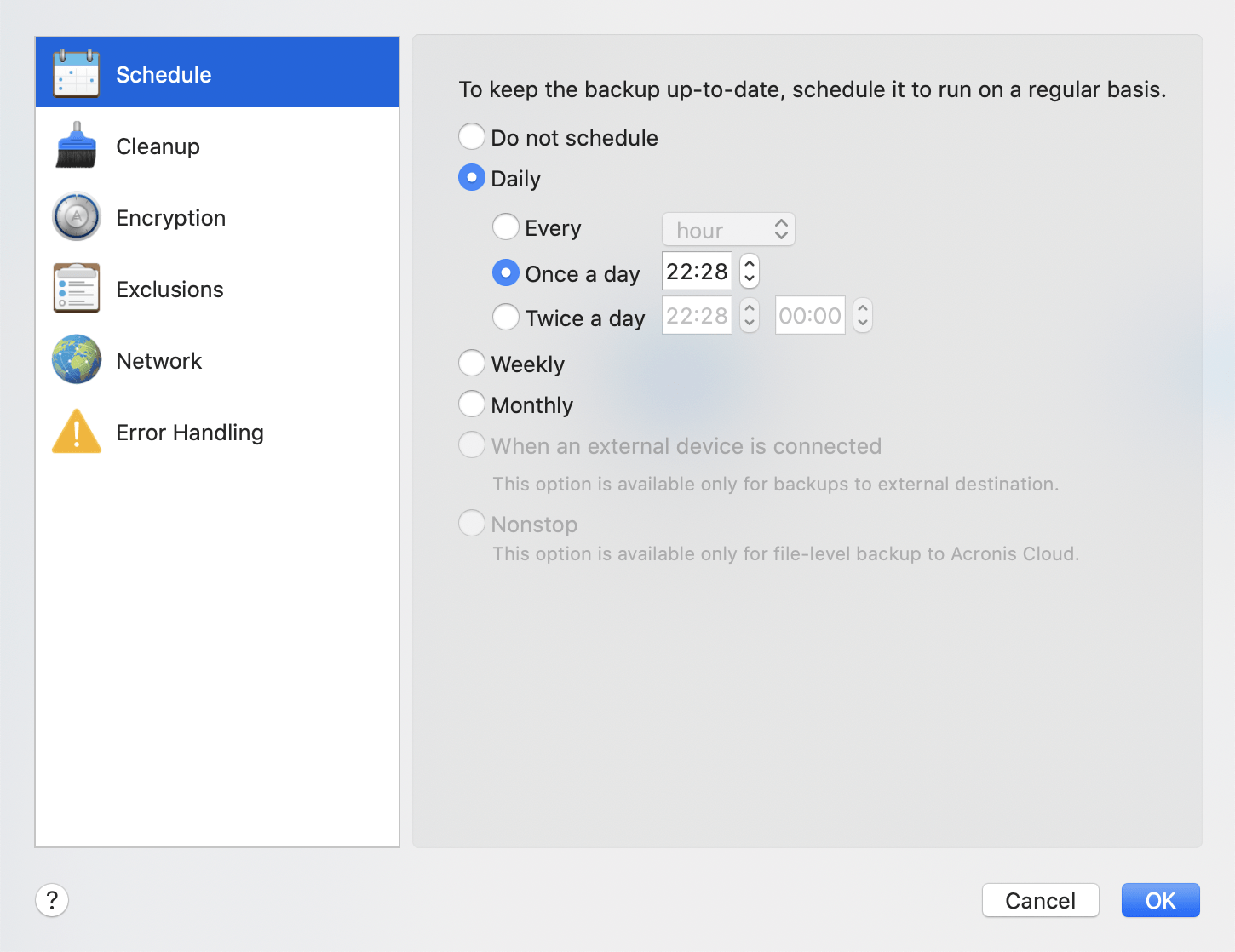
For your backups to be really helpful, they should be as up-to-date as possible. Schedule your backups to run on a regular basis. By default, your Mac is backed up daily.
To schedule the backup:
This option turns scheduling off.
The backup starts once or twice a day at the specified time or with a time interval that you select.
The backup starts every week on the selected days and at the specified time.
The backup starts every month on the selected dates and at the specified time.
If you schedule a task for performing backup to a USB flash drive or external HDD, the backup starts every time the same external device is attached. Select the Once a day check box if you want the backup to be performed only once a day for the device.
The initial full backup contains all of the data selected for protection. Acronis True Image 2021 then continually monitors the protected files (including open ones). Once a modification is detected, the changed data is backed up. The shortest interval between the incremental backup operations is five minutes. This allows you to recover your data to an exact point in time.
If your Mac is switched off or it is in the sleep mode when the scheduled time comes, the backup will run the next time the Mac starts or when it wakes up. You can use Mac Power Nap to avoid gaps in backing up your data.
To use Mac Power Nap:
When this setting in turned on, and your Mac is in the sleep mode when the scheduled time comes, the backup will run in the next Power Nap. Please be aware that backing up during Power Nap works only if your computer is connected to the power supply.