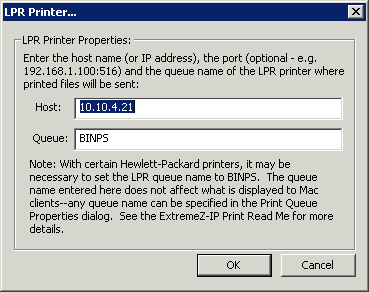
To select an LPR printer for your processing method, do the following:
In the Processing pull down menu of the Print Queue Properties dialog box, select Send to LPR Print Queue.
Type a name for the print queue you are setting up. Queue names must be unique; you cannot have two queues with the same name. See the section Controlling printing with an LPR printer for information about controlling the LPR print queue.