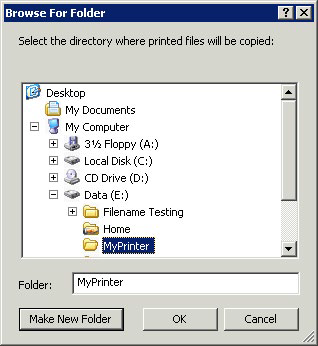
You can create a print queue that sends files to a specified directory or hot folder. You can choose a local folder or one from the network. For network locations you use a UNC path.
Note: If you select a network location, the Computer account for the server in Active Directory must be given access to the network location on the remote server. Giving a computer account access to a folder is performed the same way as giving a User account access to a folder.
To use a specified directory as your processing method, perform the following: