Sending to an AppleTalk Printer
To use an AppleTalk Printer as your processing method, do the following:
- In the Processing pull down menu of the Print Queue Properties dialog box, select Send to AppleTalk Printer.
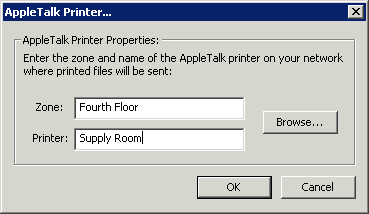
- Type the Zone in which the printer is located or an asterisk (*) if you do not have zones on your AppleTalk network.
- Enter the name of the Printer. You can click Browse to search for the printer on your network.