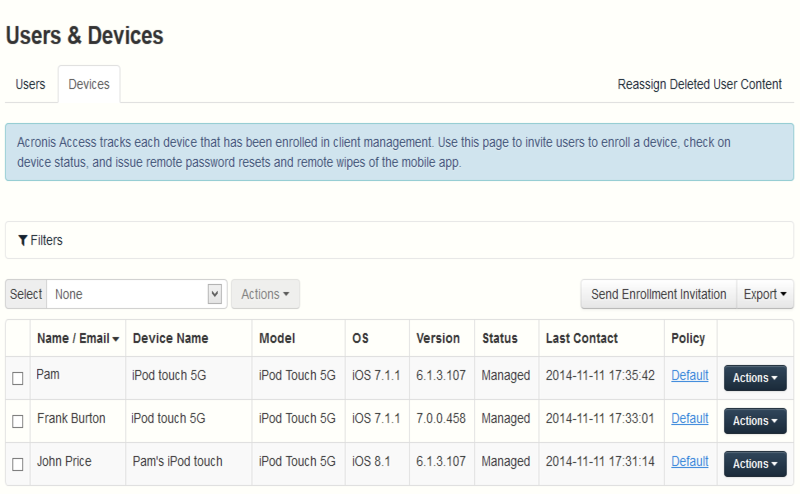
Once an Access Mobile Client has enrolled with the Acronis Access Server, their device will appear on the Devices list. This list gives detailed status information for each device that is managed.You can also wipe mobile devices or change their app password.
Select
All - Selects all entries.
None - Deselects all entries.
Actions - Performs the selected action on all selected entries. The available actions are Remote Wipe, Cancel Remote Wipe (These have no effect on Sync&Share users) and Remove From List.
Name / Email – the user's Display name or email address.
Device name – the device name set by the user.
Model – type/model of the device.
OS – version of the operating system of the device.
Version – version of the Acronis Access Mobile app on the device.
Status – the status of the enrollment of the Acronis Access Mobile app on the device.
Last Contact – the date and time of the last connection between the management server and the client.
Policy – name and link of the management policy of the user.
Actions
More Info - Shows additional details about the device, including device unique ID and editable device Notes field.
App password reset - Remotely reset the Acronis Access Mobile application lock password on that device. Here, you enter the code you get from your Acronis Access Mobile app, generate a confirmation code and enter the confirmation code in the app on your device.
Remote wipe – The next time the device connects to the management server, all of the files in the Acronis Access Mobile app (and it's settings), will be deleted. No other apps or OS data is effected.
Remove from list – This will remove the device from the Device list and it will un-manage mobile devices without wiping them. This is typically used to remove a device that you do not expect to ever contact the Acronis Access Access server again. If you have enabled "Allow mobile clients restored to new devices to auto-enroll without PIN", a device removed from the list will automatically reappear and become managed again if it ever makes contact with the server in the future.