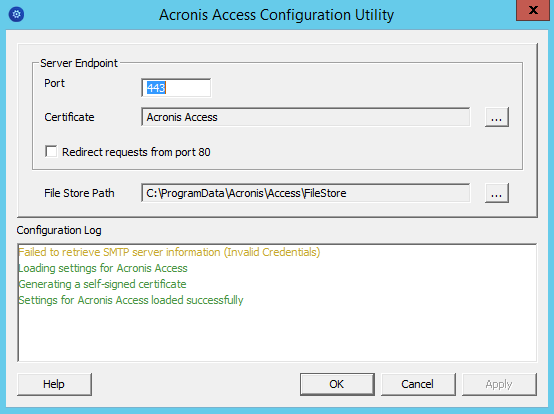
The Acronis Access installer comes with a configuration utility, which allows you to quickly and easily set up the access to your Acronis Access Gateway server, File Repository and Acronis Access Server.
Note: See the Network Requirements section for more information on best practices for the IP address configurations of Acronis Access.
Note: For information on adding your certificate to the Microsoft Windows Certificate Store, visit the Using Certificates article.
Note: If you move the File Store to another location, you should upload a new file to make sure it is going into the correct new location. Another thing is downloading a file that was already in the file store to make sure all of the files that were in the original location can be accessed at the new location.