Adding the console to the list of trusted sites
- Go to Control Panel > Internet Options.
- On the Security tab, select Trusted sites, and then click Custom Level.
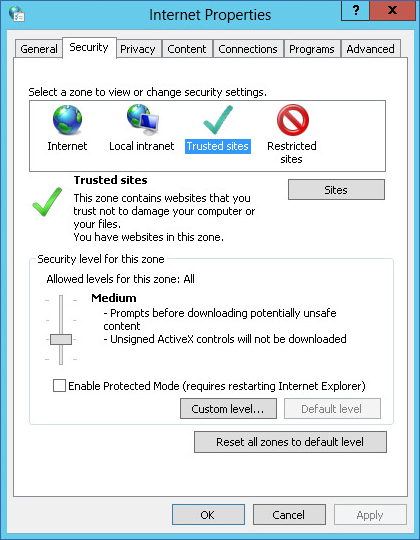
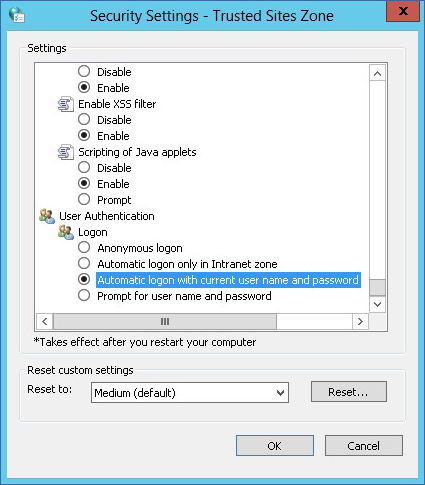
- Under Logon, select Automatic logon with current user name and password, and then click OK.
- On the Security tab, with Trusted sites still selected, click Sites.
- In Add this website to the zone, enter the address of the backup console login page, and then click Add.
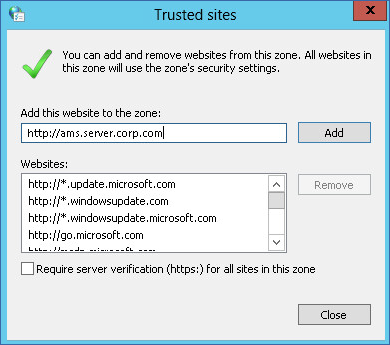
- Click Close.
- Click OK.