Mapping to an existing Acronis customer
If an appropriate Acronis customer already exists, you can map a single ConnectWise PSA customer to it.
To map to an existing Acronis customer
Company administrator
Custom role with 'Manage integrations' permission or 'Configure integration settings' permission
-
[If required] Open the integration.
-
Select the CUSTOMER MAPPING tab.
-
Type in the Search field to filter the list based on the ConnectWise PSA customer names.
-
Click
 to refine the contents of the list by Mapping and/or Status.
-
Select the ConnectWise PSA customer you want to map.
-
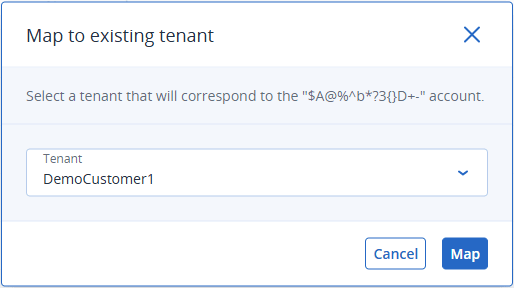
Click Map to existing customer tenant.
This button is only available if you select a single ConnectWise PSA customer. You cannot map multiple ConnectWise PSA customers to a single Acronis customer.
-
Select an Acronis customer tenant from the dropdown.
Use the Search option to filter the list. -
Click Map.
The Mapping status field changes to Ready for mapping.
-
Click Apply mapping.