Data protection map widget
The data protection map allows you to obtain detailed information about the number, size, location, and protection status of all files that you consider important (based on their file extensions). The map provides a tree view, and you can drill down and up the tree.
The size of each block in the map depends on the total number and size of the files that belong to the customer, organizational unit, or machine that the block represents.
Blocks can indicate the protection status of files in the entity that they represent. The status is based on the backup plan that is currently applied on the entity (location or machine):
- High – all files with the extensions specified by you are backed up.
- Medium – 1-20% of the files are not being backed up.
- Low – 21-50% of the files are not being backed up.
- Critical – 51-100% of the files are not being backed up.
On the monitoring dashboard of a customer tenant, in the Data Protection Map widget, you can find information about the protection status of important files per machine.
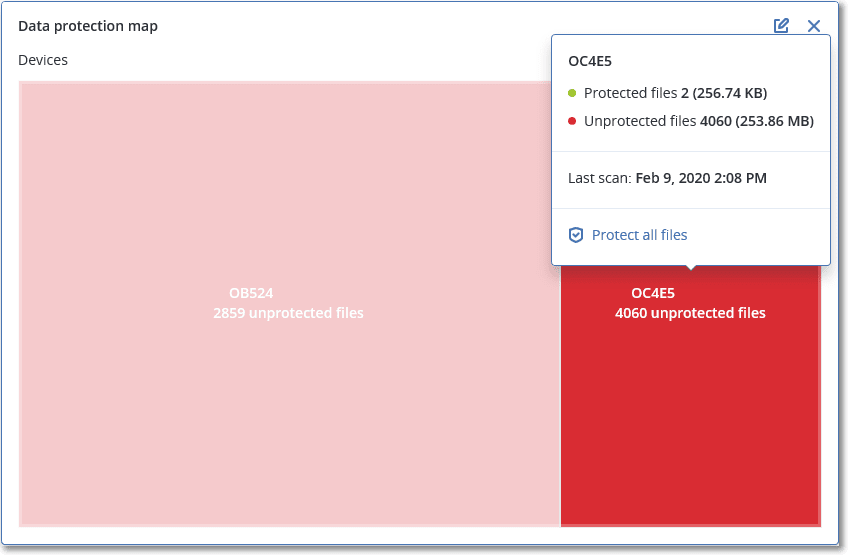
You can hover over each colored block to see more information about the number of unprotected files and their location. To protect them, click Protect all files.
You can also download a detailed report in CSV format.