Enabling Endpoint Detection and Response (EDR) functionality
You can enable EDR in any protection plan.
To enable EDR
- In the Cyber Protect console, go to Management > Protection plans.
- Select the relevant protection plan from the displayed list, and in the right sidebar, click Edit.
Alternatively, you can create a new protection plan and continue to the next step. For further information about working with protection plans, see Protection plans and modules.
-
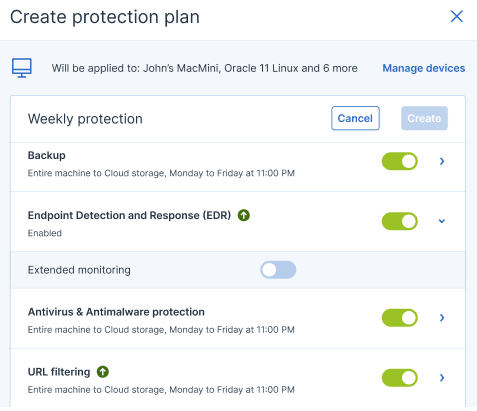
In the protection plan sidebar, enable the Endpoint Detection and Response (EDR) module by clicking the switch next to the module name.
-
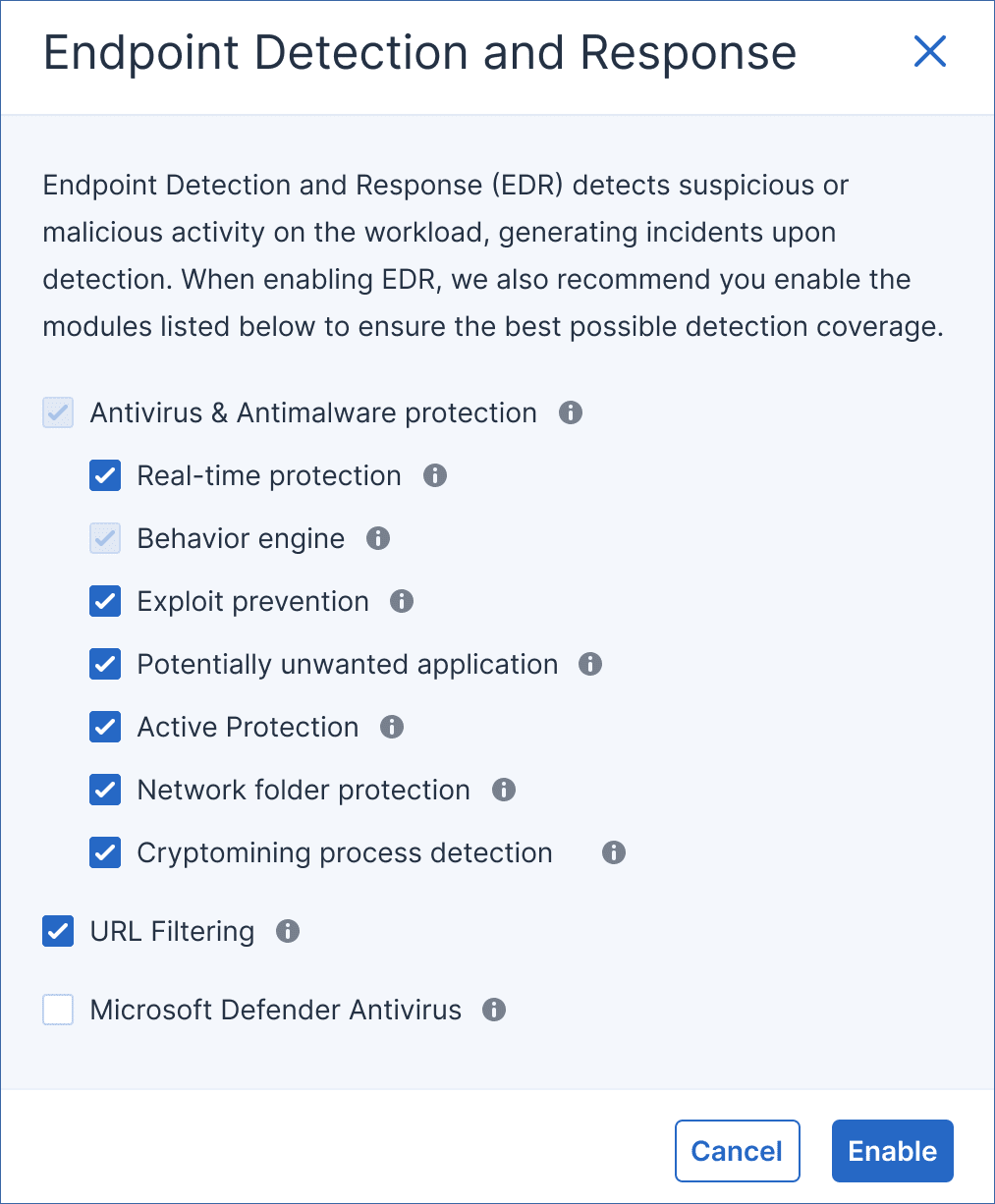
In the displayed dialog, click Enable. Note that you can enable EDR and still disable any of the Antivirus & Antimalware, Active Protection and URL filtering functionality in the protection plan.
If you do not have the required license, the licensing warning icon (
 ) appears next to the toggle. The Detection and Response icon, as shown below, is added to the list of protection packs required for the implementation of the protection plan.
 If you do not resolve the licensing issue, the EDR functionality will be disabled when the plan is applied to workloads.
 -
To collect data for EDR events continuously, even when there are no particular detections, enable Extended monitoring.
Extended monitoring consumes additional CPU resources on the protected workload, so we recommend to verify its performance after enabling the feature. Depending on the number of collected events, it might also increase the bandwidth used for communication with the data center.The collected data about security events is preserved for 180 days on the data center.
If you enable Microsoft Defender Antivirus for real-time protection, the Real-time protection module is automatically disabled in order to prevent conflicts from occurring. Virus/malware detections and quarantine are handled by Microsoft Defender Antivirus, and any EDR incidents related to virus/malware detections are created from information provided by Microsoft Defender Antivirus. EDR includes other detection engines that can create other types of incidents without involvement from Microsoft Defender Antivirus.
Similarly, if you enable Real-time protection, the Microsoft Defender Antivirus module is automatically disabled.
Tamper protection settings in Windows must also be disabled to ensure Microsoft Defender Antivirus works correctly in Cyber Protect Cloud. For more information, see this knowledge base article.
In addition, if Behavior engine or Antivirus & Antimalware protection are disabled in the protection plan when EDR is enabled, Endpoint Detection and Response (EDR) is also disabled.