Creating a runbook
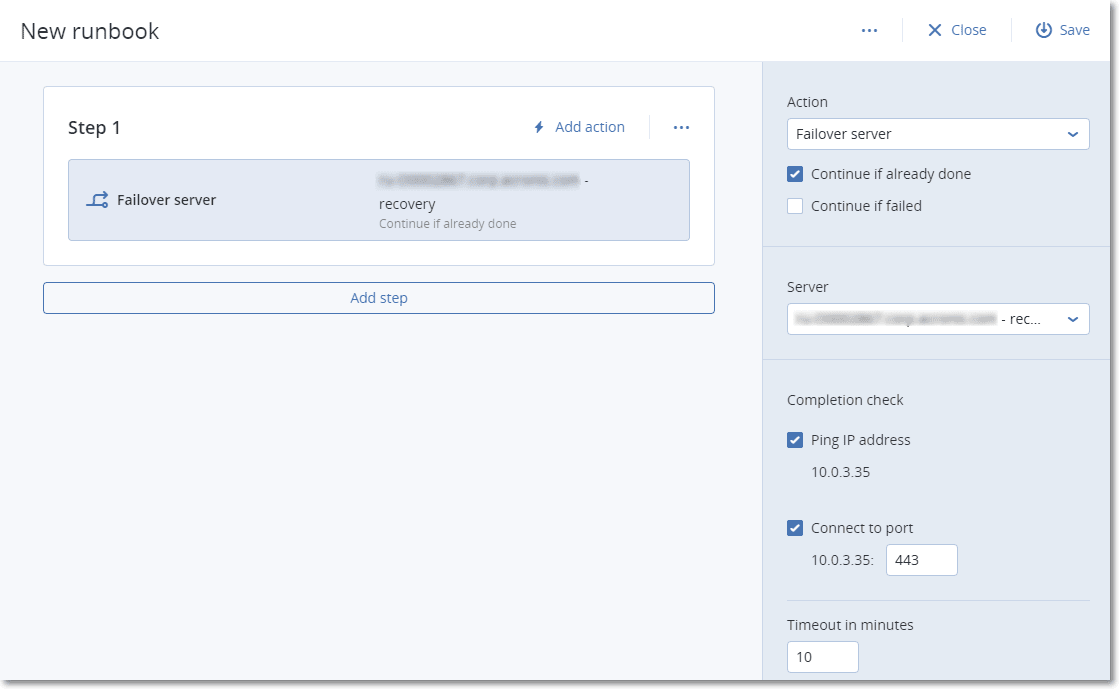
A runbook consists of steps that are executed consecutively. A step consists of actions that start simultaneously.
To create a runbook, follow the instruction from the following procedure or from the video tutorial.
To create a runbook
-
In the Cyber Protection console, go to Disaster Recovery > Runbooks.
-
Click Create runbook.
-
Click Add step.
-
Click Add action, and then select the action that you want to add to the step.
Action Description Failover server Performs a failover of a cloud server. To define this action, you must select a cloud server and configure the runbook parameters that are available for this action. For more information about these parameters, see Runbook parameters.
If the backup of the server that you select is encrypted by using encryption as a machine property, the Failover server action will be paused and will be changed automatically to Interaction required. To proceed with the execution of the runbook, you will have to provide the password for the encrypted backup.
Failback server Performs a failback of a cloud server. To define this action, you must select a cloud server and configure the runbook parameters that are available for this action. For more information about these settings, see Runbook parameters.
Runbook operations support the failback in manual mode only. This means that if you start the failback process by executing a runbook that includes a Failback server step, the procedure will require a manual interaction: you must manually recover the machine, and confirm or cancel the failback process from the Disaster Recovery > Servers tab.Start server Starts a cloud server. To define this action, you must select a cloud server and configure the runbook parameters that are available for this action. For more information about these settings, see Runbook parameters.
The Start server action is not applicable for test failover operations in runbooks. If you try executing such an action, it will fail with the following error message:Failed: The action is not applicable to the current server state.
Stop server Stops a cloud server. To define this action, you must select a cloud server and configure the runbook parameters that are available for this action. For more information about these settings, see Runbook parameters.
The Stop server action is not applicable for test failover operations in runbooks. If you try executing such an action, it will fail with the following error message:Failed: The action is not applicable to the current server state.
Manual operation A manual operation requires an interaction from a user. To define this action, you must enter a description.
When a runbook sequence reaches a manual operation, the runbook will be paused and will not proceed until a user performs the required manual operation, such as clicking the confirmation button.
Execute runbook Executes another runbook. To define this action, you must choose a runbook.
A runbook can include only one execution of a given runbook. For example, if you added the action "execute Runbook A", you can add the action "execute Runbook B", but cannot add another action "execute Runbook A".
-
Define the runbook parameters for the action. For more information about these parameters, see Runbook parameters.
-
To add a description of the step:
- Click the ellipsis icon, and then click Description.
- Enter a description of the step.
- Click Done.
-
Repeat steps 3-6 until you create the desired sequence of steps and actions.
-
To change the default name of the runbook:
- Click the ellipsis icon.
- Enter the name of the runbook.
- Enter a description of the runbook.
- Click Done.
-
Click Save.
-
Click Close.