Edit iSCSI Storage Dialog Box
Location: on the Primary Storage Details page.
Access path: Storage tab on the menu bar, drill-down to an individual primary storage, click the pencil icon.
This assigns an iSCSI client to a primary storage. The Initiator Node Name is that of the client’s initiating server that will connect to the storage; adding the node name creates the connection. "Remove" kills the connection.
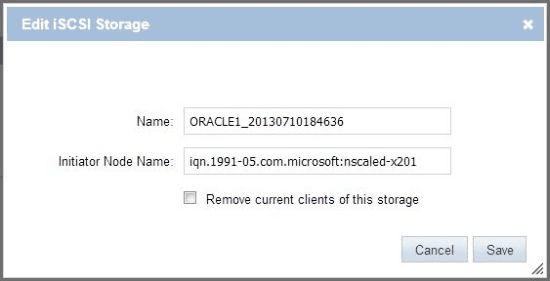
Available operations:
- Initiate an iSCSI connection to the named storage by entering an initiator node name and clicking the Save button.
- Remove the iSCSI connection to the named storage by checking the Remove checkbox and clicking the Save button.
- If you do not want to save changes, close the dialog box by clicking the Cancel button or the X in the upper right corner.
See also: