






Cloud backup solutions for MSPs and IT teams
Acronis Backup

Cloud backup solutions for MSPs and IT teams

Protect any workload from servers, virtual machines, endpoints to databases and cloud applications with backup built into Acronis Cyber Platform. Connect backup with cybersecurity and disaster recovery to reduce data loss, restore operations faster and manage protection across environments from one console.
Cloud backup solutions for MSPs and IT teams
Badge

Recover the data. Restore the business.

A deleted file should not derail a working day. A failed server should not become a prolonged outage. Give your team a consistent way to protect critical data and bring systems back across offices, data centers and cloud environments.

  • Close protection gaps

    Bring physical, virtual, cloud and SaaS backup together. Apply protection policies across workloads and see where backups need attention before an incident exposes a gap.
  • Get people working again

    Recover an individual item, restore a complete system or run a supported virtual machine directly from backup. Choose the recovery method that matches the disruption.
  • Simplify daily operations

    Centralize backup plans, monitoring and reporting. IT teams spend less time switching tools, while MSPs standardize delivery across customers and expand services through the same platform.

Three reasons to make recovery a business priority

A mistaken click, an application failure or a cyberattack can interrupt everyday work. Keep critical data recoverable and prepare to restore operations across on-premises, cloud and SaaS environments.

  • 34%
    of surveyed organizations suffered critical SaaS data loss due to human error.
  • 24%
    of downtime events in surveyed Global 2000 companies stem from application or infrastructure failures.
  • $1.7 million
    Average ransomware recovery cost, excluding ransom payments, across surveyed organizations. Full recovery took three weeks on average.

Protect your business across environments

Bring backup, cybersecurity and recovery into a connected workflow, with workload coverage and storage choices that fit your operations.

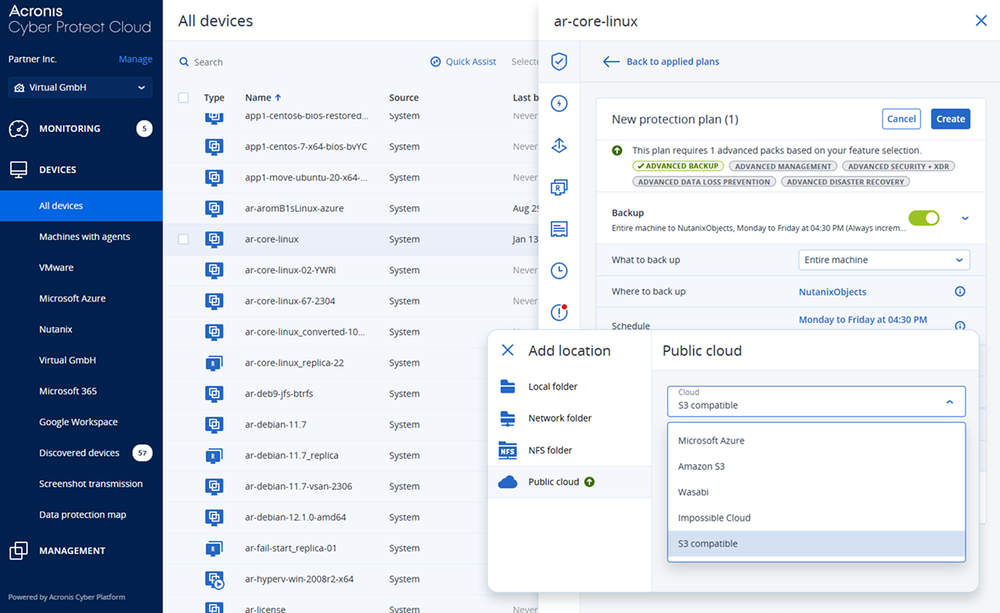
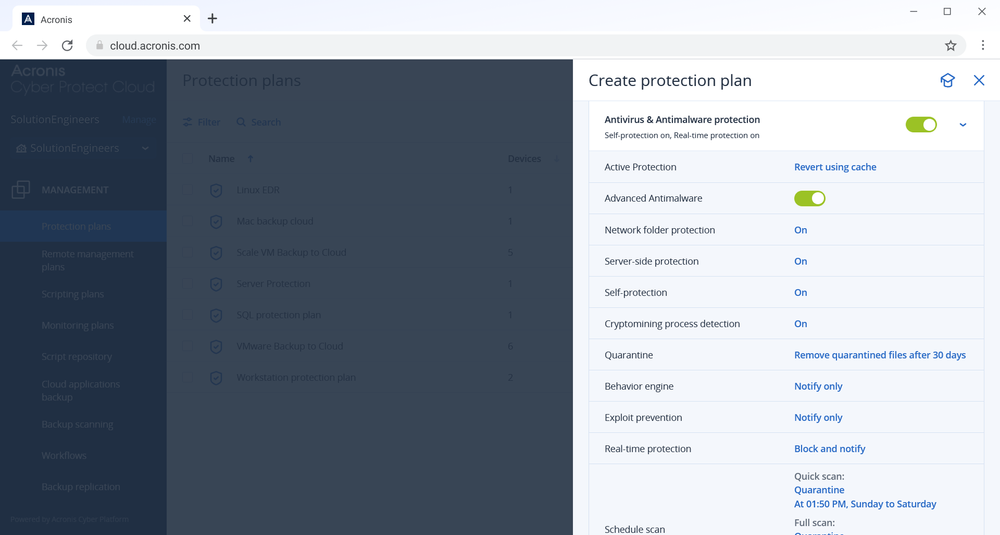
Protect workloads through one console

Protect workloads through one console

Server and cloud backup for businesses

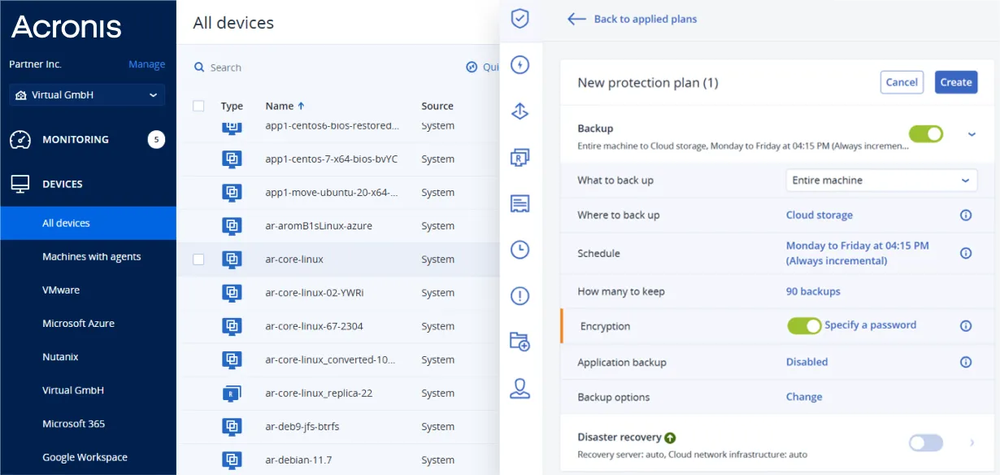
Keep business cloud backup consistent across on-site servers, remote offices and cloud workloads. Combine local copies for convenient restores with off-site copies for site-level incidents, or back up directly to a supported cloud destination.

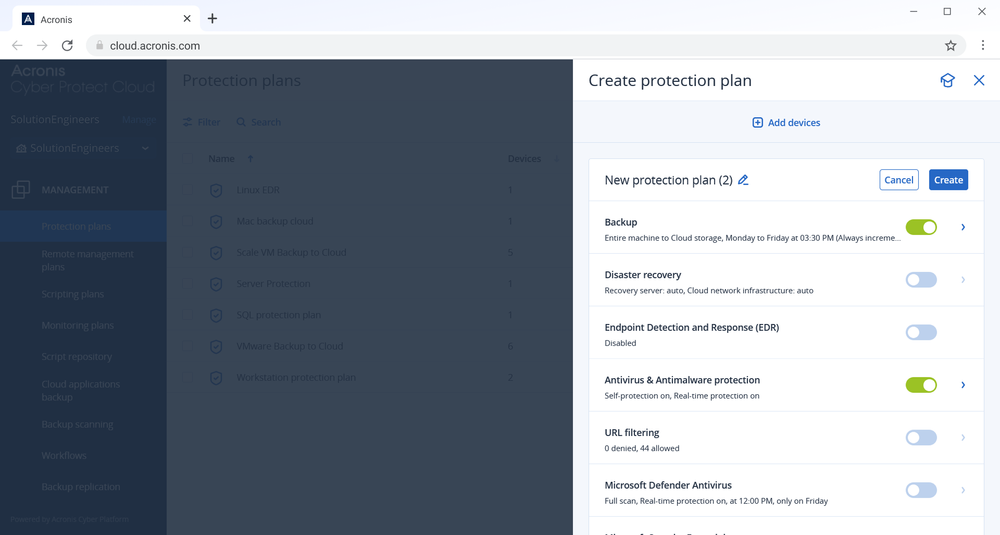
Set schedules and retention to match business priorities. Supported configurations can target recovery points as frequently as every 10 minutes, depending on data changes, system performance and bandwidth. Continuous Data Protection captures changes to selected files and application data on supported Windows systems between scheduled backups.

Server and cloud backup for businesses

Keep identity data recoverable

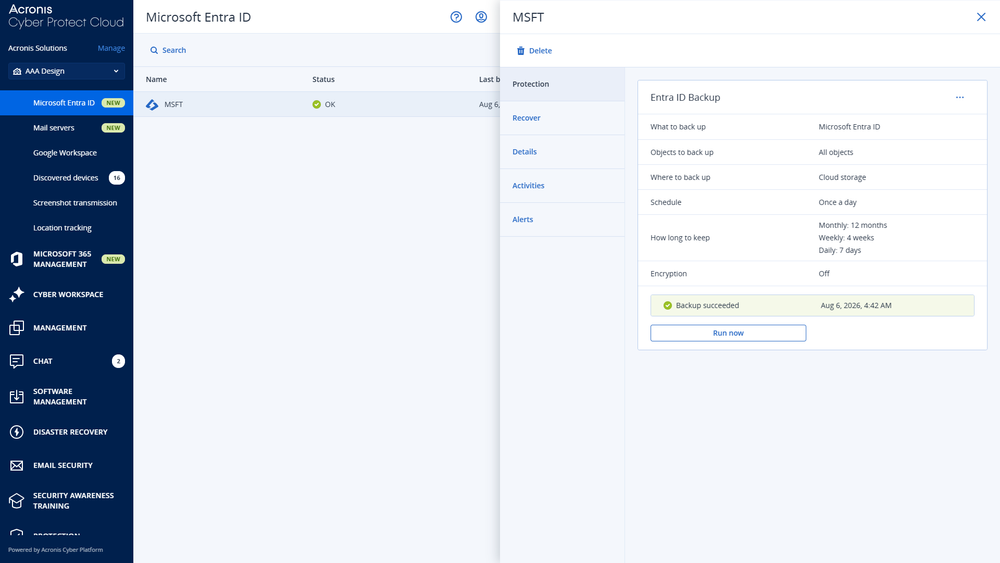
Back up Microsoft Entra ID users, groups, roles, policies and configurations. Restore supported objects to an earlier point with key relationships intact, helping teams recover from administrative mistakes or attacks beyond standard Microsoft recovery limits.

Keep identity data recoverable

Restore systems faster. Reduce disruption.

Use granular recovery for individual files and application items, or bare-metal recovery to rebuild a complete system. Acronis Instant Restore runs supported VMware or Hyper-V virtual machines directly from eligible backups, so users can regain access while full recovery continues.

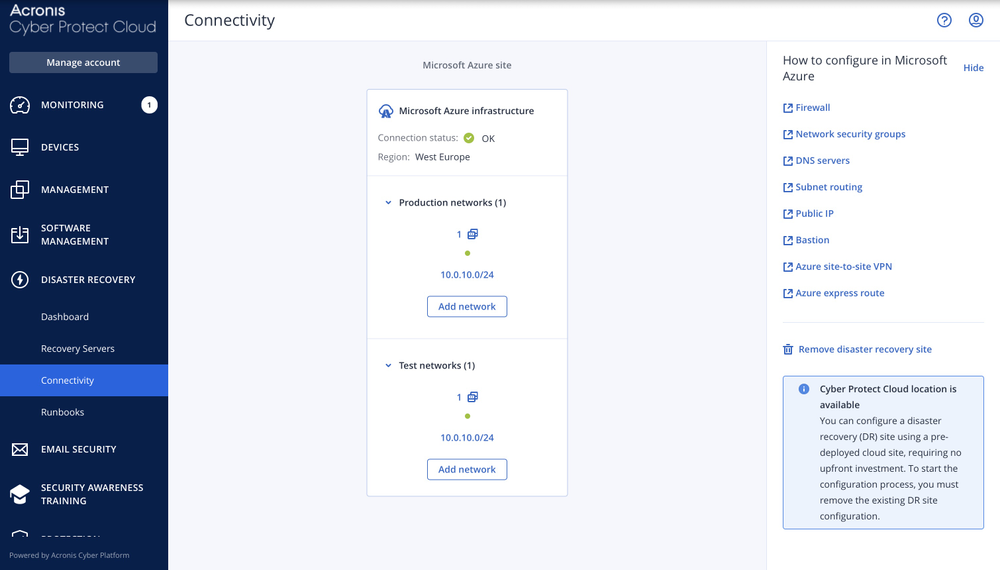
Physical-to-virtual, virtual-to-virtual and supported cloud recovery options give you flexibility when the original environment is unavailable. One-click recovery helps coordinate restoration across multiple protected machines. Add integrated Disaster Recovery when critical workloads need cloud failover, recovery testing and failback.

Restore systems faster. Reduce disruption.

Backup as a service, secured by design

Protect recovery points and reduce the risk of bringing threats back. Anti-malware scanning checks supported backups for malicious content. Safe Recovery incorporates anti-malware updates and patches into supported recovery workflows to reduce the risk of reinfection. Use immutable storage on supported cloud destinations to retain protected backup copies for the configured period.

Backup is one capability of Acronis Cyber Platform. On supported endpoints, the same Acronis agent connects backup with cybersecurity and endpoint management. Add EDR, RMM and disaster recovery to link threat response, patching and recovery without deploying separate agents for each endpoint service.

Backup as a service, secured by design

Choose where backups live

Use local storage, Acronis Cloud, partner-hosted storage or supported public cloud destinations, including Amazon S3 and Microsoft Azure. Combine destinations to fit recovery, cost and data residency requirements.

Acronis offers a global network of 50+ data centers; available locations and services depend on your deployment. Geo-redundant storage options add separation between backup copies.

Choose where backups live

Put your backup strategy into action

Flexible backup methods

Flexible backup methods

Choose file, disk or image-based backup. Use incremental backups to capture changed data and reduce repeated transfers.
Application-aware protection

Application-aware protection

Create consistent backups of supported business applications and recover the application data you need.
Continuous Data Protection

Continuous Data Protection

Capture changes to selected files and application data on supported Windows systems to reduce lost work between scheduled backups.
Fast, flexible restores

Fast, flexible restores

Recover individual items, rebuild systems, migrate between physical, virtual or cloud environments or start VMs directly from backups.
Protected recovery points

Protected recovery points

Combine encryption and supported immutable storage with backup scanning and validation to strengthen resilience against ransomware.
Centralized operations

Centralized operations

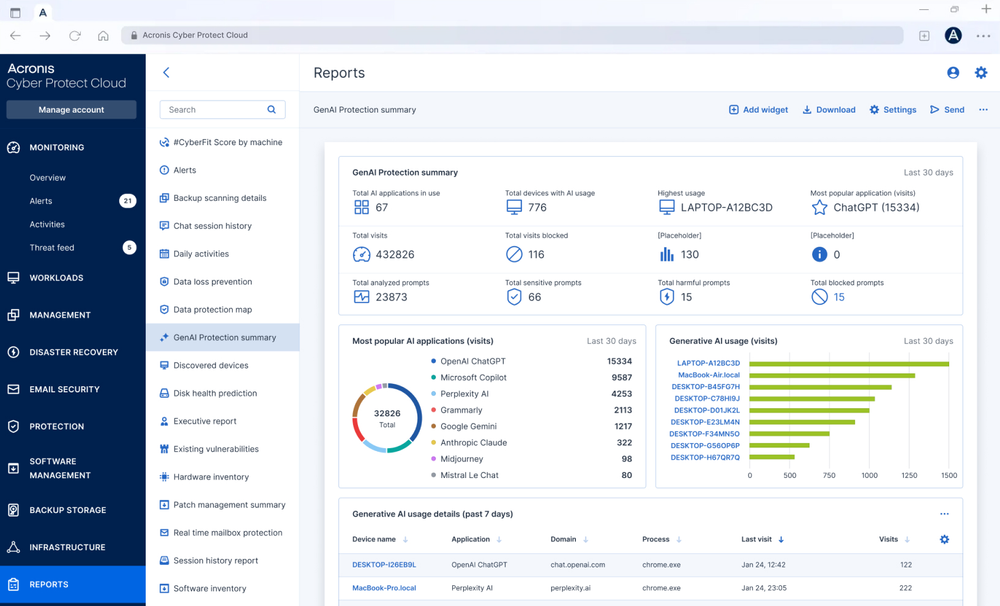
Manage plans, alerts and reports in one console. Apply customer-specific policies and retention across multiple tenants.
Efficient data transfer

Efficient data transfer

Use compression and incremental backups to help reduce network and storage demands. Results depend on the data being protected.
Recovery warranty

Recovery warranty

Stay confident with Acronis Anti-Ransomware Recovery Warranty: protected data will be recoverable.
Evidence for investigations

Evidence for investigations

Preserve additional information with forensic backups and use protection reports to support incident reviews and audits.

See how teams improve protection and recovery

  • Netherlands-based MSP selects Acronis Cyber Platform for a streamlined, user-friendly protection solution, leading to significant business growth and profitability
    Case study

    PeopleRock brings new services to market

    “Acronis has revolutionized our data protection and management capabilities, allowing our IT staff to focus on strategic initiatives and driving business growth.”

  • Panda Technology delivers scalable cyber protection to health care organizations facing HIPAA
    Case study

    Panda Technology scales health care protection

    “Acronis has allowed us to scale our business and deploy rapidly ... The fact that I can put our stack together and I can stand it up against the client’s compliance requirements has been a huge factor for us.”

  • BDR Pharmaceuticals reduces CapEx by 30% and OpEx by 12% with Acronis Cyber Protect
    Case study

    BDR Pharmaceuticals cuts backup administration in half

    “The Acronis dashboard provides complete visibility on the current state of our backup and restore processes. With Acronis, backup is now faster, more efficient, and secure.”

How to buy Acronis Backup

Monthly usage

Service Providers

Deliver managed backup and recovery across customer workloads from one multitenant console.

  • License: Acronis Backup
  • Deployment: Cyber Platform cloud service
Annual subscription

IT Departments

Protect business workloads and simplify backup, recovery and management from one console.

  • License: Acronis Cyber Protect Standard, Advanced and Backup Advanced
  • Deployment: Cyber Platform cloud and local

Useful resources

  • Blog

    Cloud backup guide

    Understand cloud backup, storage choices and the foundations of a resilient backup strategy.
  • Blog

    Immutable backup explained

    Learn how protected recovery points help defend against deletion, tampering and ransomware.
  • Product demo

    Managing backup storage

    This demo covers adding, deleting and managing Acronis backup storage.
Explore all resources

Looking for help?

Frequently asked questions

Product help

In case you have any difficulties, we have collected all the useful materials for this product in our FAQ, Video Tutorials and Documentation. Also you can always ask your question on our Discussion Boards.

Technical support

Customers with active product maintenance or subscription are entitled to 24/7 technical support. Follow the instructions at the Technical Support Site to get prompt support by phone, chat or e-mail.

Sorry, your browser is not supported.

It seems that our website is incompatible with your current browser's version. Don't worry, this is easily fixed!
To view our complete website, simply update your browser now or continue anyway.