Recovering your Mac
Follow the instructions below to recover your Mac when it cannot start or when it is working incorrectly.
-
Make sure that you have:
- A previously created Acronis True Image backup. Without the backup recovery is impossible. See Backing up to local or network storage and Backing up to Acronis Cloud for details.
- Acronis bootable media. If you do not have one and you can start Acronis True Image on your Mac, create the media as soon as possible. See Creating Acronis bootable media for details.
- Plug in the bootable media to your Mac.
-
To display the boot menu:
- [On an Intel-based Mac] Start or restart your Mac. Press and hold the Option key while the Mac is starting.
- [On a Mac with Apple silicon] Shut down your Mac. Press and hold the power button.
-
Choose Acronis bootable media as a device to boot from. The utilities are displayed.
- [On an Intel-based Mac] Select Recover from Acronis True Image Backup, and then click Continue.
- [On a Mac with Apple silicon] Select Acronis bootable media, and then click Restore.
-
In the window that opens, choose the location of your backup:
- Acronis Survival Kit
- Local Storage
- Acronis Cloud — sign in to your account.
- Network
Select your backup, and then click Open.
- From the list, select the backup version from which you want to recover your Mac, and then click Next. The contents of the version are displayed.
-
Select the check boxes next to the partitions that you want to recover. Select a destination for each partition.
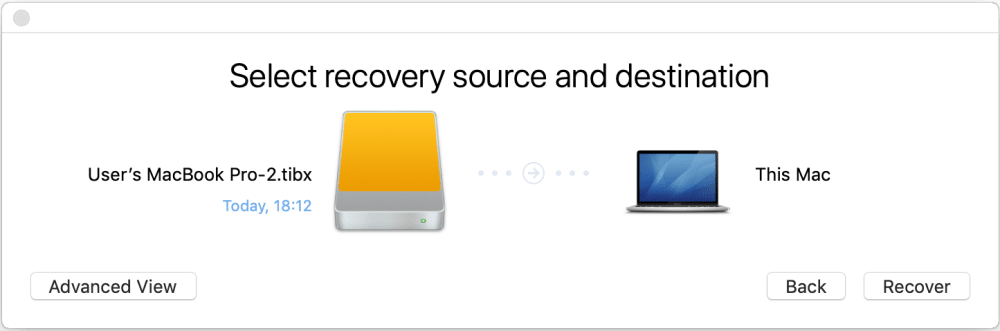
If Acronis True Image automatically determines a destination for each partition in the backup, the simplified view appears. You cannot make changes in this mode. If you need to select partitions manually, click the Advanced View button.
- To start recovery, click Recover, and then confirm that you want to erase all data on the destination partitions.
-
When prompted, click Restore Data if you only need to restore data on an unbootable data volume. Click Restore with Reboot if you need a bootable volume with macOS installed. Note that it requires internet connection.