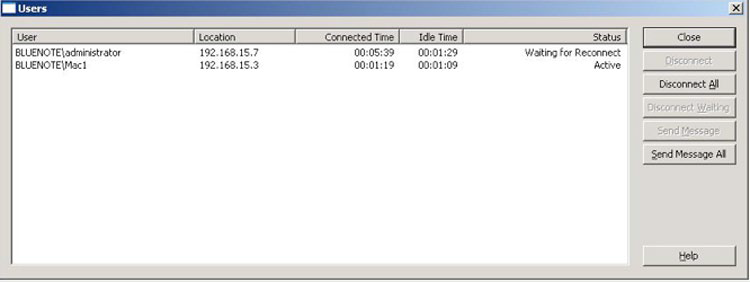
The Users dialog box lets you view the users connected to the server, disconnect those users, or send messages to them. For information on user name and password entry See the section “Connecting Macintosh Users”. To view the Users dialog box, click Users on the Access Connect Administrator window.
Names and IP addresses identify users who are currently connected. Their connection and idle times are given. The dialog refreshes automatically. Click on a column title to sort the list by a column.
The status tells you if the Macintosh client is idle, sleeping, or being reconnected; see Reconnecting a Dropped User Session.
Note: User accounts are defined in Windows. Access Connect uses this information to determine the user access privileges.
Disconnect - Disconnect a highlighted user or all users.
Send Message - Send a message to a highlighted user or all connected users.
Note: Mac OS X 10.9 or later does not support sending messages.
The Status column tells you if the connection Active, Sleeping, or Waiting for Reconnect.