Configuring a PostgreSQL instance
Acronis Cyber Protect 17 requires a PostgreSQL instance, which is used by the Settings Service and the DeviceSense component.
By default, a new instance of PostgreSQL version 16 is installed and automatically configured during the management server installation.
Alternatively, you can use an existing instance of PostgreSQL 14 or later. In this case, it is your responsibility to configure the database, configure high availability, and monitor the system.
To use the management server with an existing PostgreSQL instance
- In the setup dialog, locate the option PostgreSQL database, and then click Change.
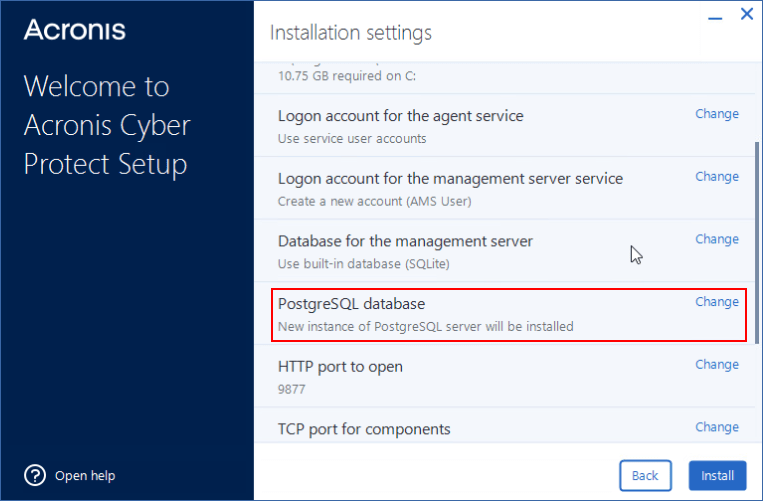
-
Select Use existing PostgreSQL instance, and then specify the following:
- IP address or hostname of the instance, and its port.
-
Credentials for the account that will be used to connect to the database.
This account must have the CREATEDB and CREATEROLE privileges.
- Click Done.
- Finish the installation of the management server as described in Installing the management server in Windows.