Enabling a workflow
At the partner tenant level, Cyber Protection administrators and Cyber Protection Cyber administrators can specify the version of the workflow that they want to enable for their customer tenants.
At the customer tenant level, Cyber Protection administrators and Cyber Protection Cyber administrators can enable and disable all workflows created for their tenant. Other customer tenant users can only enable or disable workflows that were assigned to them.
To enable workflows
-
Go to Automation > Cyber Studio > Workflows.
-
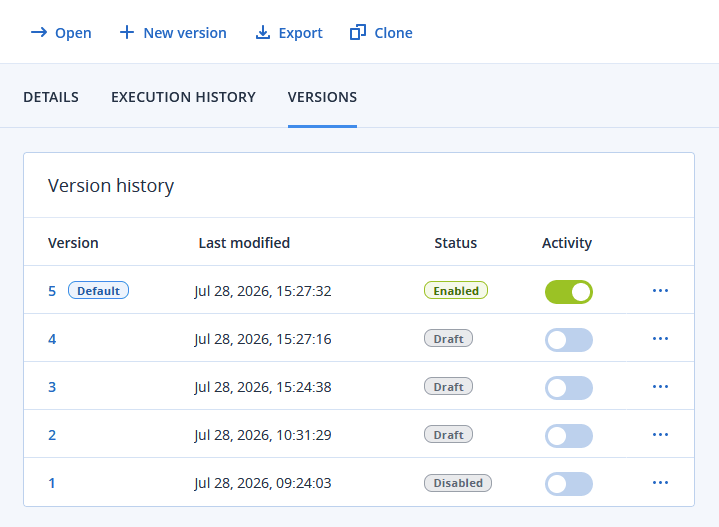
In the main Workflows screen, select the relevant workflow, and then click the Versions tab.
-
From the displayed list of workflow versions, turn on the toggle switch to enable the version.
[For partner Cyber Protection administrators and Cyber Protection Cyber administrators] The enabled workflow is now available for customer tenants who were previously assigned the workflow. The workflow can also be assigned to additional tenants, as required.
For more information, see Assigning workflows.
[For customer Cyber Protection administrators and Cyber Protection Cyber administrators] The enabled workflow will execute according to the defined triggers, conditions, and actions.
To disable a workflow version, turn off the toggle switch.
If multiple workflows are triggered by the same event, they are executed one by one, according to their priority, and then according to their date and time of execution. If the first workflow fails to execute for whatever reason, the next workflow is automatically executed.