- If this is your first backup, skip this step.
- If you already have a backup and you want to create a new one, click the plus sign at the bottom of the backup list.
Note: To delete a backup, right-click it, and then click Delete. The backup will be removed from the list, and the backup files will be deleted from the backup storage.
- Disks
- Files and folders
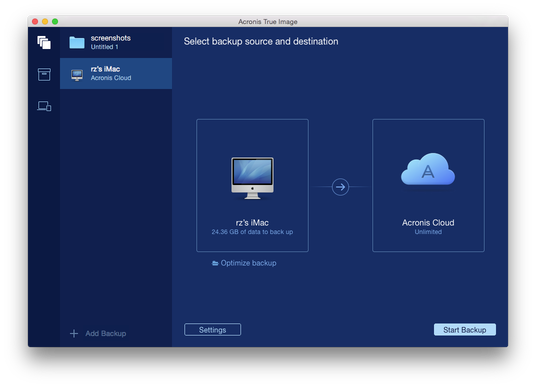
If you are not signed in yet, enter the email address and password of your Acronis account, and then click Sign In.
If you do not have an Acronis account, click Create Account, type your email address, password, and then click the Create Account button. Refer to Creating an Acronis account for details.
- Exclude data protected with third-party services, if you use any. Click Optimize backup and specify the data to exclude. Refer to Excluding items from backups for details.
- Exclude files and folders manually at Settings —> Exclusions. Refer to Excluding items from backups for details.
- Configure the backup schedule at Settings —> Schedule. Refer to Scheduling for details.
- Protect your backup with a password and encryption at Settings —> Encryption. Select the Encrypt backup check box, and then type a password. Please memorize this password, because it cannot be retrieved.
Acronis True Image 2016 protects your backups with an AES (Advanced Encryption Standard) cryptographic algorithm using a 256-bit encryption key.
- Select a preferred data center at Settings —> Advanced. Refer to Selecting Acronis Cloud data center for details.
The first online backup may take a considerable amount of time to complete. Future backup processes will likely be much faster, because only changes to files will be transferred.