Acronis bootable rescue media. If you do not have one and you can start Acronis True Image 2016 on your Mac, please create the media as soon as possible. Refer to Creating bootable rescue media for details.
Plug in the bootable media to your Mac.
Start or restart your Mac. Press and hold the Option key while the Mac is starting. The boot menu will be displayed.
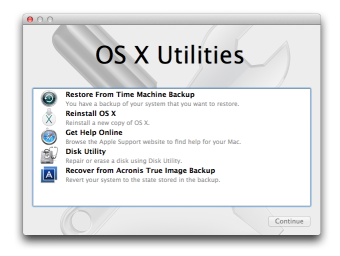
Choose Acronis Media as a device to boot from. The OS X Utilities list is displayed.
Select Recover from Acronis True Image Backup, and then click Continue.
In the window that opens, choose the location of your backup:
Local or network storage—select your backup, and then click Open.
Acronis Cloud—sign in to your Acronis account, select your backup, and then click Open.
From the list, select the backup version from which you want to recover your Mac, and then click Next. The contents of the version are displayed.
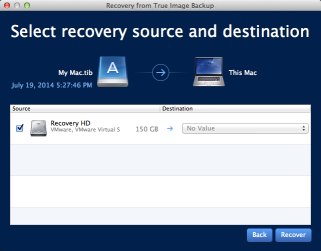
Select the check boxes next to the partitions that you want to recover.
Select a destination for each partition.
To start recovery, click Recover, and then confirm that you want to erase all data on the destination partitions.