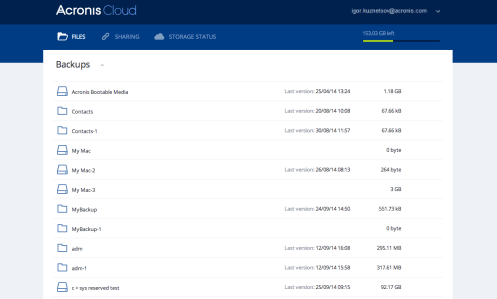
You can recover specific files and folders from an online backup stored on Acronis Cloud. To perform this operation, you first need to open the Acronis Cloud web application.
To open the Acronis Cloud web application, do one of the following:
– On your Mac with Acronis True Image 2016 installed:
Open Acronis True Image 2016.
On the left pane, select the backup that contains files and folders to recover.
Recovering the latest versions of files and folders
To recover files and folders:
On the Files tab of the Acronis Cloud web application, browse to the file or folder that you want to recover. You can also use the Search field.
To start recovery, click Download.
The selected data will be downloaded to the Downloads folder.
Recovering the previous file versions
Note that this option is not applicable to folders.
To recover a specific file version:
On the Files tab of the Acronis Cloud web application, browse to the file that you want to recover. You can also use the Search field.
Select the file, click the gear icon to the right of the file, and then click View versions.
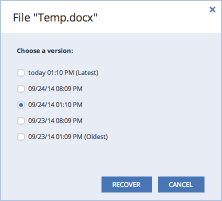
In the window that appears, select the desired version by its creation date. Your current version will be reverted to the state it was in at that point in time.
Click Recover to proceed. The selected version will become the latest version on Acronis Cloud.
After the process finishes, refresh the Files page in your web browser.
Select the file once more, and then click Download.
The file will be downloaded to the Downloads folder.