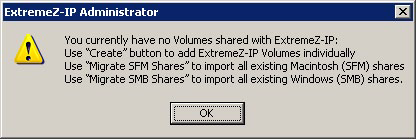
When you launch the Access Connect Administrator for the first time with no configured volumes (shares), Access Connect prompts you to create new volumes or import existing volumes. Access Connect can import existing volumes on your server that are shared using Services for Macintosh (SFM) and Windows file sharing (SMB). During the import, Access Connect migrates SFM/SMB share settings, such as SFM volume passwords and the maximum number of users.
If you are upgrading from a previous version, Access Connect checks for volumes shared with previous versions of Access Connect and automatically creates these Access Connect volumes.