Activating the integration
Prerequisite
You must have a public and private API key for ConnectWise PSA.
For more information, see Creating an API member in ConnectWise PSA.
To activate the integration
Company administrator
Custom role with 'Manage integrations' permission
-
Log in to Acronis Management Portal as a company administrator.
-
Select INTEGRATIONS from the main menu.
-
Search for the ConnectWise PSA catalog card.
For more information, see the Management Portal partner administrator guide.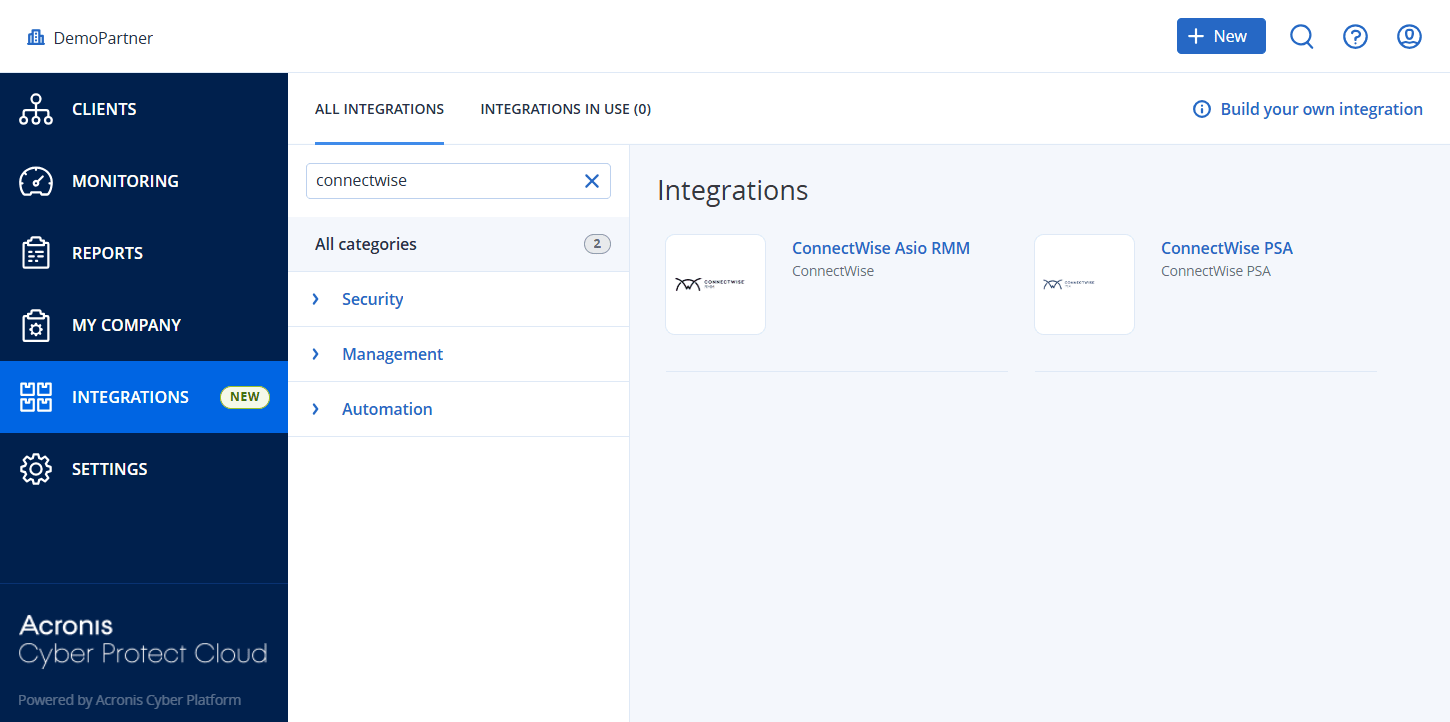
-
Hover over the ConnectWise PSA catalog card and click Configure.
-
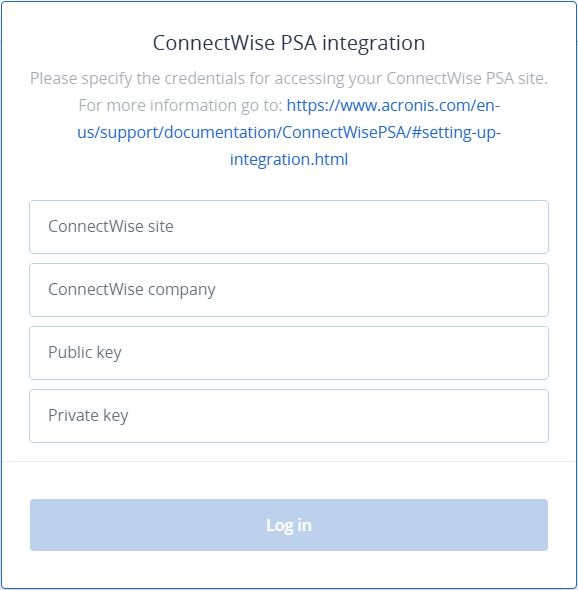
Provide your ConnectWise PSA credentials:
-
ConnectWise site
-
ConnectWise company
-
Public key
-
Private key
For more information about the public and private API keys, see Prerequisites.
After you provide your ConnectWise PSA credentials, you can only change the public and private API keys. If you need to change your ConnectWise PSA site or company details, you must deactivate and reactivate the integration.
-
-
Click Log in.
The PRODUCT MAPPING tab is displayed.
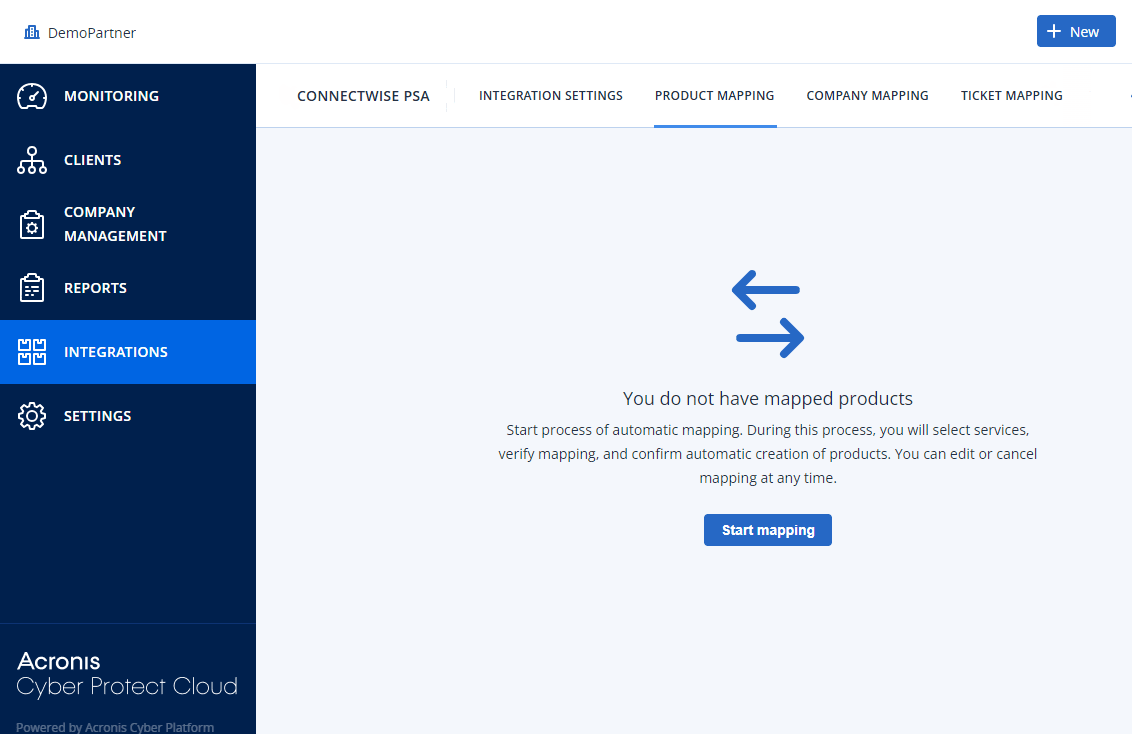
To avoid mapping errors, we recommend that you proceed to configure and set up the integration in this order:
-
Map products.
-
Add mapped Acronis offering items to ConnectWise PSA contracts.
-
Map ConnectWise PSA companies to Acronis customers.